How to Boost the WiFi Signal Through Walls – Improve WiFi around your home
Walls are the bane of WiFis’ existence. When you see the coverage claims from companies, it is always for open spaces, as if we all live frolicking outdoors.
In the UK, many of us live in older homes, and that means thick brick-built internal walls which are not kind to our WiFi. Or, for businesses, you may be stuck in a concrete and metal faraday cage.
To make matters worse, in a lot of homes, the Internet rarely enters the property in the ideal location. Most medium-sized homes will therefore struggle with WiFi signals.
In general, there is not much you can do to physically boost the signal through a wall from your existing router, but there are plenty of ways to improve the signal around your home or business.
Common recommendations that are probably not worth trying
Depending on your router, it can be possible to make adjustments to its settings that can theoretically boost performance. Some people may suggest boosting the power that the router broadcasts the WiFi at, but there is a legal limitation to how this can go, and it is not much use if the corresponding client doesn’t have enough power to send data back.
A lot of websites recommend upgrading your firmware. You should certainly keep it up to date, and it is possible that an OEM may push an update that improves performance. Some routers can accept custom firmware such as DD-WRT. That’s certainly worth considering, and it’s fun to experiment with, but I wouldn’t recommend it to your average joe.
Another recommendation is to upgrade the antennas. In general, the antennas on routers are well-tuned for that specific router. Most brands now have the antennas completely integrated into the router now anyway. The only time an antenna is useful is if you have a 4G/5G router and want to use an outdoor/external antenna for improved reception.
Experiment with router location
Before I jump into recommending expensive solutions, you could try and relocate your router to be more central to your home.
In reality, this is unlikely to be practical because your router will be where your fibre enters your home, but you could use a thing/flat ethernet cable and run it to a different part of the room that’s a bit closer to where you want the WiFi.
Use a Mesh WiFi System

The best overall recommendation for the vast majority of people will be to invest in a mesh WiFi system. These vary in price and performance, so you will need to consider how important your WiFi is and how fast you need it.

- One Unified WiFi Mesh Network – With advanced Mesh Technology, Halo units work together to form a single unified whole home network wifi extender with one Wi-Fi name and password
- Seamless Roaming WiFi Repeater – Automatically switch between Halos as you move around your home, always getting the best signal to enjoy the fastest connections for all your devices
- 1.9 Gbps Dual Band WiFi Mesh System – Halo H50G provides fast and stable connections for over 100 devices with speeds of up to 1,900 Mbps and works with major internet service providers (ISPs) and modems; works as a fast wifi booster
- Full Gigabit Ports – 3× Gigabit ports per Halo unit for lightning-fast wired connections, Use the MERCUSYS App to quickly set up and manage your Wi-Fi
- Whole Home Coverage – Blanket up to 6,000 ft² (550 m²) with high-speed Wi-Fi, eliminating Wi-Fi dead zones at your home, with 3 years manufactory warranty

On the more affordable end of the spectrum, you have the Mercusys Halo H50G, which is just £77 for a three-pack system. I gave my review sample to a friend, and they have been using it for over a year and love it. Alternatively, there is the TP-Link Deco S4.

- Dual Band WiFi 6 Speeds up to 3000 Mbps – 2402 Mbps on 5 GHz and 574 Mbps on 2.4 GHz; Enjoy the high speed of Wifi Mesh
- Seamless Roaming with One Unified Network – Halo units work together to automatically switch between Halos as you move around your home with a single unified WiFi name and password; Works as a high speed wifi extender in your whole home
- Whole Home Coverage – Blanket up to 7,000 ft² (650 m²) with high-speed WiFi, eliminating WiFi dead zones at your home; Ensuring the high speed WiFi repeater provides seamless internet connectivity throughout your home
- Connect over 150 Devices – Halo H80X mesh wifi system provides fast and stable connections over 150 devices; as we know the mesh system as the higher speed wifi booster that covers larger areas
- Easily Mange Your Home Network – Use the MERCUSYS App to quickly set up and manage your WiFi; You can also manage your kids’ online time and contents
The Mercusys H80X is probably the cheapest WiFi 6 mesh system you will find and I thought it was superb.
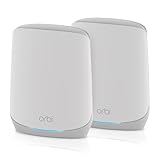
- Coverage up to 4,000 sq. ft. for 75 devices
- Fast AX5400 Gigabit speed with WiFi 6 technology for uninterrupted streaming, HD video gaming, and web conferencing
- NETGEAR devices come with security measures built in as well as enhanced safety features and updates designed to help protect you and your family
- Connects to your existing cable modem and replaces your WiFi router. Compatible with any internet service provider up to 1Gbps including cable, satellite, fiber, and DSL
- 3 x 1 Gig Ethernet ports on the router and 2 x 1 Gig Ethernet ports on the satellite for computers, game consoles, streaming players, storage drive, and other wired devices
If performance is important to you, then my current favourite mesh WiFi system is the tri-band Netgear Orbi 760 series. This is available in a 2-pack for £370 or 3-pack for £500. It is expensive, but it is a tri-band system meaning that one of the WiFi bands is dedicated to passing the data back to the router. If you have gigabit Internet or require high-speed local file transfers, then I’d highly recommend this.
There are plenty of other options, too. I have never reviewed one, but ASUS have some highly competitive options compared to Netgear. If money is no object, then the Netgear Orbi RBKE963 is the most advanced system on the market.
Upgrade your router
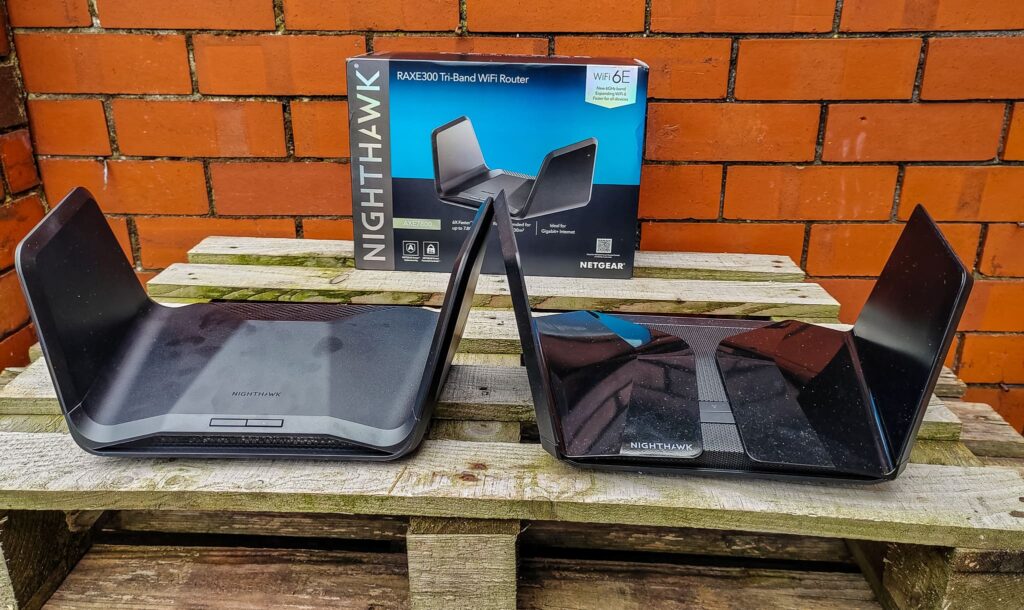
I am mentioning this after the mesh system because I think most people would be best going directly for a mesh system.
However, if you don’t have a huge property and only have minor issues, then its worth upgrading your router. The ISP-supplied models are always awful, and this is a good recommendation regardless of the quality of your WiFi.
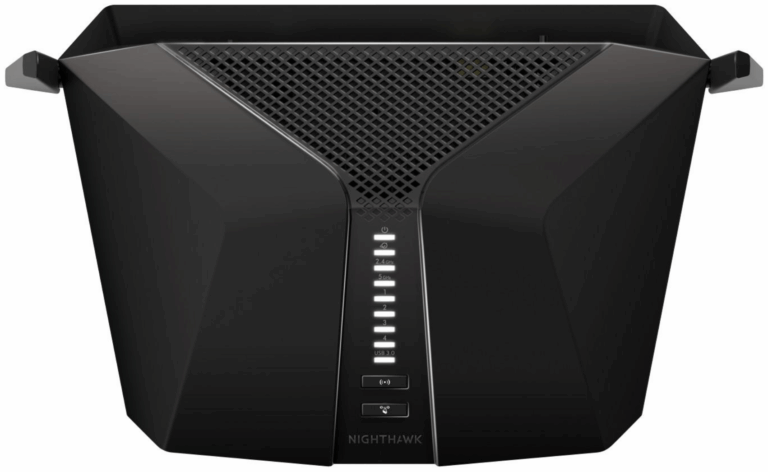
Most decent quality brands like Netgear, TP-Link and ASUS should provide better performance than your ISP router.
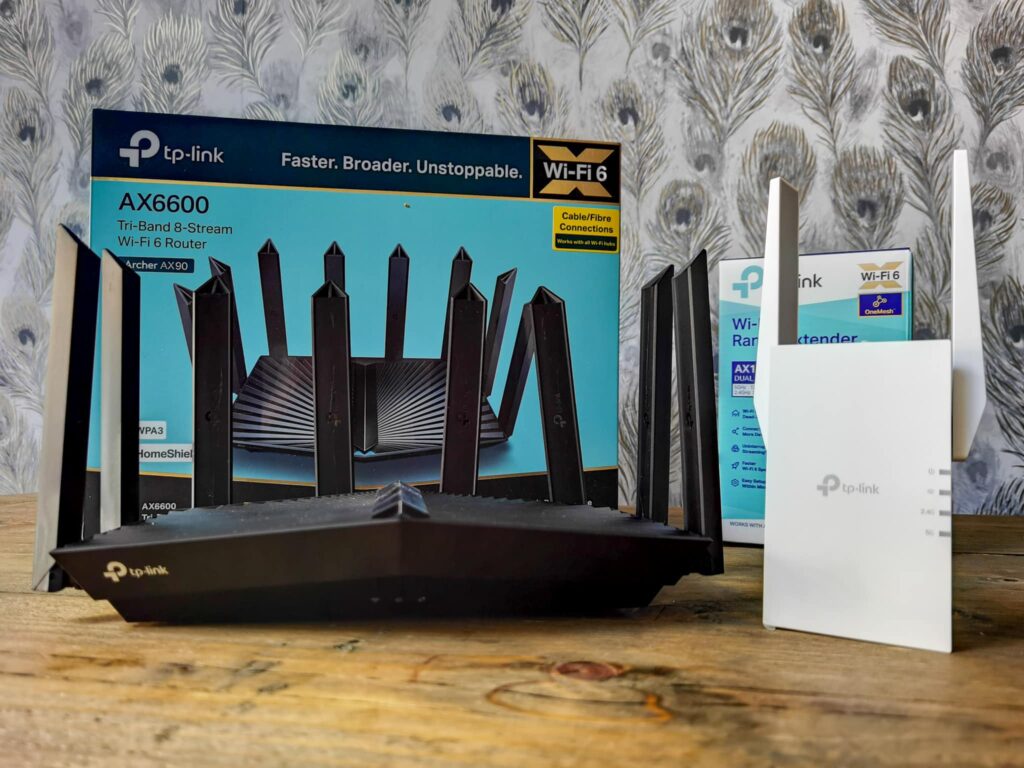
In this scenario, I’d consider a router than could later be upgraded to mesh. TP-Link has OneMesh routers, while ASUS use AiMesh. Any router with these technologies can then be paired up with other routers or extenders with the same technology.
Use a WiFi Extender / Repeater
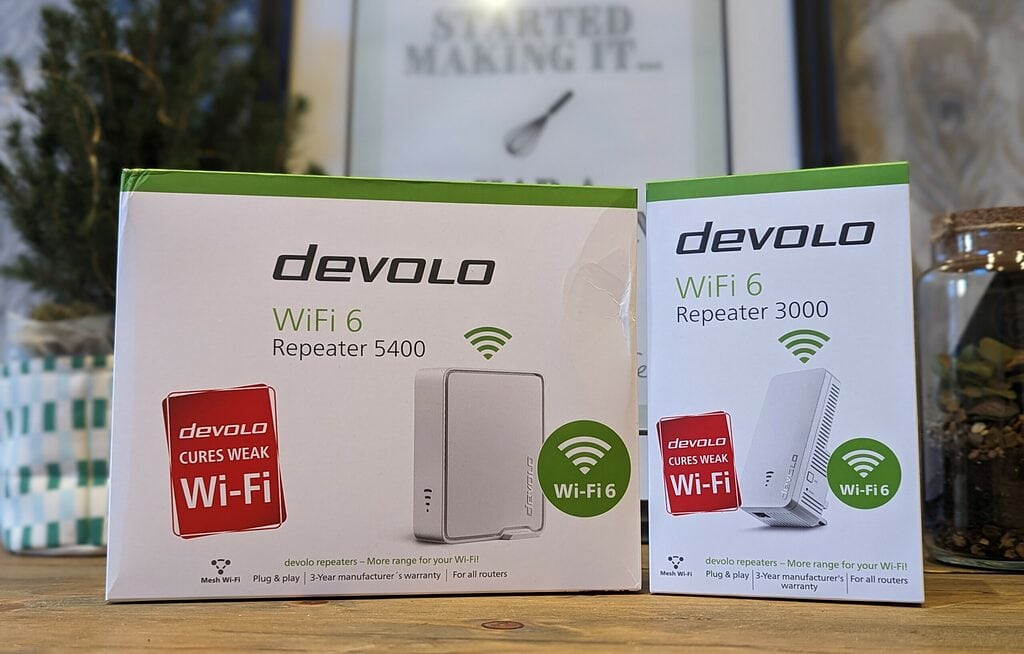
I much prefer mesh systems to a WiFi extender, but if you just need to boost the WiFi through a wall to a less important area of your home, then you can get away with an extender.
These work basically the same as a mesh system, but they often lack some of the standards that are used in a mesh system that allows you to walk around you home using one WiFi SSID name. You’d typically need a separate SSID, so you might have MyHouseWiFi and MyHouseWiFi_2.
I have reviewed some cheap options, and TP-Link seems to be the best brand if you want something affordable. TP-Link also has a range of mesh WiFi extenders that will work with TP-Link OneMesh routers. So it could be work getting something like the RE500X, and you could always get a OneMesh router at a later date.
I also recently reviewed the Devolo 5400 & 3000 WiFi 6 repeaters. These mimic a mesh system, using the same WiFi name as your main router. They are a little pricey, though.
Use an access point
I personally think access points are the ultimate solution. You can often wire up the satellites of a mesh system to work as a wired access point, so you have some flexibility.
Many access points now also have a built-in mesh function.
However, normally an access point is wired in via Ethernet, and they are typically powered using power over Ethernet (POE). Therefore, ideally, you would wire them into a POE switch.
The main problem is that running Ethernet across your house and between rooms is impractical and will often cost a lot if you get a professional to do it.
If you can do this, though, they provide the best performance as they will be able to extend your WiFi without any drop in performance to different parts of your home.
![Zyxel WiFi 6 AX1800 Wireless Access Point | Mesh, Seamless Roaming, & MU-MIMO | WPA3-PSK Security | Cloud, App or Direct Management | PoE+ or AC Powered, Adapter Included [NWA50AX]](https://m.media-amazon.com/images/I/31rKXx3-n9L._SL160_.jpg "How to Boost the WiFi Signal Through Walls – Improve WiFi around your home 10")
- WIFI 6 DUAL-RADIO PERFORMANCE: Delivers combined speeds up to 1800 Mbps (575 Mbps on 2.4 GHz + 1200 Mbps on 5 GHz) with MU-MIMO technology for seamless connectivity across multiple devices
- NEBULAFLEX MANAGEMENT: Switch freely between standalone local GUI management or intuitive Nebula cloud platform without additional cost, giving you complete control over how you manage your network
- SMART MESH TECHNOLOGY: Automatically forms dynamic wireless links to eliminate dead zones without complex cabling, perfect for extending coverage to garages, basements, and hard-to-reach areas
- ADVANCED SECURITY & INTERFERENCE PROTECTION: WPA3 Personal encryption keeps your network safe while built-in 4G/5G cellular coexistence filters minimize interference from mobile signal boosters
- FLEXIBLE INSTALLATION OPTIONS: Powered via 802.3at PoE (16W) or included AC adapter with compact design that makes the set up and configuration fast and easy
I currently use Netgear WAX615 access in my house, and I was using Zyxel previously. The Zyxel NWA50AX is a good affordable option, Netgear has the WAX214, which is about £5 more, or they have the desktop WAX204 model, which is just £68.
Use a powerline WiFi extender or mesh system

- 2x RJ45
- 2
- 4GHz + 5GHz Dual Band Dual concurrent
- 2x2 MIMO
- Approx. 1300 ft²
I’d normally opt for a mesh system or WiFi extender before trying powerline. Powerline extenders bypass trying to use WiFi to talk to the router; they instead pass data back over the electrical cables within your home.
The beauty of this approach is that it completely ignores your walls. The downside is that it is dependent on the quality of your home’s wiring. A new build will probably have excellent performance, but new builds also often have thin stud walls. It’s old buildings with brick walls that WiFi often struggles in, and these tend to have very old wiring.
However, if you have had no luck with a normal mesh system or extender, then I can strongly recommend either the Devolo WiFi kits or their full mesh system.
TP-Link also has the Deco P9 Whole Home Powerline Mesh WiFi System, which is quite affordable, and it looks like they have finally released a new WiFi 6 model, the TP-Link Deco PX50.
Use a MoCA extender/mesh system
It is a similar concept to powerline, but rather than using your home’s electrical cable, it uses coaxial cable that may have been installed at some point in your home to distribute TV signals.
I think this is more of a US thing than UK. However, distributing the TV signal via coax used to be (or still is) common, and many people still use it for Freeview. Reddit suggests that it works perfectly well in the UK.
MoCA should typically provide superior performance than powerline, and MoCa 2.5 is rated for 2.5Gbps.
The MoCA devices listed on Amazon are all just to create an ethernet port, they cost quite a lot of money, and you’d then need to buy an access point to compliment this. However, if you already have coax around your home, this will likely provide the best overall performance without the hassle of running Ethernet everywhere.
At CES 2023, ASUS announced the ZenWiFi hybrid XC5, which is the world’s first MoCA enabled mesh system, and it should be launched in the first half of this year. However, I have a feeling this won’t get launched in the UK.

I am James, a UK-based tech enthusiast and the Editor and Owner of Mighty Gadget, which I’ve proudly run since 2007. Passionate about all things technology, my expertise spans from computers and networking to mobile, wearables, and smart home devices.
As a fitness fanatic who loves running and cycling, I also have a keen interest in fitness-related technology, and I take every opportunity to cover this niche on my blog. My diverse interests allow me to bring a unique perspective to tech blogging, merging lifestyle, fitness, and the latest tech trends.
In my academic pursuits, I earned a BSc in Information Systems Design from UCLAN, before advancing my learning with a Master’s Degree in Computing.
I’m proud to share that Vuelio has consistently ranked Mighty Gadget as one of the top technology blogs in the UK. With my dedication to technology and drive to share my insights, I aim to continue providing my readers with engaging and informative content.
I work directly with the companies he reviews products for or their chosen PR agency.
For Social Media, you can find me on: