Dell UP2718Q Ultrasharp 27 4k Monitor Review
Design and Build
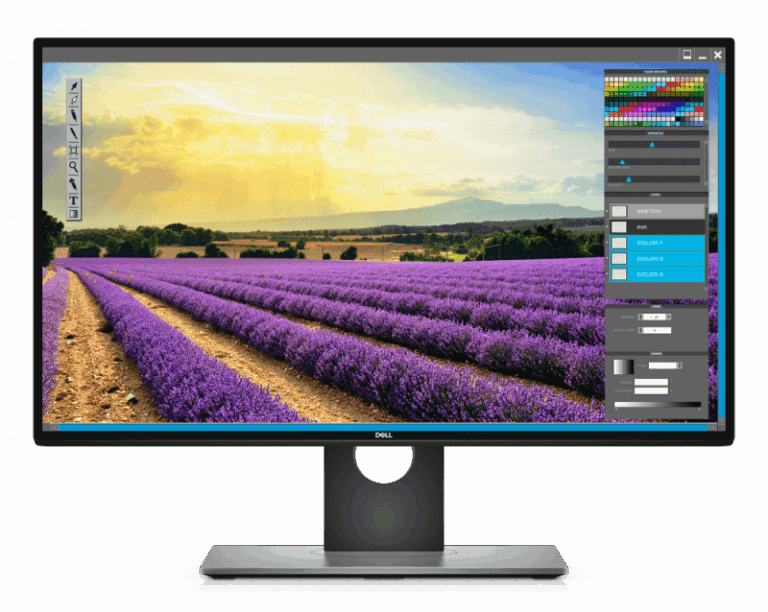
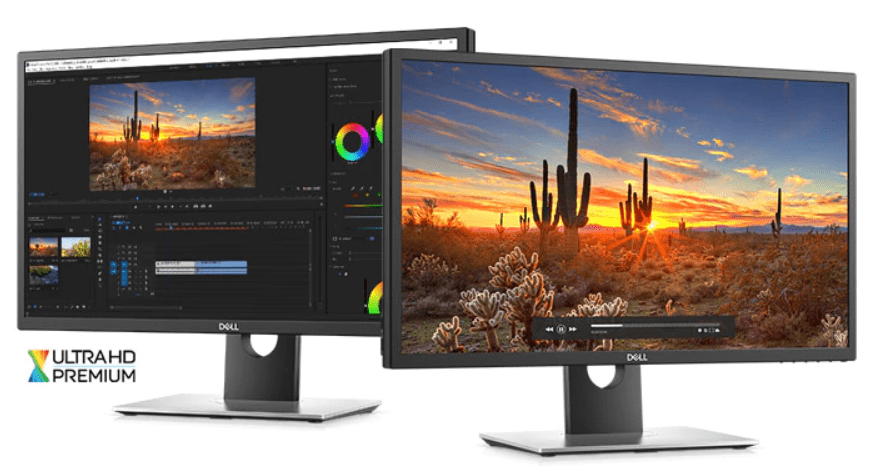
Being aimed at the professional market, this monitor skips out on some of the popular consumer stylings. Most noticeably there is no infinity edge here, which is a shame but understandable. This sticks to business looks, and you get a big monitor surrounded by reasonably sized bezels and a good quality black base/stand.

Performance
Dell supply a lot of their screens factory calibrated and you get the calibration report within the packaging. As you would expect with the professional nature of this display, it is also fully calibrated for you, unfortunately, the calibration report inside my box appears to relate to the cheaper U2718Q model.When Dell first contacted me about a monitor review, I was supposed to get the cheaper model just mentioned, so when I attached this to my computer and switched it on I was somewhat taken aback by the image.Out of the box, the vibrancy of the colour and depths of the blacks are exceptional. Comfortably the best out of box image I have ever seen and most likely just the best quality image for a monitor I have seen.The brightness was a little bit high for my sensitive eyes but considerably less so than most other monitors. In general, when I turn a screen on they often look washed out with white due to 100% brightness. At 75% this was way too bright for me for day to day office work, but there was not washed out nature to the image.The screen has a light anti-glare coating to it, giving it a partially matte look. Usually, this degrades colour accuracy, but the application appears to be light enough that the image quality remains excellent.With HDR being quite new on the PC platform, it is not enabled by default in Windows; you need to go into the display settings and switch it on there. If the monitor is HDR capable you will see a little toggle to enable it. Switching this on immediately shoots up the backlighting, again making it a bit harsh on my eyes. For day to day office work I prefer to keep it off, I don’t particularly need HDR for MS Word & Outlook.This monitor was set up on my side screen, and I also have an Amazon 4K Fire TV plugged in which is HDR compatible, so I was able to test out the 4K HDR for media playback. Within Netflix, the Ultra HD menu option is enabled, and shows are listed as being HDR or 4K. Starting a show there is an immediate jump in brightness, but as you would hope the images remain vibrant and blacks remain at near pitch-black levels.Affluent gamers may want to look elsewhere as response time is rated at 6ms and the refresh rate is the standard 60 Hz due to the 4K resolution. So while this may offer some of the best looking visuals on the market, it is not particularly suited for gaming., but if you do game, and in particular if a game supports HDR the visuals are impressive. Games like Destiny 2 and Mass Effect Andromeda looks particularly stunning, but at the same time suffer from tearing and stuttering. I only have a GTC 1070 which is not ideal for 4K gaming in the first place. As this is a professional monitor, you don’t even get AMD FreeSync or NVIDIA G-SYNC.The 4K resolution allows for a massive amount of screen real estate; you can potentially snap 4 windows to each corner and have the equivalent of 4 1080p displays. This is fantastic for multi-tasking. I personally use a 40” 4K screen as my primary and having a browser and word snapped left and right improves productivity considerably. With it only being a 27” screen, you can’t really make the most of the 4K resolution, and Windows defaults to 150% scaling, so you get something more like a 2K monitor in reality. You can change to 100% scaling, and in this mode, I found the text to be quite readable, but it is not something I could live with permanently. At 125% I could just about cope with it, in contrast, my other 27” 4K is challenging to read at 125%. If you are using this solely for editing images, it could work perfectly well at 100%.Overall
The Dell UP2718Q is an exceptional monitor for image quality, and my reviewing skills can’t do it justice as I am not a professional at designer so can’t appreciate the colour reproduction enough. It is comfortably the best monitor I have reviewed for day to day work or watching media, though it isn’t suited for serious gaming at all.Its performance is matched by its price, at £1200 is the most expensive monitor I have reviewed and is at least 50% more expensive than the most costly consumer 4K gaming panels. If you are a professional in the design industry, then I am confident that this price is worth.You can buy the Dell UP2718Q direct from Dell for £1200Dell UP2718Q Ultrasharp 27 4k Monitor

Product Name: Dell UP2718Q Ultrasharp 27 4k Monitor
Offer price: 1200
Currency: GBP
Availability: InStock
-
Build Quality - 90%90%
-
Performance - 90%90%
-
Price - 70%70%

I am James, a UK-based tech enthusiast and the Editor and Owner of Mighty Gadget, which I’ve proudly run since 2007. Passionate about all things technology, my expertise spans from computers and networking to mobile, wearables, and smart home devices.
As a fitness fanatic who loves running and cycling, I also have a keen interest in fitness-related technology, and I take every opportunity to cover this niche on my blog. My diverse interests allow me to bring a unique perspective to tech blogging, merging lifestyle, fitness, and the latest tech trends.
In my academic pursuits, I earned a BSc in Information Systems Design from UCLAN, before advancing my learning with a Master’s Degree in Computing.
I’m proud to share that Vuelio has consistently ranked Mighty Gadget as one of the top technology blogs in the UK. With my dedication to technology and drive to share my insights, I aim to continue providing my readers with engaging and informative content.
I work directly with the companies he reviews products for or their chosen PR agency.
For Social Media, you can find me on: