Best Mechanical Keyboards for the Office in 2024 – Quiet / Silent Mechanical Keyboards
Having recently taken on a job working in an office, I have been looking for the best mechanical keyboards that won’t irritate my colleagues.
As I have spent the last 5+ years working from home and writing for a living, I have grown to realise the importance of a good keyboard. It doesn’t have to be expensive, I have been using the JamesDonkey RS2 for the past 2 years and love it. While I always used to think I preferred clicky keys when I switched to the JamesDonkey, I realised that linear keys worked better for me; the speed of my typing increased noticeably, and I found myself preferring to type with linear switches rather than the popular clicky style.
Related Reviews
- CHERRY KW X ULP Keyboard Review
- Cherry MX 8.2 TKL Wireless Mechanical Keyboard Review
- James Donkey RS4 87-Key TKl Wireless Gaming Mechanical Keyboard Review
- Logitech POP Keys Keyboard Review
- Vissles LP85 optical-mechanical keyboard Review
- HyperX Alloy Origins 60 Mechanical Gaming Keyboard Review
- HyperX Alloy FPS RGB Mechanical Keyboard Review
What are Mechanical Keyboards?

Mechanical keyboards use individual mechanical switches for each key. Unlike membrane keyboards, which rely on a single rubber dome for key presses, mechanical keyboards have a more intricate construction. Each key press is registered by a physical switch beneath the keycap, providing tactile feedback and a satisfying typing experience. This design offers durability, responsiveness, and a longer lifespan, making mechanical keyboards a favourite among professionals and enthusiasts alike.
Mechanical vs Membrane Keyboards
The primary distinction between mechanical and membrane keyboards lies in their construction and key registration mechanisms.
Membrane Keyboards:
- Construction: Membrane keyboards use a single rubber dome to cover all the keys. Pressing a key pushes the dome down, which makes contact with a circuit below, registering the key press.
- Feel and Feedback: The typing experience is often described as mushy, with less tactile feedback.
- Durability: Membrane keyboards tend to wear out faster. The rubber dome can lose its elasticity over time, leading to unresponsive keys.
- Noise: These keyboards are generally quieter, making them a preferred choice in noise-sensitive environments.
Mechanical Keyboards:
- Construction: Each key has its own mechanical switch with a spring and a stem. The switch activates a circuit, registering the key press.
- Feel and Feedback: Mechanical keyboards offer a range of tactile and auditory feedback options, depending on the switch type.
- Durability: Mechanical keyboards are built to last, with some switches rated for tens of millions of keystrokes.
- Noise: Depending on the switch type, mechanical keyboards can be noisy. However, there are quieter options available, suitable for office use.
Mechanical vs Optical Switches – Benefits of Optical Switches
While mechanical switches have dominated the keyboard market for years, optical switches are an emerging technology offering distinct advantages.
Optical Switches:
- Technology: Instead of physical contact, optical switches use light to register key presses. When a key is pressed, it interrupts a beam of light, sending a signal to the computer.
- Speed and Responsiveness: Optical switches provide faster response times since there’s no debounce delay, making them ideal for high-speed typing and gaming.
- Durability: With fewer moving parts and no physical contact required to register a press, optical switches have an even longer lifespan than mechanical switches.
- Maintenance: Optical switches are less prone to wear and tear and are often easier to clean, as there’s no physical contact to accumulate debris.
Different Mechanical Switches for Keyboards
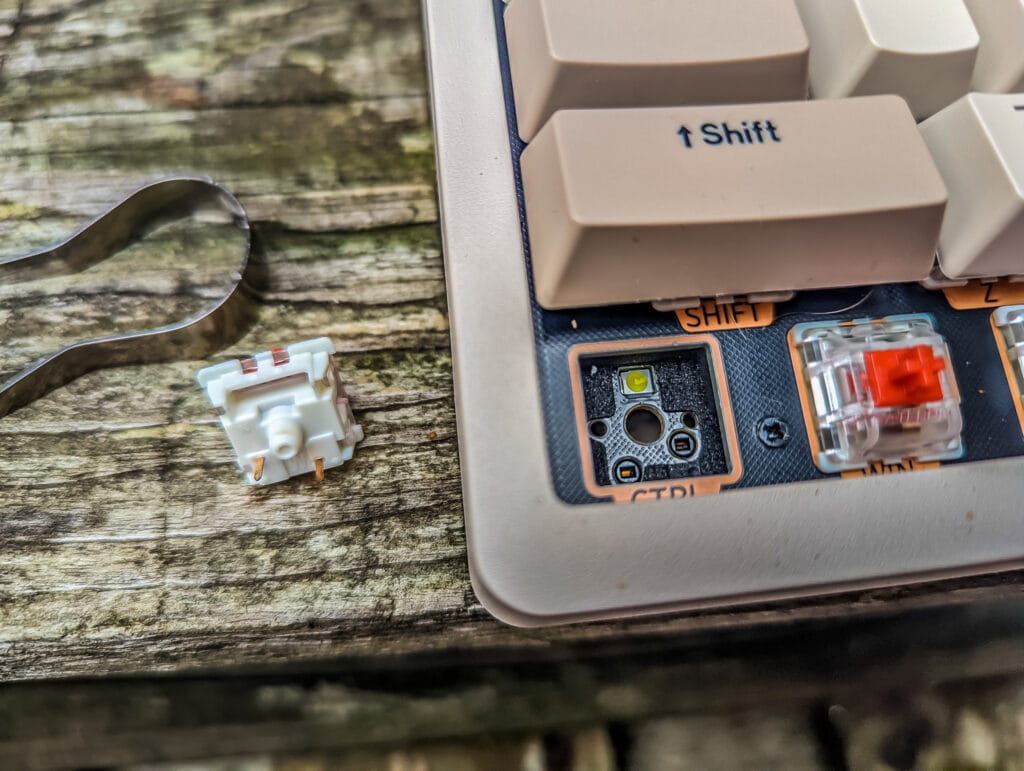
Mechanical keyboards offer a variety of switches, each with unique characteristics:
Cherry MX Switches:
- Cherry MX Red: Linear switch with a smooth keystroke, low actuation force, and quiet operation. Ideal for fast typing and gaming.
- Cherry MX Blue: Tactile and clicky switch, known for its audible click and tactile bump. Great for typists who prefer feedback.
- Cherry MX Brown: Tactile but not clicky. Offers a balance between typing feedback and quiet operation, making it a popular choice for office use.
- Cherry MX Black: Linear switch with a heavier actuation force, providing a firm and smooth keystroke. Suitable for those who prefer a more robust typing experience.
Other Popular Switches:
- Razer Green: Similar to Cherry MX Blue, offering tactile and clicky feedback. Preferred by gamers and typists who enjoy audible feedback.
- Razer Yellow: Linear and silent, akin to Cherry MX Red, designed for fast and quiet typing.
- Kailh Box Switches: Known for their durability and consistent feel, available in various types like Box White (clicky), Box Red (linear), and Box Brown (tactile).
- Gateron Switches: Often praised for their smoothness, available in various types such as Red (linear), Blue (clicky), and Brown (tactile).
Best Mechanical Switches for an Office Keyboard
For office environments, the best mechanical switches strike a balance between comfort, noise level, and tactile feedback. Cherry MX Brown seems to be the most popular recommendation for a work environment. These are actually tactile keys, but with noiseless guidance, my personal preference is Red keys as I find the linear design is good for productivity and silence.
- Cherry MX Brown: Offers a quiet and tactile experience, making it ideal for shared workspaces.
- Cherry MX Silent Red: Provides a linear and silent keystroke, perfect for noise-sensitive offices.
- Gateron Brown: Known for its smooth and tactile feel with minimal noise, a great alternative to Cherry MX Brown.
- Kailh Box White: If some clicky feedback is preferred without being too loud, these are an excellent choice due to their crisp actuation.
Top 10 Mechanical Keyboards for the Office
Here are some of the best mechanical keyboards suitable for office use, with their pros, cons, prices, and purchasing options. Sadly, the JamesDonkey RS2 I have been using is no longer available, and it looks like JameDonkey has done bust.
Keychron K10 Pro

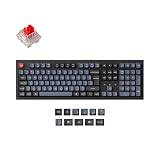
- K10 Pro ISO-UK-Layout Wireless Mechanical Keyboard: The K10 Pro Aluminum Frame RGB Backlight version has been re-engineered from the inside out. Together with our signature hot-swappable features and upgraded typing sound, the K10 Pro is advancing the typing experience to an entirely new level with endless possibilities.
- With QMK and VIA Support: Keychron K10 Pro allows anyone to remap any key, and create macro commands, shortcuts, or combination keys through VIA. Simply connect the K10 Pro to your device with a cable, drag and drop your favorite keys or macro commands to remap any key you want on any system (macOS, Windows, or Linux). Note: User can remap a key on wired mode only. Once it's done, the keymap will work on both wireless and wired modes.
- Supports Wireless and Wired Mode: You can connect the K10 Pro with up to 3 devices wirelessly via its stable Broadcom Bluetooth 5.1 for seamless multitasking across your laptop, phone, and tablet. Switch among them swiftly, and it’s fully compatible with both Mac and Windows. The K10 Pro can last up to 100 hours (at lowest brightness) with a 4000 mAh big battery, which is one of the biggest in mechanical keyboards. It also has wired mode with USB Type-C connection.
- Hot-swappable Support: With the pre-lubed mechanical clicky red switch providing unrivaled tactile responsiveness with up to 50 million keystroke lifespan. You can also hot-swap the K10 Pro with almost all of the 3pin and 5pin MX mechanical switches on the market (including Cherry, Gateron, Kailh, Panda, etc.) without soldering required. The PCB-mounted screw-in stabilizer for “big keys” such as space bar, shift, enter, and delete are designed for less wobbliness and smooth performance.
- Upgraded Typing Experience: The K10 Pro has been re-engineered and redesigned from the inside out to upgrade the typing experience. The added sound-absorbing foam, a thick silicone dampening bottom pad, and steel plate provide responsive feedback and a peaceful typing sound. The K10 Pro comes with our unique OSA profile (OEM profile with spherical-angle) and double-shot PBT keycaps that aim to provide a more comfortable fingertip feel with excellent oil resistance for long-term use on the full-size layout.
- Size: Full Sized
- Overview: Keychron is one of the most popular brands for affordable mechanical keyboards. I have personally chosen the Keychron K10 Pro as my new office keyboard as I like a full-sized keyboard. This is available with either Red or Brown switches, and they are hot-swappable, so you can change them if needed.
- Pros: Customisable switches, affordable price point, wired and wireless connectivity.
- Cons: ABS keycaps
- Price: £130
- Where to Buy: Amazon UK, Keychron Store
Logitech G915 TKL

- LIGHTSPEED PRO-GRADE WIRELESS: Delivers professional performance with a superfast 1 ms report rate. Create a clean, wire-free aesthetic for battlestations for the ultimate gaming freedom
- LIGHTSYNC RGB TECHNOLOGY: Get next-gen RGB lighting that synchronises with content. Personalise preset keys, create custom animations with a rainbow of 16.8M colors using Logitech G HUB software
- LOW-PROFILE MECHANICAL SWITCHES: Get the speed, accuracy and performance of a mechanical switch at half the height. Choose from Tactile, Linear and Clicky switches
- COMPACT TKL DESIGN: The tenkeyless design provides the advanced technologies you’d expect, with a compact design for gamers. Store your USB receiver in the back for added portability
- SLEEK METAL AESTHETIC: This beautifully crafted, premium-build keyboard uses aircraft-grade aluminum metal alloy to deliver a design that’s impossibly thin and extremely durable
- Size: Tenkeyless (TKL)
- Overview: The Logitech G915 TKL features linear switches. It’s compact and comes with a detachable cable, making it ideal for both office and home use.
- Pros: Media keys, compact design, high build quality.
- Cons: Higher price point.
- Price: £220
- Where to Buy: Amazon UK, Logitech Store
Das Keyboard 4 Professional

- High-quality mechanical keyboard with durable and precise Cherry MX Brown switches (tactile, soft clicky)
- High-grade casing in a classy and professional design
- Multiple indispensable features, like n-key rollover, golden contacts, two additional USB 2.0 ports, media keys, and more
- 105 blank keys with European layout
- Suitable for typing and gaming
- Size: Full-sized
- Overview: Known for its superior build quality and Cherry MX Brown switches, the Das Keyboard 4 Professional offers a tactile typing experience with dedicated media controls.
- Pros: Durable build, tactile feedback, media controls.
- Cons: No backlighting.
- Price: £150
- Where to Buy: Das Keyboard Store, Amazon UK
FILCO UK Ninja Majestouch 2

- THE TEN-KEYLESS VERSION OF THE MAJESTOUCH 2 S NINJA - Filco's Ninja has the same layout as a standard UK keyboard, but instead of having legends on the top of the keys it has legends on the front of the keys. This is the 88 key version of Majestouch 2 S (the Majestouch 2 S without the number pad). With this compact keyboard, you can save space while having the same layout, and the same linear feel as the existing Majestouch 2 S series.
- ADDITIONAL ACCESSORIES - The Ninja comes with 2 sets of Windows keys 1 set top printed, 1 set front printed, and a key puller to help you change the keys.
- TRUE N-KEY ROLLOVER - The functionality by which all the typed keys are recognized on the PC, even when many keys are typed simultaneously. All the keys typed simultaneously are recognized on the PS/2 port (limited to 6 keys typed simultaneously for the USB due to the specifications of USB). Completely dedicated electronic circuitry, a diode is soldered on the PCB for every key switch to prevent 'counter currency'.
- SOLID AND STYLISH - The rigid case construction gives a sure and comfortable typing experience with a specially designed font, for better visibility and a stylish and long lasting appearance.
- Size: Full-sized
- Overview: A minimalist design with a focus on durability and performance. Available with various Cherry MX switches, including Red Silent, it caters to different typing preferences.
- Pros: Solid build, variety of switch options, simple design.
- Cons: No additional features like backlighting or USB passthrough.
- Price: £120
- Where to Buy: Keyboard Co, Amazon UK
Keychron K2


- A 75% ISO-UK-layout (84-key) White LED backlight compact Bluetooth mechanical keyboard. The ultimate tenkeyless keyboard that retains shortcut and arrow keys. Plastic frame.
- Connects with up to 3 devices via Bluetooth 5.1 and switch among them easily. With high reliable and broad compatibility Broadcom Bluetooth chipset, the K2 is best to fit home, office and light gaming use while connecting with your smartphone, laptop and iPad. It also has wired mode with USB Type-C connection.
- With a unique Mac layout, K2 has all necessary Mac function keys, while compatible with Windows. Extra keycaps for both Windows and Mac operating system are included.
- K2 can last up to 72 hours typing, or up to 7 days normal use (count 8hrs per day) with a 4000 mAh big battery, which is one of the biggest in mechanical keyboard. N-key rollover (NKRO) on wired mode or 6KRO on wireless mode.
- Charming RGB backlight with elegant keycap legends helps to type in dime environment, you can also choose other static color backlight mode. Durable Gateron mechanical switch with 50 million keystroke lifespan, providing unrivaled tactile responsiveness on the linear red switch.
- Size: 75%
- Overview: A wireless mechanical keyboard with Bluetooth connectivity, the Keychron K2 is highly versatile, supporting multiple devices. It features Gateron switches and an ergonomic design.
- Pros: Wireless, compact, multi-device support.
- Cons: Slightly cramped for extended typing sessions.
- Price: £85
- Where to Buy: Keychron Store, Amazon UK
Ducky ONE 2 SF Gaming

- DKON1967ST-SDEPDAZT1
- Model Number: DKON1967ST-SDEPDAZT1
- Colour: MX-Silent-Red
- Size: 60%
- Overview: Compact and customisable, the Ducky One 2 SF is a 60% keyboard offering Cherry MX switches and vibrant RGB backlighting. Ideal for those with limited desk space.
- Pros: Compact, customisable lighting, high-quality switches.
- Cons: Lack of dedicated function keys.
- Price: £100
- Where to Buy: MechanicalKeyboards.com, Amazon UK
Varmilo VA88M

- UK VA88M Ink Rhyme PBT Backlit MX Brown Tactile Keyboard
- KEYBOARDS
- Varmilo
- black
- Size: Tenkeyless (TKL)
- Overview: The Varmilo VA88M combines aesthetics with functionality. Featuring Cherry MX Brown switches and customisable keycaps, it offers a premium typing experience.
- Pros: Aesthetic design, high-quality build, customisable keycaps.
- Cons: Higher price point.
- Price: £120
- Where to Buy: Varmilo Store, Amazon UK
Corsair K95 RGB Platinum XT
No products found.
- Size: Full-sized
- Overview: A feature-rich keyboard with Cherry MX Brown switches, dedicated macro keys, and RGB lighting. Ideal for professionals needing additional functionality.
- Pros: Macro keys, RGB lighting, durable build.
- Cons: Expensive, large footprint.
- Price: £168
- Where to Buy: Corsair Store, Amazon UK
Cooler Master CK550 V2

- STYLISH & CUSTOMISABLE LAYOUT - The CK550 V2 features a durable brushed-aluminium top plate with laser-engraved floating keycaps and a standard keyboard layout for future keycap customization
- HIGH-QUALITY MECHANICAL SWITCHES - Red mechanical key switches (linear actuation) are rated for 50 million+ key presses and provide excellent responsiveness for gaming or typing - hybrid key rollover (6KRO & NKRO) ensures each keypress is registered
- RGB ILLUMINATION - Per-key LED backlighting supports up to 16.7 million colours either via keyboard controls or through Cooler Master’s easy-to-use MasterPlus+ software (which includes additional customization features & effects)
- ON-THE-FLY CONTROLS - Settings can be easily changed in real-time using the on-the-fly controls in combination with the FN key (colours/effects as well as macros/profiles/multi-media) - all software-free and in-program for maximum convenience
- WRIST REST FOR IMPROVED COMFORT - A comfy foam Cooler Master wrist rest with low-friction cloth comes included to provide extra support during long sessions
- Size: Full-sized
- Overview: At under £100 for a full-sized keyboard, this is a relatively budget-friendly mechanical keyboard with Gateron Red switches, RGB lighting, and a sleek aluminium design. Offers great value for money.
- Pros: Affordable, good build quality, RGB lighting.
- Cons: Limited switch options.
- Price: £95
- Where to Buy: Cooler Master Store, Amazon UK
Corsair K100 Air Wireless


- Stunning, Refined, and Ultra-Thin: The K100 AIR is an unbelievably thin wireless gaming keyboard just 11mm at its slimmest point, seamlessly blending stunning design and everyday productivity in an elegant brushed aluminum frame.
- Fast Wireless and Wired Connection Options: Three ways to connect to up to five different devices – Via sub-1ms SLIPSTREAM WIRELESS on PC or Mac, low-latency Bluetooth on up to three host devices, or USB wired with AXON 8,000Hz hyper-polling, for hyper-fast wireless versatility.
- Masterful Wireless Multi-Tasking: Quickly switch between wireless connections on your PC, Mac, and more at the press of a key, with secure AES 128-bit encryption.
- CHERRY MX Ultra Low Profile Mechanical Keyswitches: Offer an incredibly short 0.8mm actuation distance with a tactile bump, for ultra-responsive gaming and typing.
- Long-Lasting Wireless Battery with Per-Key RGB Backlighting: Enjoy up to 50 hours of wireless battery life with dynamic per-key RGB backlighting and adaptive brightness that automatically adjusts to lighting conditions, or go the distance with up to 200 hours with backlighting off.

- Size: Full-sized
- Overview: Incredibly expensive, but this is the only ultra-low profile keyboard on the list. It has low-profile tactile switches, but due to the low-profile nature, they are very quiet. I previously reviewed the excellent CHERRY KW X ULP Keyboard, which uses the same keys, but the Corsair appears to get better reviews.
- Pros: Ultra low profile design, good build quality
- Cons: Very expensive
- Price: £280
- Where to Buy: Amazon UK
Conclusion
Choosing the right mechanical keyboard for the office involves balancing factors like switch type, noise level, ergonomics, and additional features. Whether you prefer the tactile feedback of Cherry MX Browns, the silence of Cherry MX Silent Reds, or the versatility of hot-swappable switches, there’s a mechanical keyboard to suit your needs. Each of the recommended keyboards provides a unique blend of functionality, comfort, and style, ensuring you can find the perfect fit for your office environment.

I am James, a UK-based tech enthusiast and the Editor and Owner of Mighty Gadget, which I’ve proudly run since 2007. Passionate about all things technology, my expertise spans from computers and networking to mobile, wearables, and smart home devices.
As a fitness fanatic who loves running and cycling, I also have a keen interest in fitness-related technology, and I take every opportunity to cover this niche on my blog. My diverse interests allow me to bring a unique perspective to tech blogging, merging lifestyle, fitness, and the latest tech trends.
In my academic pursuits, I earned a BSc in Information Systems Design from UCLAN, before advancing my learning with a Master’s Degree in Computing.
I’m proud to share that Vuelio has consistently ranked Mighty Gadget as one of the top technology blogs in the UK. With my dedication to technology and drive to share my insights, I aim to continue providing my readers with engaging and informative content.
I work directly with the companies he reviews products for or their chosen PR agency.
For Social Media, you can find me on: