JamesDonkey RS2 Hot-Swappable Mechanical Keyboard Review – A 1800 Compact (96%) keyboard with a retro IBM design
I was impressed when I previously reviewed the JamesDonkey RS4. It is an excellent 87-Key TKl RGB mechanical keyboard that has both wireless and wired connectivity.
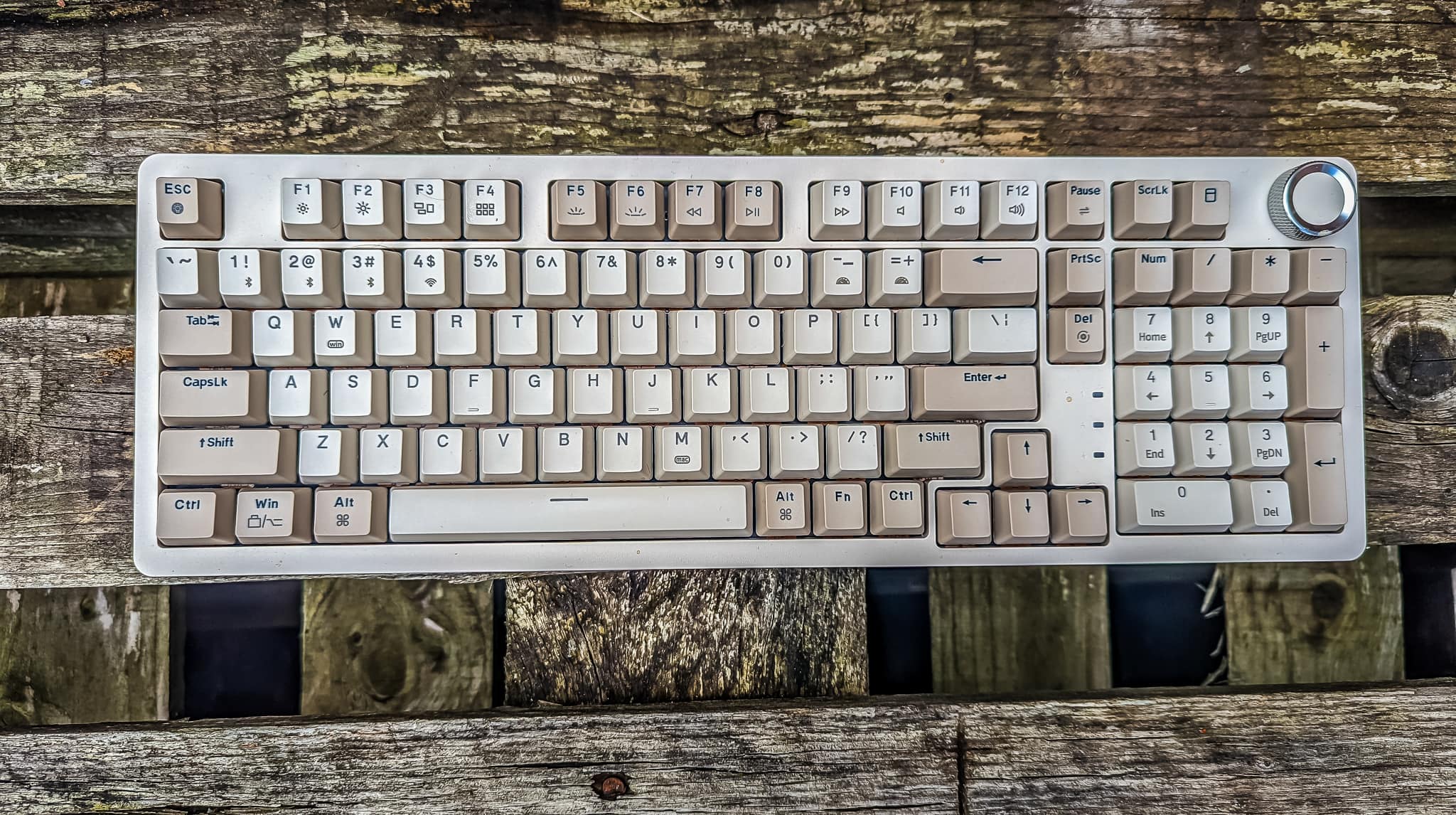
Recently, I have been reviewing the new JamesDonkey RS2. This is a 99-key which Google informs me is an 1800 Compact (96%).
You can find out more about JamesDonkey products here.
Specification
- Shockproof Gasket Pro Design.
- Customised 99-key layout.
- Triple connectivity modes.
- Multimedia function knob.
- Hot-swappable design.
- Full-key conflict-free operation.
- Dual-tone injection-molded PBT keycaps.
- Gateron G Pro mechanical switches.
- Ergonomic design.
- Supports both Mac and Windows systems with seamless switching.
- Bright white backlight.
- 3000mAh high-capacity battery.
Design / Features
You’d think there is not much to write about a keyboard design and features, but this is not the case, especially with this keyboard.
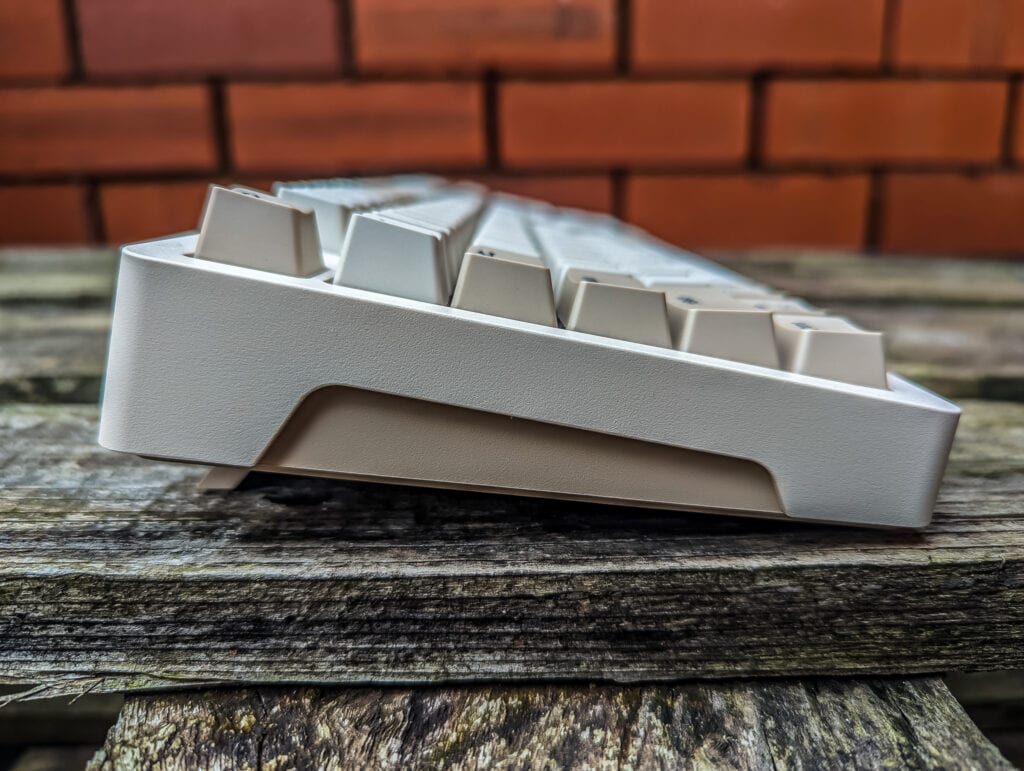
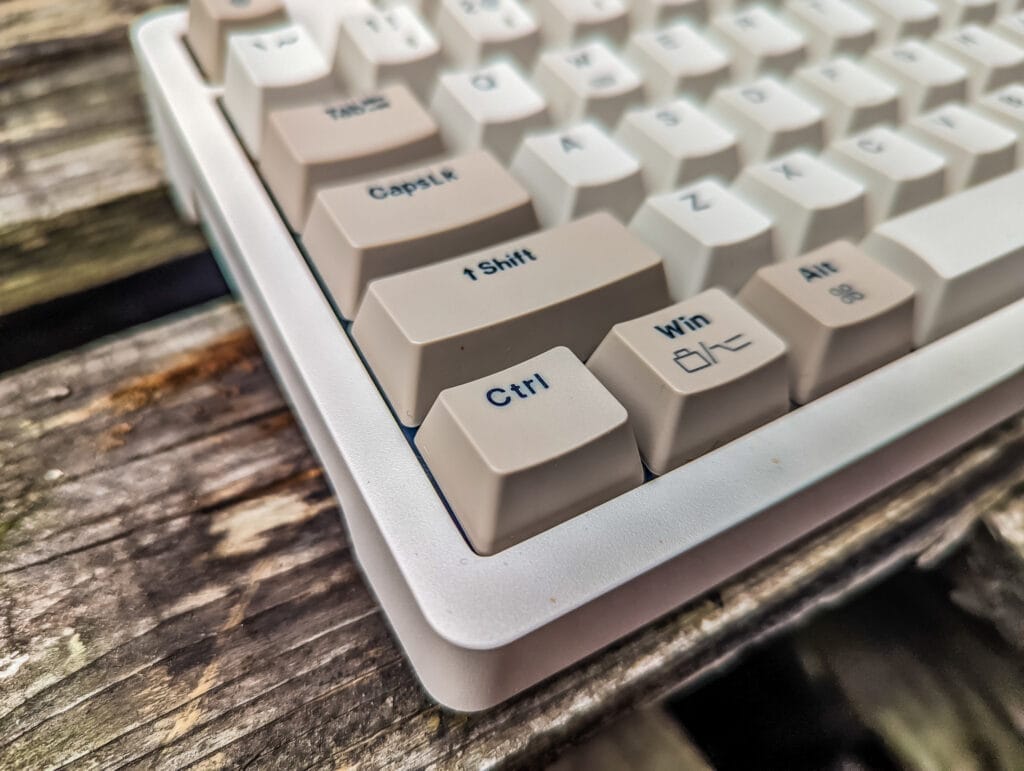
First up is the overall aesthetic. This comes in a retro beige colour with two tones of beige/brown used for the keys. The design isn’t a complete clone of an IBM keyboard, such as the Model M, but it is a beautiful modern interpretation of it.
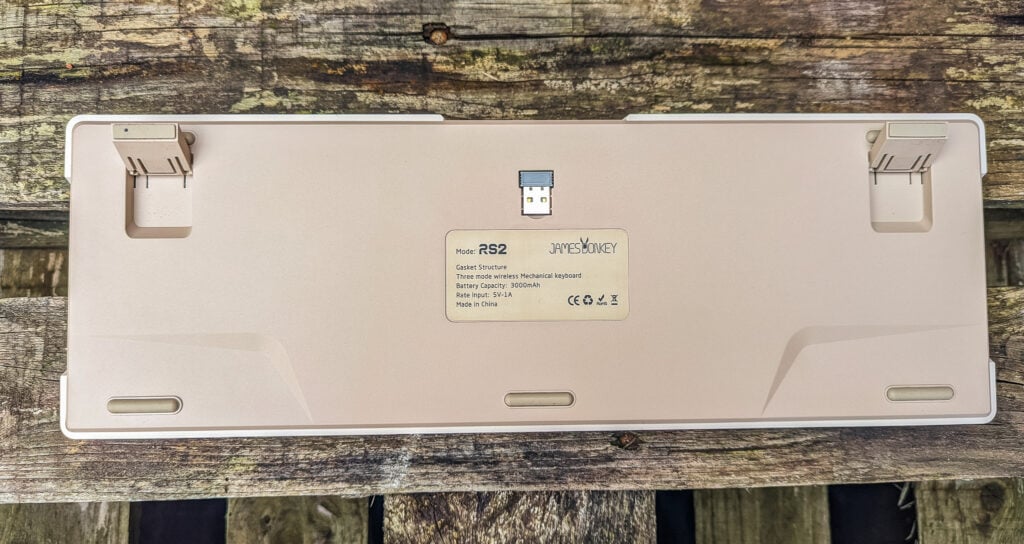
The keyboard uses a Gasket Pro design where the positioning plate is suspended inside the keyboard with high-performance support and rebound materials which absorbs keystroke vibration providing a more pleasant typing experience.
Media Knob
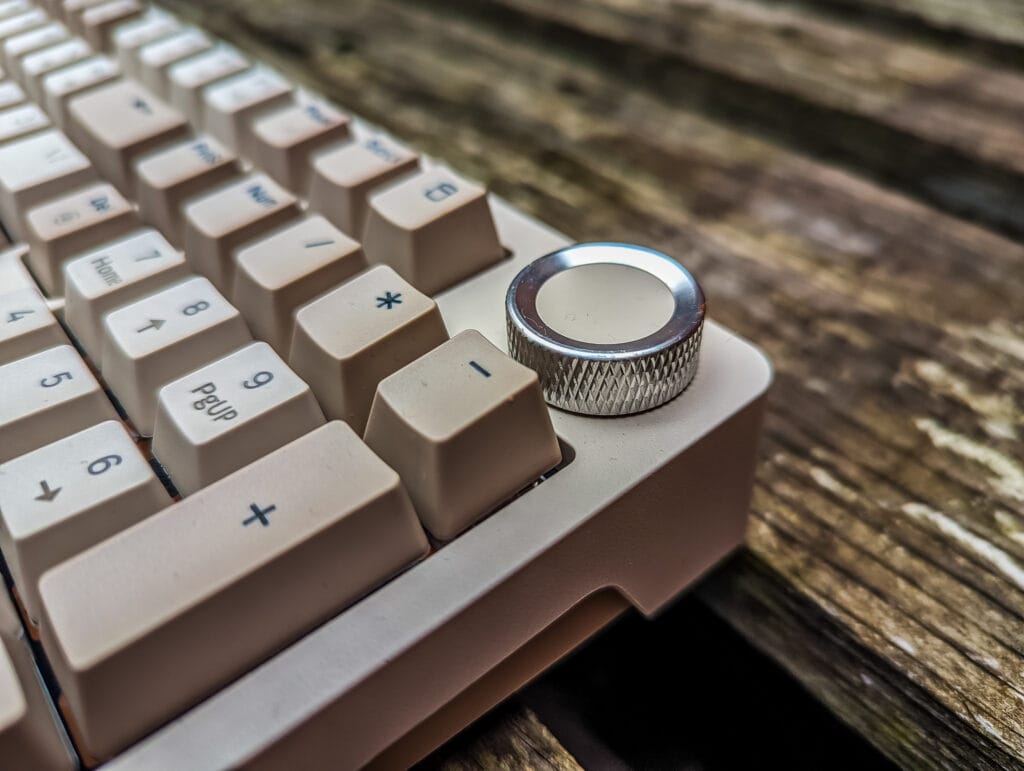
Similar to the RS2, this has a media dial, but rather than on the side of the keyboard it has been shifted to a more traditional upper right. I find that this is a more usable location than the side-mounted dial that the RS4 had. The only thing that I miss from my larger keyboard is a dedicated pause key.
Connectivity
Just like the RS4, you have three modes of connectivity:
- USB-C
- Bluetooth
- 2.4Ghz
I have predominantly used this in the wired mode, but I spent a couple of days using the 2.4Ghz connectivity and tested the Bluetooth.
Performance is excellent. I am not keen on using Bluetooth normally, but it is convenient for a laptop, and it can pair with three different devices, so I can use this with a tablet and my laptop.
Swappable Mechanical Switches – Gateron Red
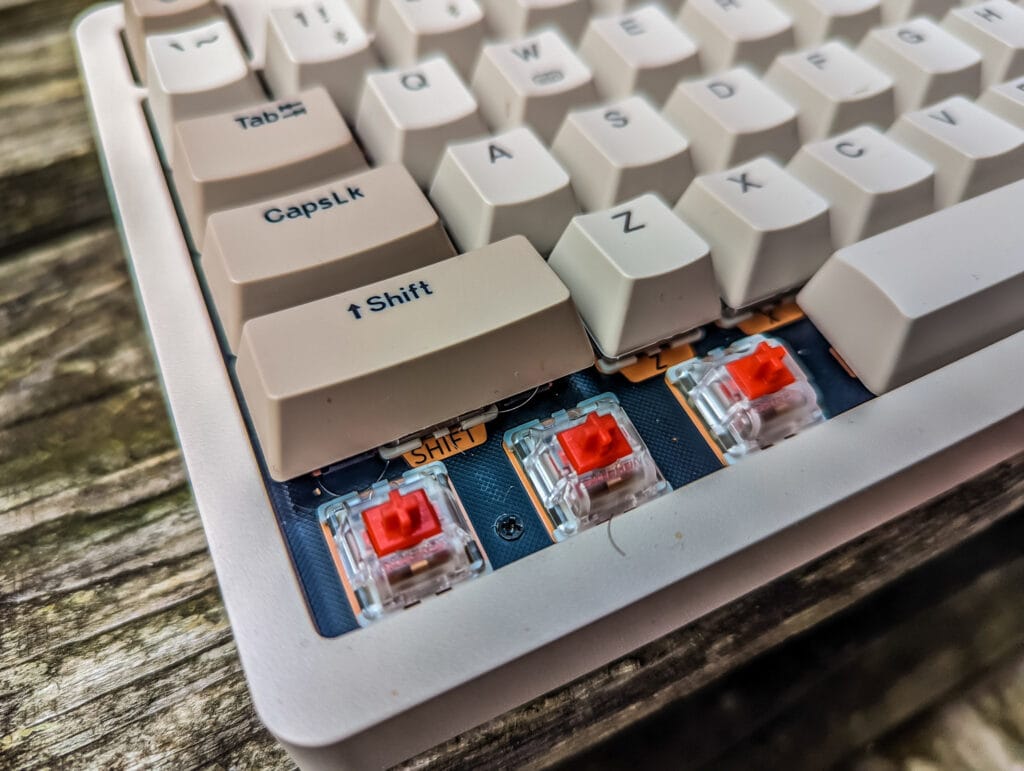
The FR4 glass fibre positioning plate is a hot swap design, and my keyboard was supplied with the Gateron Red switches (I was hoping for Brown). The Gateron Red is the most popular switch from this brand and I can see why. It is a linear switch which a much quieter sound than average. The pressure is more moderate, light and I found that my typing felt faster than average using these keys.
The hotswap design allows you to use any 3 or 5 pin switches and is suitable for most mechanical switch brands. Swapping out the switches is easy enough with the switch puller.
I have never tried a modular keyboard before, and I was eager to see how easy it is to do and how much of a difference swapping out different switches would make.
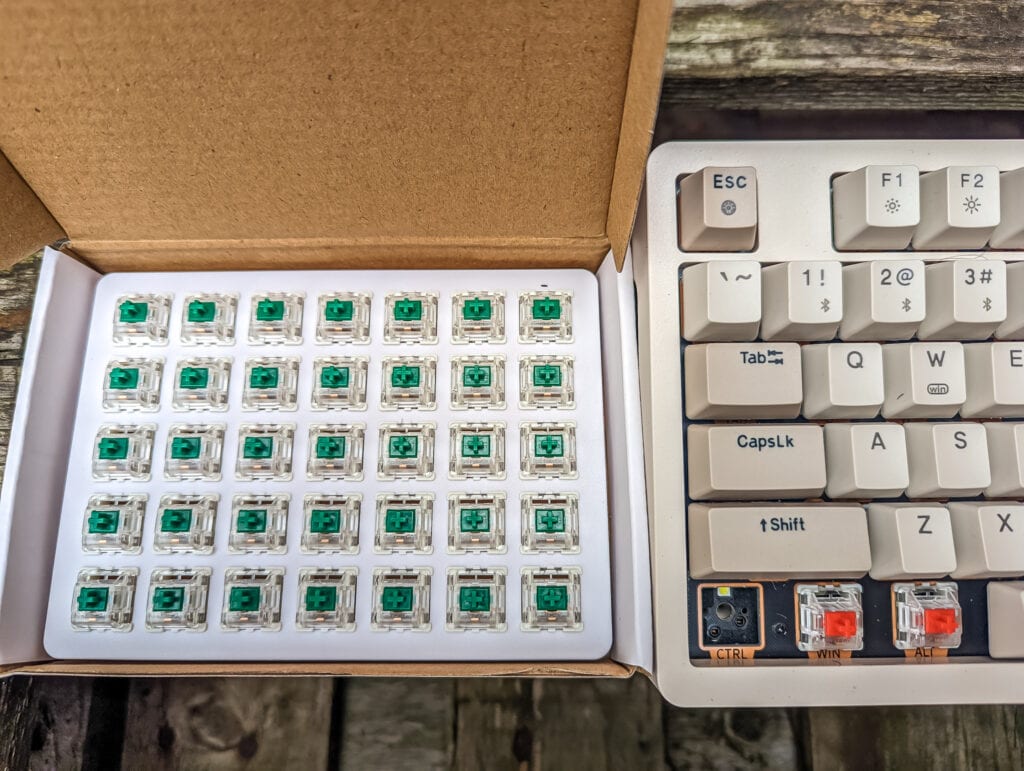
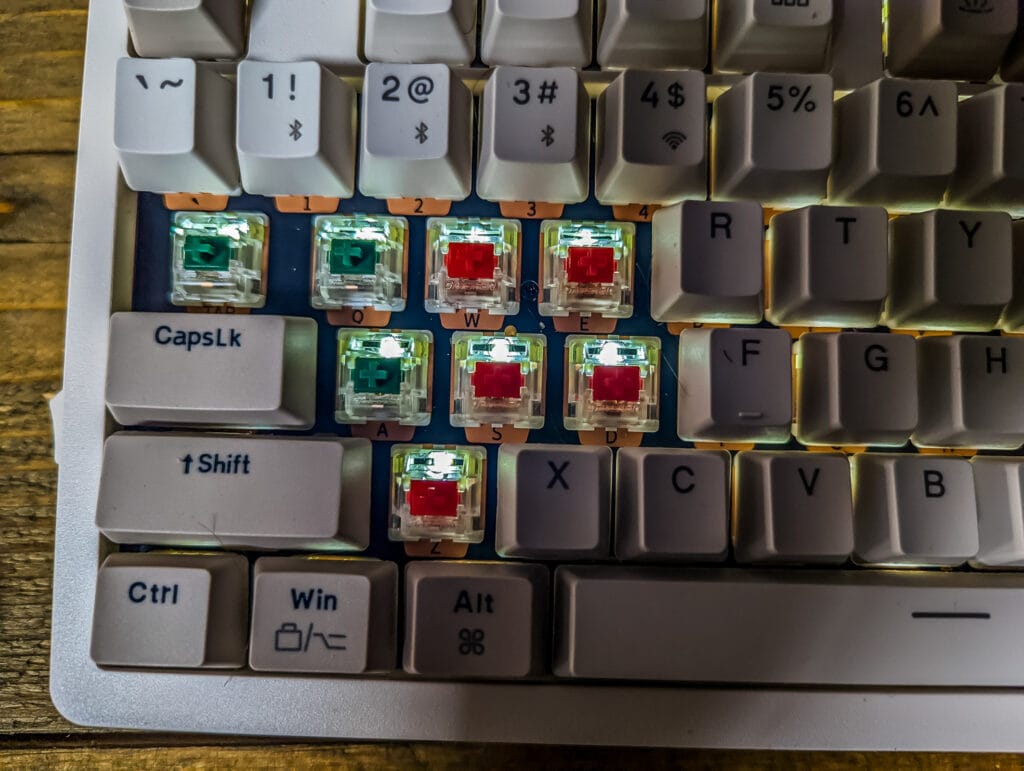
I ordered a pack of 35 green Gateron G Pro switches, costing me a reasonable £14.51. I chose the green switches because they are about as different from the red switches as you can get. These are clicky keys with a large actuation force of 80g, which provide a retro typewriter touch and perhaps something that is a bit closer to the IBM Model M this keyboard is styled on.
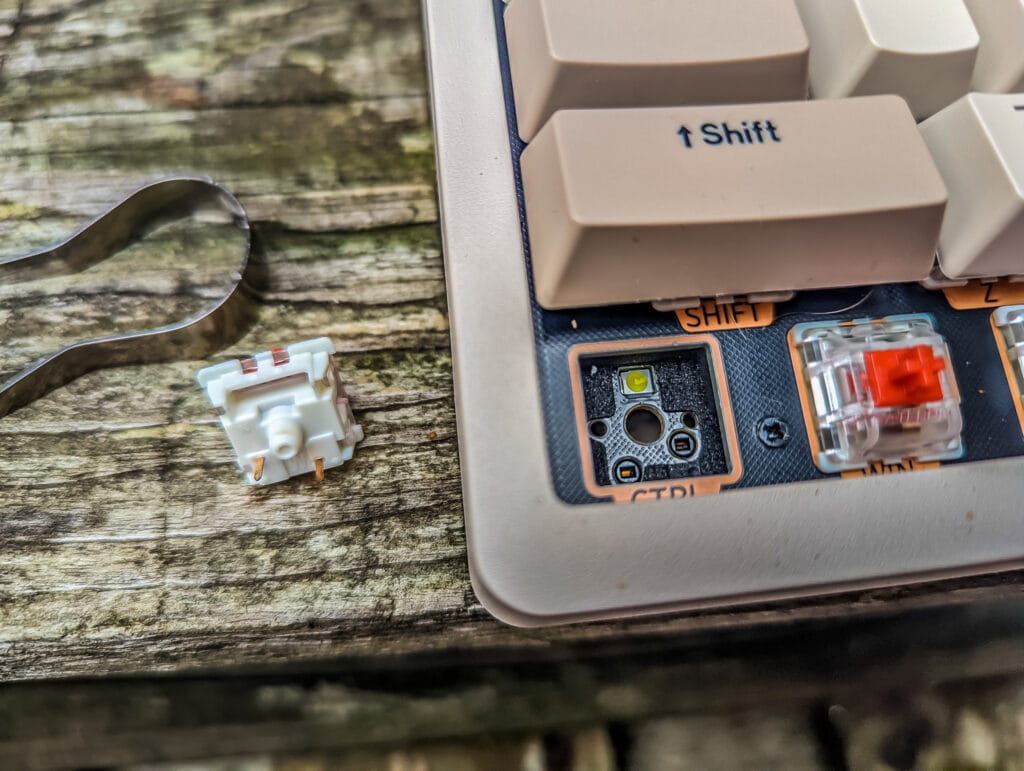
Within the packaging, there are two tools, one keycap remover and the other a switch remover. They keycap remover is extremely easy to use, slot it down over the cap and pull it up with a wiggle to help. Removing the switches is harder as this requires quite a bit of effort, but it is reasonably easy.
The process itself is quite easy, but it will be time-consuming to do all the switches.
Typing Experience / In Use
Like most of my keyboard reviews, I assume I prefer clicky keys, but once I use a different type, I quickly adapt.
I found that these keys didn’t really require any time to get used to, I was able to type fast and accurately as normal. If anything, it feels like I can type a bit faster than my Thermaltake TT Premium X1 RGB with Cherry Blue switches.
When I swapped the switches, I didn’t do all of them, as I wanted to try and see what I preferred. I always thought I was a clicky key guy, but now I am not sure. I feel like I am a faster and more accurate typer with the reds.
Price and Alternative Options
The James Donkey RS2 is available from Mech Keys for just $79 or £67
The Keychron K4 is probably the closest alternative option, but it lacks the media dial and comes in a two-tone grey colourway. This has multiple switches and RGB options, but the closest comparison is the white backlight with hot swap Gateron G Pro priced at $89.
Overall
There is a lot to like about the JamesDonkey RS2. Obviously, the design may be divisive, but if you like the retro look, then this should certainly be on your shortlist.
I am quite fond of the 1800 Compact (96%) design, it is the first time using this style of keyboard. It works well for my office use, as I regularly use the number pad and I use the print screen button a lot.
I love the option of being able to swap out the switches. This seems like a logical design choice allowing people to try different styles of switch without the expense of committing to different keyboards.
JamesDonkey RS2 Mechanical Keyboard Review Rating
-
Overall - 85%85%
Summary
The JamesDonkey RS2 ticks a lot of my boxes. The retro design looks great, and the 96% design works well for me, especially with the media knob. I also love the option to swap out my switches.
Pros
- Beautiful retro design
- Excellent typing experience
- Swappable switches
- Three types of connectivity
Cons
- Not sure about the JamesDonkey – Struggled to download it

I am James, a UK-based tech enthusiast and the Editor and Owner of Mighty Gadget, which I’ve proudly run since 2007. Passionate about all things technology, my expertise spans from computers and networking to mobile, wearables, and smart home devices.
As a fitness fanatic who loves running and cycling, I also have a keen interest in fitness-related technology, and I take every opportunity to cover this niche on my blog. My diverse interests allow me to bring a unique perspective to tech blogging, merging lifestyle, fitness, and the latest tech trends.
In my academic pursuits, I earned a BSc in Information Systems Design from UCLAN, before advancing my learning with a Master’s Degree in Computing.
I’m proud to share that Vuelio has consistently ranked Mighty Gadget as one of the top technology blogs in the UK. With my dedication to technology and drive to share my insights, I aim to continue providing my readers with engaging and informative content.
I work directly with the companies he reviews products for or their chosen PR agency.
For Social Media, you can find me on: