Acer Holo360 Camera Review – An all in one 360-degree action camera
Mighty Gadget is reader-supported. Links to retailers may be affiliate links, and I may earn a commission if you buy through them, at no extra cost to you. As an Amazon Associate I earn from qualifying purchases. How I test and review products.
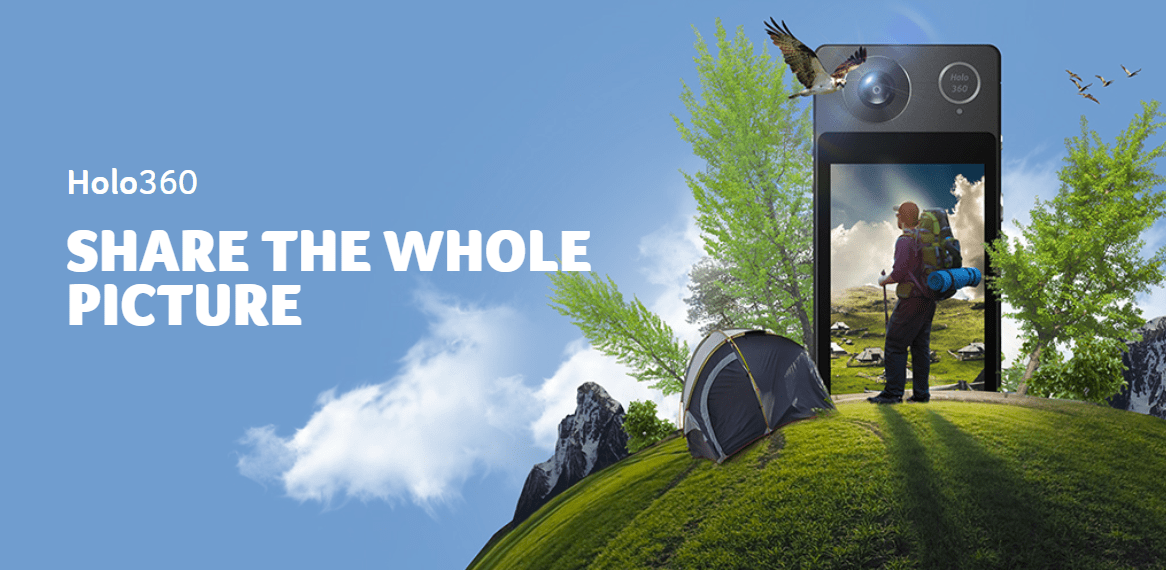
I have always been a big fan of Acer products; they make great laptops, monitors as well as the excellent Windows Mixed Reality Headset. They also like to dabble with other products and the most exciting product they have launched recently is the Acer Holo360, which is a 360-degree camera that is built around Android and the Snapdragon 625 SoC.Priced at £299 it joins a growing trend of cameras focussed on 360-degree images and videos. Many of the options are add-ons to your phone that require you to plug it in via the USB/lightning port. A large number of the dedicated devices have no screen which then needs pairing with your phone or syncing with your PC before you can preview or edit the shots.The Acer differs from the other options and is an all in one solution that is basically a 360-camera built around an Android smartphone.The Holo360 runs on Android 7.1, includes a SIM card slot, has full WiFi and Android app compatibility, this gives it an extensive array of features that may not be available with competing products.The full specification includes:- OS – Android 7.1
- SoC – Qualcomm Snapdragon 625
- Display – 3-inch, 640 x 480
- Cameras – Two 16MP Panomorph camera lenses; 6.9K still images, 4K video; MP4 Format (H.265) f/2.1
- Networking – Bluetooth 4.1 + LE, 802.11ac, 3G/4G via SIM
- Battery – 2000 mAh
- USB – USB Micro-B
- Dimensions – 5.8 x 11.0 x 1.4 cm
- Weight – 139 g with battery


Set-up
If you have an Android phone, then you will be very familiar with the set-up process, this goes through the same settings as well as the ability to restore your cloud backup. This does mean the process is slower than setting up a regular point and shoot camera, but it is easy and I was done within a few minutes. One of the options during the setup procedure is to use the camera in phone mode or camera mode. This option will customise the device to make it more camera orientated. In phone mode, it is just like a normal phone, and you have access to the Play store with all its apps.You can also optionally download the Acer Live360 app, which will allow you to connect your main phone with the Holo360 and do live 360-degree streaming.Interface and usability
The camera mode is heavily skinned to make it a bit more user-friendly with a limited number of apps shown on display. If you have set up an account and chosen to use a pin, you will need to unlock the camera each time you use it. This can become quite annoying, and if I didn’t have to send it back, I think I would reset it up with a new email address and leave it permanently unlocked.It has several apps pre-installed, this includes things like Google mail so during use I was getting email notifications on my camera which may be useful for some people but I ended up stopping my email account syncing with the device.While Google mail was a bit annoying, having Google Photos on my camera is fantastic. I didn’t bother to use a sim card in the device, but whenever I had a WiFi connection the photos would automatically sync to my account.


Performance and Sample Images
I should point out that my camera skills are sub-par and due to no mount, my arm is in a lot of the images, so my sample shots may not do the camera justice. Overall though, I found it too good at taking 360 shots but a bit of a mixed bag with the other shooting modes.The wide-angle shots look great initially, but then I noticed on a lot of them there is distortion on the wider parts of the shot. I am not sure if this is a limitation of the wide-angle lens or more likely user error. I upped the resolution, and the issue was less apparent for the couple of shots I took on my final day of testing. With the standard format shots, it is not so much that the images were bad, it’s just they were not as good as my phone.


Overall
I don’t have any frame of reference for 360-cameras, so I can’t compare the performance of this to others. From my use, it does the advertised job well and in a compact format that offers more features than several competing brands.I found it a fun camera to use, and I can certainly see the appeal in a world obsessed with selfies and social media. This is perfect to post 360-images to Facebook, or fisheye shots to Instagram. Using Kuula, you can also save your 360 images in tiny planet form which is great for Instagram.There are some caveats though, as a traditional camera it is not as good as my phone, so spending £299 on a device just for 360 images may seem extravagant for some people. All the functionality Android brings introduces some usability issues, unlocking my camera was particularly annoying for me. Then you also need a mount to take the best shots, but this will also apply to any other 360-camera.While I have not reviewed other 360 cameras, if you are planning on getting one, this is a compelling option due to the all in one nature. It is priced in the upper-middle of the options available but as far as I can tell there are no affordable options available that have a screen and can do all the functions independently without you pairing a phone. The lower priced options generally have much lower resolution cameras too, with the Samsung Gear 360 using two 8.4MP cameras compared to the two 16MP cameras the Acer uses.You can buy the Acer Holo360 Action Camera today from Acer for £299Acer Holo360 Camera Review
-
Features - 85%85%
-
Performance - 80%80%
-
Price - 75%75%

I am James, a UK-based tech enthusiast and the Editor and Owner of Mighty Gadget, which I’ve proudly run since 2007. Passionate about all things technology, my expertise spans from computers and networking to mobile, wearables, and smart home devices.
As a fitness fanatic who loves running and cycling, I also have a keen interest in fitness-related technology, and I take every opportunity to cover this niche on my blog. My diverse interests allow me to bring a unique perspective to tech blogging, merging lifestyle, fitness, and the latest tech trends.
In my academic pursuits, I earned a BSc in Information Systems Design from UCLAN, before advancing my learning with a Master’s Degree in Computing.
I’m proud to share that Vuelio has consistently ranked Mighty Gadget as one of the top technology blogs in the UK. With my dedication to technology and drive to share my insights, I aim to continue providing my readers with engaging and informative content.
I work directly with the companies I review products for or their chosen PR agency.
For Social Media, you can find me on: