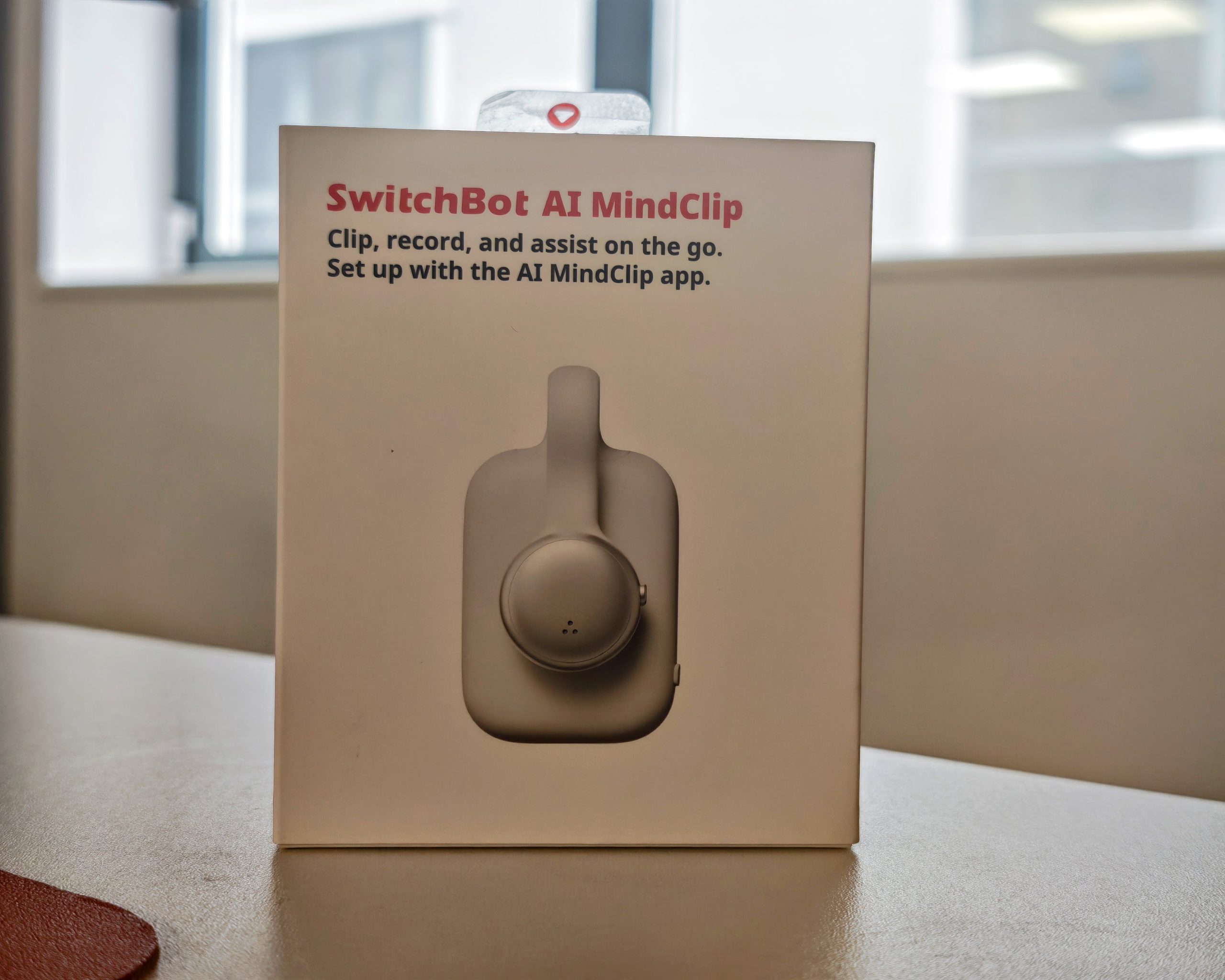
SwitchBot AI MindClip Review – AI Note Taking Clip
SwitchBot has launched its AI MindClip, a lightweight clip-on wearable AI assistant that captures conversations, ideas, promises and to-dos throughout the day, then turns them into summaries, reminders, searchable memories and next actions, reminding you at the right moment. The device first appeared as a preview at CES 2026 back in January, when pricing and a release date were still unconfirmed. It has now had a full launch at IFA 2026 in Berlin, complete with a confirmed price and subscription structure.
I recently reviewed the similar Memoket Gem AI Note-Taking Wristband and have previously covered the Plaud Note, Plaud Note Pro and Plaud NotePin S, along with the Boya Notra AI Note Taker.
Several tablets, including the iFLYTEK AINote 2, the iFLYTEK AINOTE Air 2 and the TCL Note A1 NXTPAPER, also offer similar AI transcription and summary features. This is an increasingly crowded market, so the question is whether the SwitchBot AI MindClip does enough to stand out from the crowd.
Key Features
- Clip-on capture for everyday moments: the 16.8g wearable clips to a collar, shirt, jacket or bag strap, so it can capture ideas, promises and to-dos across meetings, commutes, family routines, client visits and everyday conversations.
- All-day recording with reliable local storage: over 20 hours of continuous recording, 64GB of local storage and a 3-metre near-field pickup range help it capture conversations through long workdays and busy schedules.
- AI summaries, to-dos and reminders: recordings are automatically turned into transcripts, summaries, key points, structured notes and to-dos, organised in the app under Timeline, Priority, Daily Memory, Weekly Summary and To-Do Overview.
- Ask AI and searchable memory: search past conversations in natural language to find client requests, follow-ups, promises, ideas or family reminders, while speaker separation and voiceprint recognition help identify who said what.
- AI workflow and calendar integration: to-dos can be sorted by timeline and grouped as Work, Personal, Interests and Holidays, with syncing to Apple Calendar, Google Calendar, Reminders and the SwitchBot E-Ink Dashboard. AI MindClip also supports the SwitchBot API CLI, so transcripts can be used as a data source for AI agents such as Codex, Claude Code and OpenClaw.
- User-controlled privacy protection: recording can be started, paused or stopped from the device or app, with a visible recording status, editable and deletable records, encrypted pairing and file transfer, and EN18031, ISO 27001 and ISO 27701 certification.
Specification
The table below covers the core hardware and software specification of the SwitchBot AI MindClip.
| Product name | SwitchBot AI MindClip |
| Launch date | 3 September 2026 (IFA 2026) |
| Product type | Wearable AI recording device |
| Standalone app name | AI MindClip |
| Colour options | Silver, dark grey |
| Dimensions | 50 x 29 x 18.5 mm |
| Weight | 16.8 g |
| Material | ABS and metal |
| Toggle switch | Start / stop recording |
| Button | Pairing / reset |
| Charging port | USB-C |
| Wearing method | Clip-on |
| Connectivity | Wi-Fi and Bluetooth |
| Microphone | 1 x digital microphone |
| Main chip | BK7236QN5650 |
| Battery | 270 mAh rechargeable, USB-C charging |
| Battery life | 20+ hours continuous recording, 40+ days standby |
| Storage | 64 GB, up to roughly 5,000 hours of recordings |
| Indicator light | Orange / white |
| Control method | App or toggle switch |
| Smart Record (beta) | Automatically stops recording after 5 minutes of silence |
Design
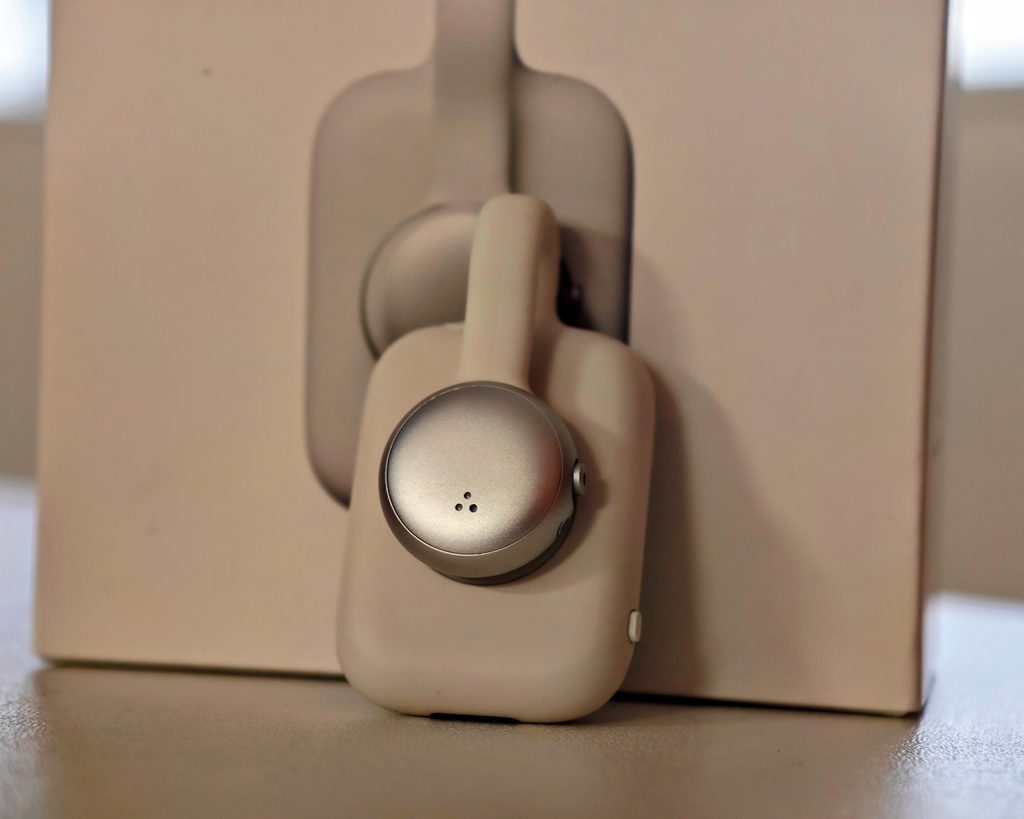
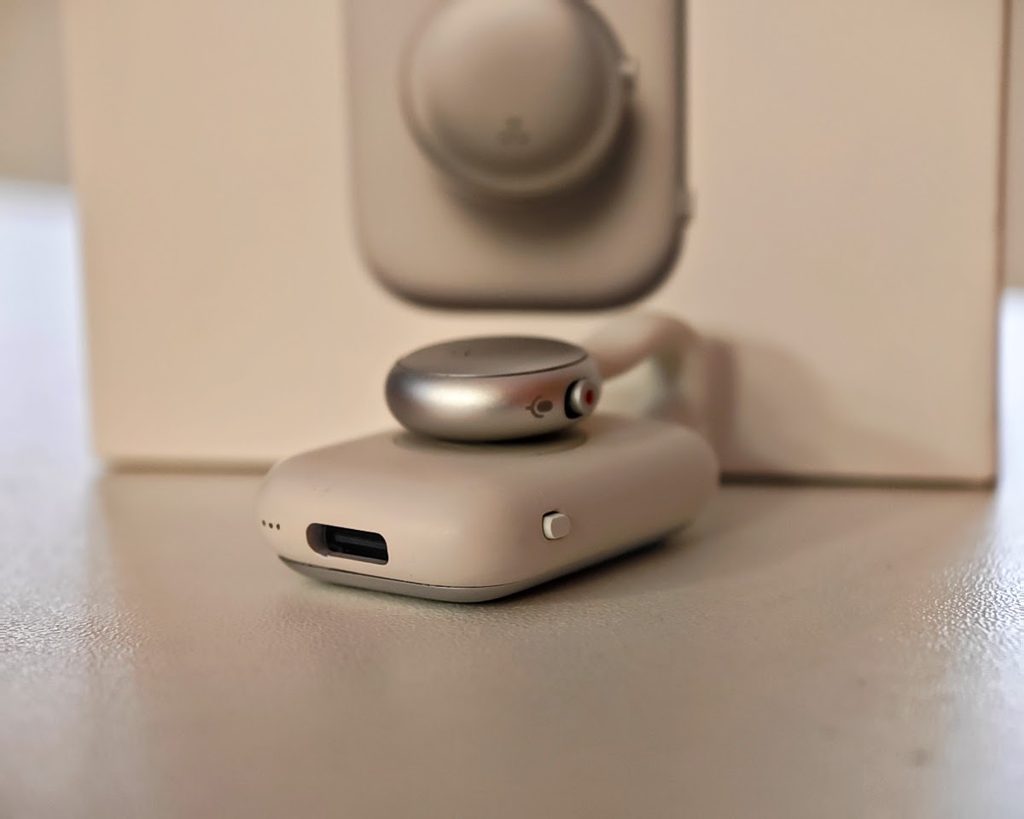
The MindClip’s biggest practical advantage over rival devices is USB-C charging. I have lost count of the proprietary charging cables I have mislaid over the years, so any wearable that skips its own dock or cable is a win in my book.
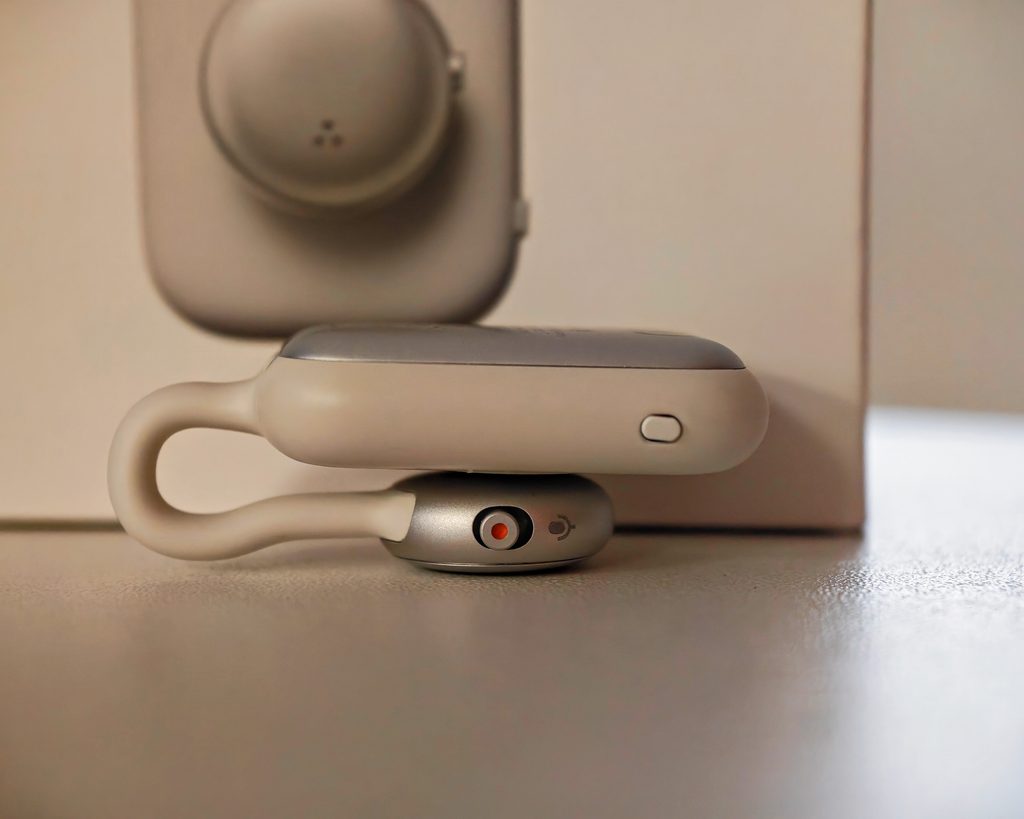
Physically, the MindClip is built in two parts. A pill-shaped upper body houses the flexible silicone clip hoop and a single physical button, used for pairing and reset, while a separate metal capsule beneath it holds the microphone, the recording switch and the charging port. That lower capsule rotates independently of the clip, so you can angle the microphone towards whoever you are speaking to without having to reposition the whole device on your collar or bag strap, a detail that matters more than it sounds given the MindClip relies on a single microphone rather than an array. The slide switch on the capsule shows a small red indicator when recording is active, and a row of tiny LEDs on its underside, next to the USB-C port, doubles as a battery level readout.
The clip itself is small at 50 x 29 x 18.5 mm and 16.8g, built from ABS and metal, and available in silver or dark grey. The metal microphone capsule carries the usual CE and FCC markings, along with the model number W6902000 printed on its underside, and the finish is more premium than the plastic-heavy build of some rivals.
The MindClip also connects to Wi-Fi, and when it is charging it syncs recordings automatically. That is a more user-friendly approach than the Bluetooth transfers or SSID-based fast transfer that both Plaud and Memoket rely on.
App and Set-Up
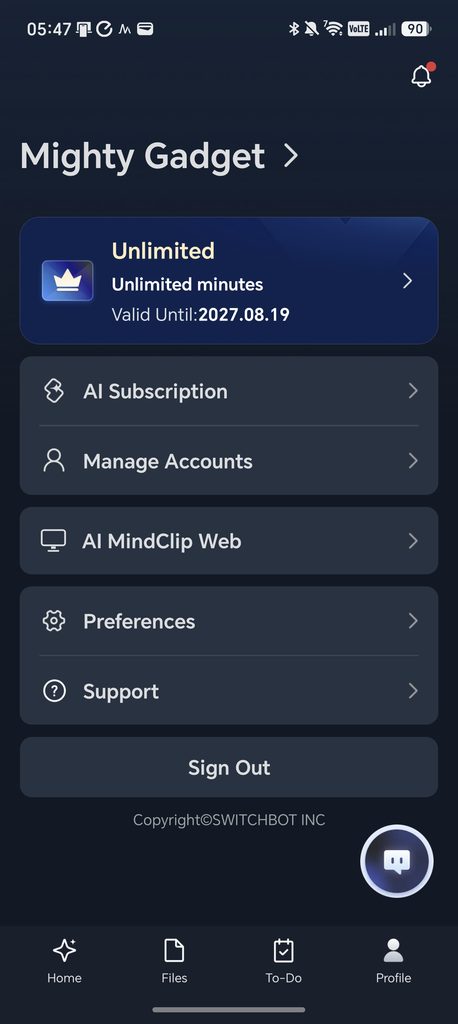
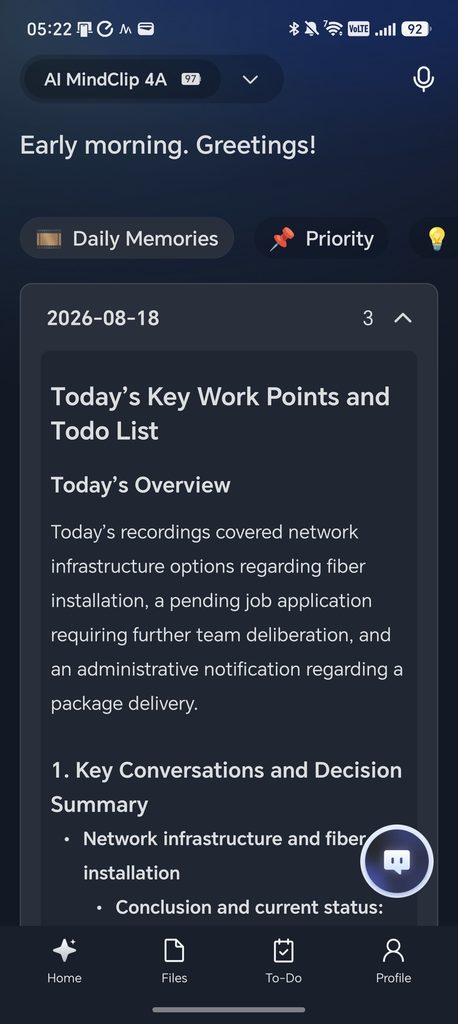
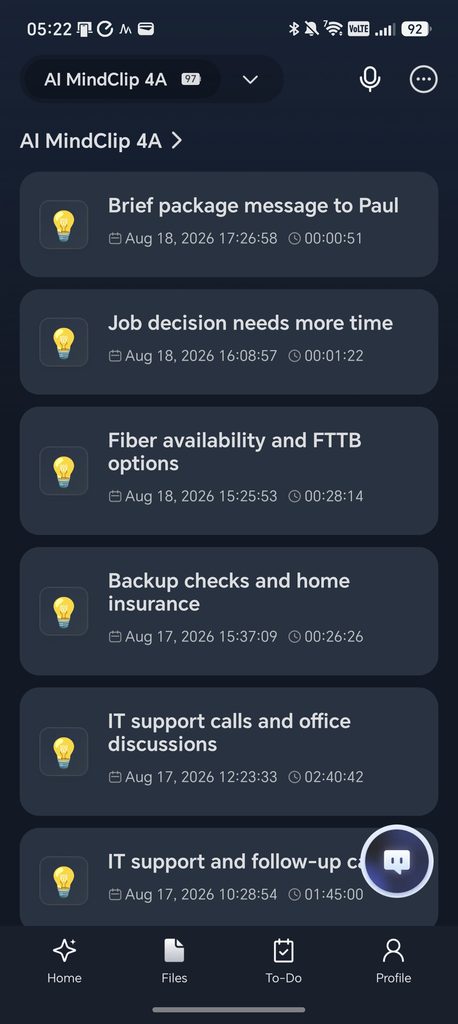
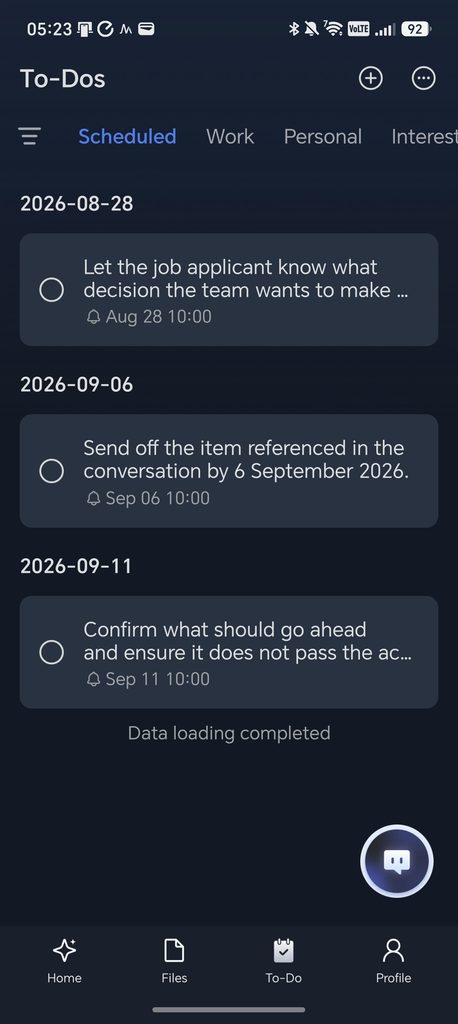
The MindClip does not use the standard SwitchBot smart home app. Instead, it has its own dedicated AI MindClip app, organised around four tabs: Home, Files, To-Do and Profile.
Home is a daily briefing screen that greets you by time of day and surfaces Daily Memories and Priority to-dos as soon as you open the app. Files lists every recording chronologically, each one automatically titled and time-stamped, which is far quicker to scan than a folder of numbered audio files would be. To-Do and Profile do what you would expect, though Profile is also where account and subscription management live, alongside a shortcut to a web version of the app called AI MindClip Web.
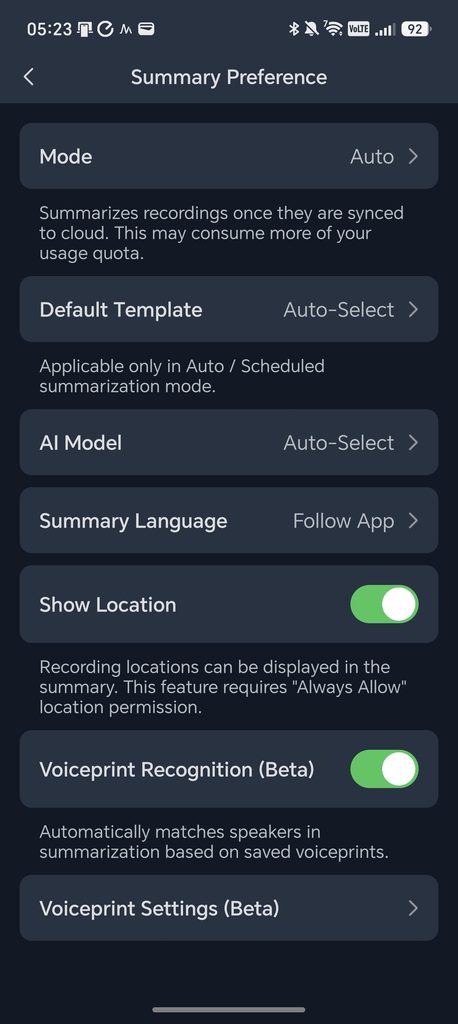
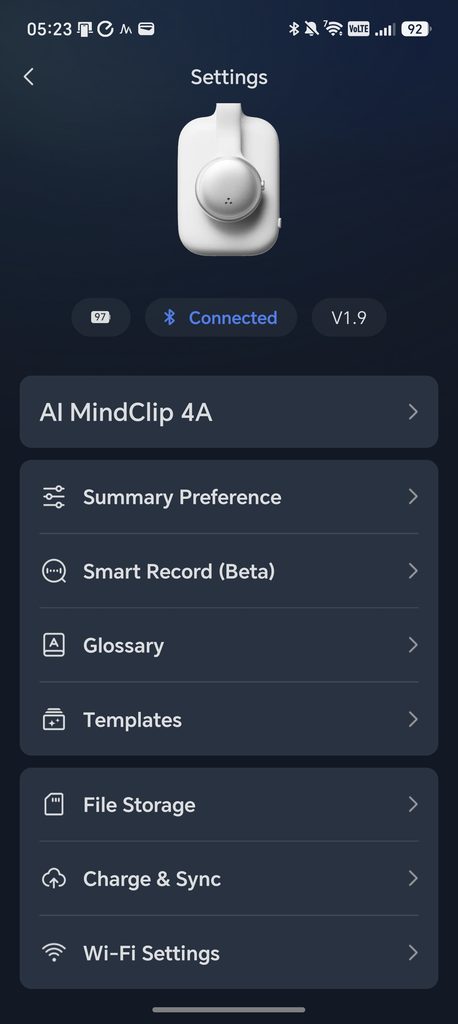
The more useful controls sit in the device Settings page, reached from Profile or by tapping the device name. Summary Preference lets you choose how recordings are processed: an Auto mode that summarises as soon as a recording reaches the cloud, or a more selective mode if you would rather save your monthly minutes for recordings you actually want summarised. You can also set a Default Template, choose which AI Model handles summarisation, or leave both on Auto-Select, and there is a Show Location toggle that tags recordings with where they were made. That feature needs background location access, which is worth knowing about if privacy is a concern.
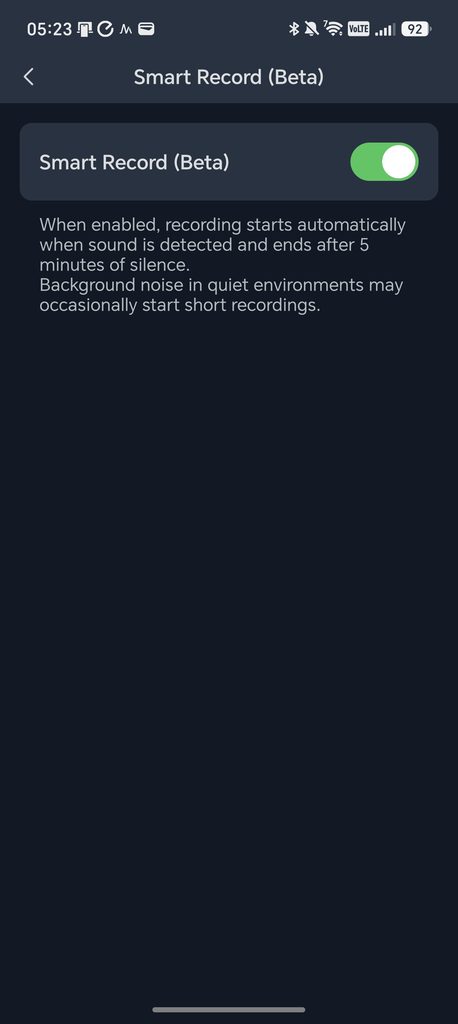
Smart Record, still in beta, automatically starts recording when it detects sound and stops after five minutes of silence, a sensible way to avoid manually toggling the device on and off throughout the day. SwitchBot is upfront that background noise in quiet rooms can occasionally trigger short, unwanted recordings, which is a fair caveat for a beta feature.
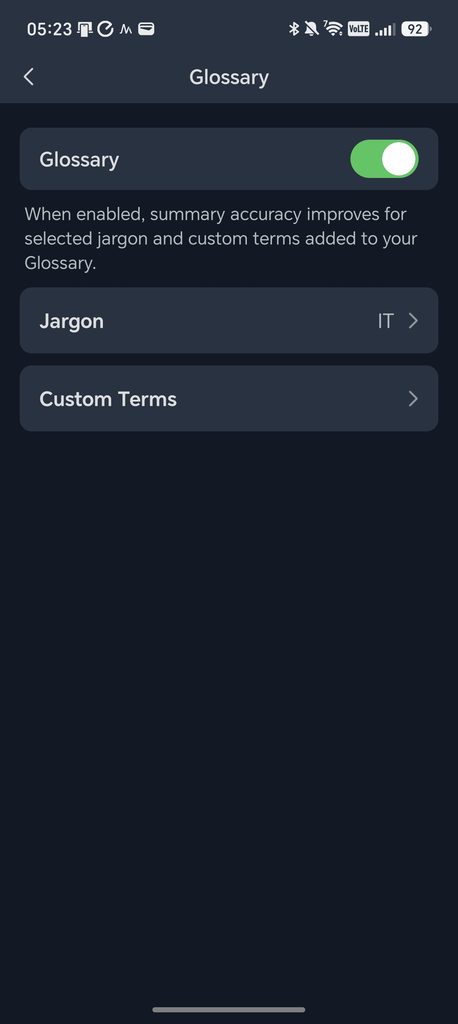
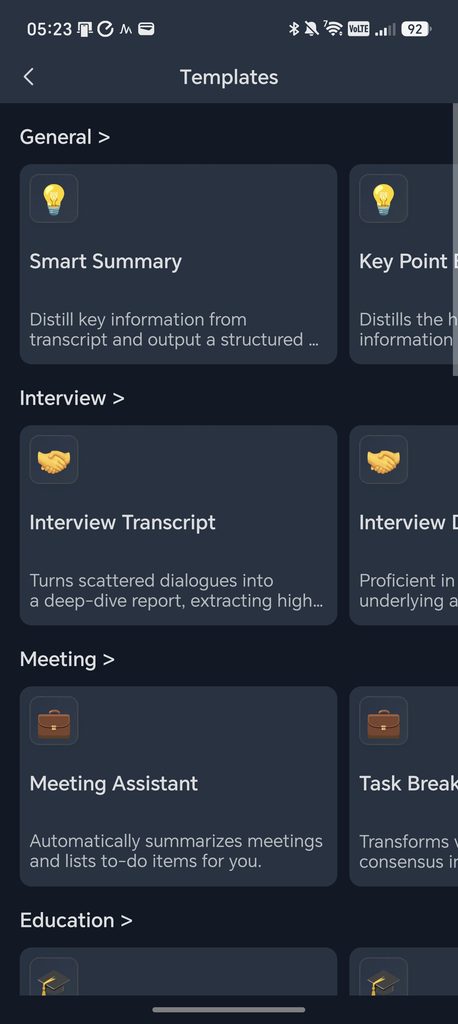
Glossary lets you add custom jargon and terms, grouped by category, to improve summary accuracy around technical language. My test unit already had an IT-specific glossary switched on. Templates is a library of pre-built summary formats grouped by use case: general options such as Smart Summary and Key Point Extraction, Interview templates that turn a conversation into a structured transcript or debrief, Meeting templates that produce a meeting assistant summary or a task breakdown, plus further categories covering education and beyond. Picking the right template for the situation, rather than relying on the automatic default, is where the extra credit cost mentioned later in this review really adds up.
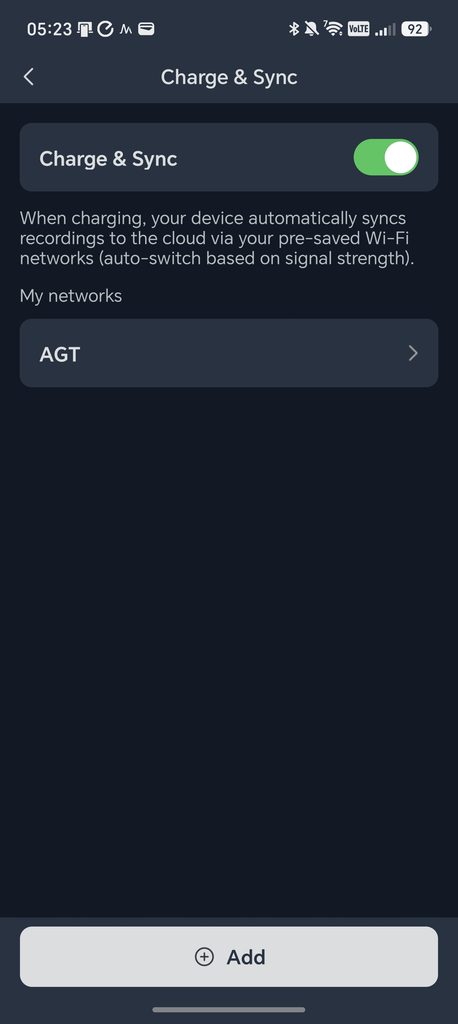
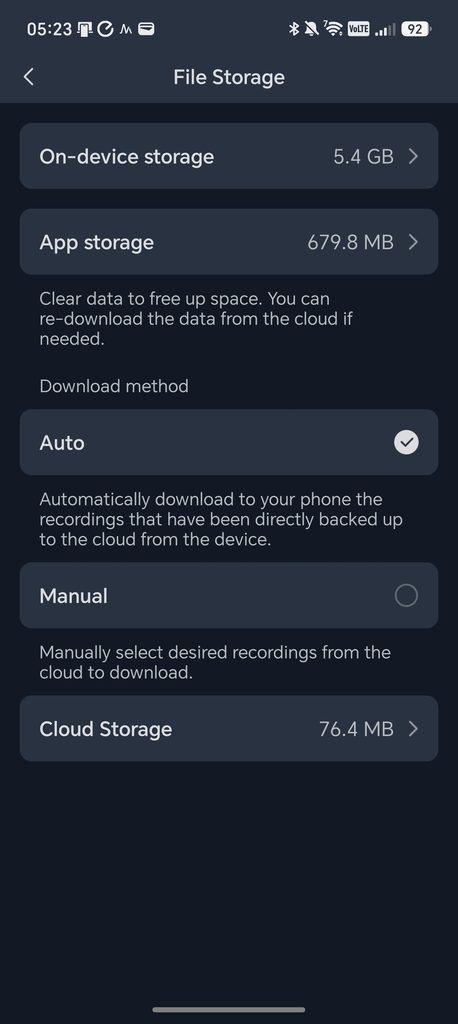
Finally, File Storage shows how much space recordings are taking up, both on the device and in the cloud, with a choice of automatic or manual download for anything backed up from the clip, and Charge & Sync is where you manage the Wi-Fi networks the MindClip is allowed to sync over. You can save more than one network, and the device automatically switches between them based on signal strength when it is charging.
Subscription and Features
Every AI MindClip includes 300 minutes of free transcription and AI processing each month, so light users may not need to pay anything beyond the RRP of £119.99. Beyond that allowance, SwitchBot offers two paid tiers, priced here in GBP.
| Plan | 1 month | 6 months | 12 months |
| Pro Plan | 17.99 | 69.99 | 99.99 |
| Unlimited Plan | N/A | N/A | 239.99 |
All prices above are in GBP. The Unlimited Plan is only offered as a 12 month subscription.
Performance
For testing, I used the MindClip the same way I tested the Memoket, recording while working on our IT helpdesk in the office. That meant picking up conversations from several people, often with the radio playing in the background. I did not have any meetings booked in that day, but the office itself made for a demanding real-world test: three or four people sat some distance from each other in a room with poor acoustics.
One recording ran for two hours and forty minutes and drifted across a genuinely broad range of subjects: a decision on email marketing tools, a colleague’s Meta Quest headset refusing to pair, a slow-loading cloud system called Club Wiser, a desk phone headset that needed a specific adapter, and general Windows 10 troubleshooting advice. It is about as messy a transcript as you could ask a device to make sense of.
Recording Quality
In my office test, recording quality was adequate and about the same as Memoket’s. My own voice was clear and easy to make out because I was sat close to the device. Other people in the office were audible, but the recording picked up a fair amount of echo because of the distance from the clip and the room’s poor acoustics.
Transcription Accuracy
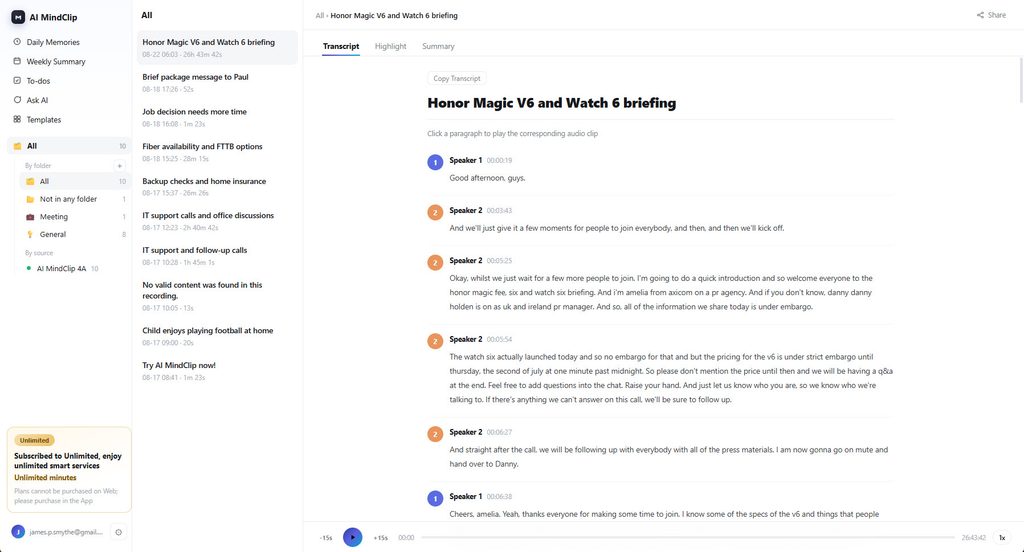
Transcription accuracy is excellent, which tends to be true of most of these devices, since they lean on large language models for transcription rather than doing it on-device.
With the Memoket, speakers were identified by name automatically, though it did mislabel one person. The MindClip does not do this by default: it separates speakers as Speaker 1, Speaker 2 and so on. For both devices, you can go into a transcript and manually assign a name to an unlabelled speaker, though it is a shame that this label is not then carried over to future recordings.
The MindClip does have an answer to this in Voiceprint Recognition. Within the app, you record a short sample of someone’s voice, assign it a name, and the app will then tag that person correctly in later conversations. You can add several people this way, which is useful if you regularly record with the same colleagues or family members.
The AI summaries go a step further than a plain transcript. For that two hour forty minute office recording, MindClip produced a Brief that condensed the whole session into a few sentences, a set of Key Points grouped by topic (email tools, Meta Quest setup, VR opinions, the Club Wiser issue and Windows 10 guidance), and a Viewpoints by Person section that summarised what each named speaker, including me, had said or was responsible for. I have not seen this specific person-by-person breakdown on Plaud or Memoket, and it is a genuinely useful way to skim a long, multi-person recording without reading the whole transcript.
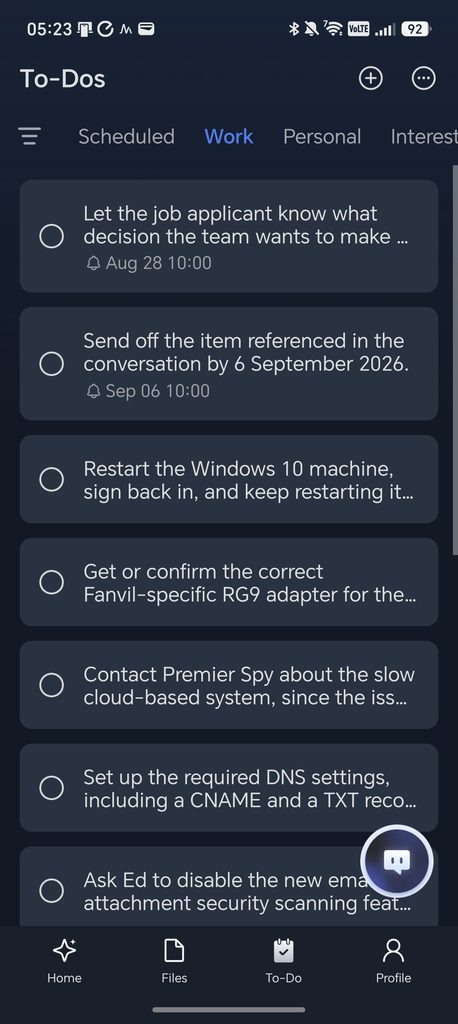
That said, transcription is not flawless with technical terms. One to-do item referred to a Fanvil-specific RG9 adapter when it should have read RJ9, the standard telecoms connector. It is a small error, but a reminder that jargon-heavy conversations can still trip up even a strong transcription engine, and it happened despite the IT-specific Glossary I already had switched on, described earlier under App and Set-Up. That feature is designed to catch exactly this kind of term, so it clearly is not foolproof yet.
One issue I noticed with the MindClip is how it uses credits. The initial transcription, summary and highlights are all deducted from your monthly allowance, so a 10 minute recording uses 10 minutes of credit. If you then want additional custom summaries of the same recording, each one also costs 10 minutes.
By comparison, with Plaud I had 253 minutes left and an 8 minute 36 second recording. The initial transcription brought that down to 245 minutes and included the transcript and summary. Adding a new template for a detailed summary did not reduce the balance further. I later added two more templates to a 45 minute medical consultation for my ADHD, and again the minute count did not move.
This could have a real impact on the long-term running costs of the MindClip compared with rival devices, unless you are on the Unlimited plan. The 300 free minutes a month will absorb this for lighter users, but anyone who regularly reruns summaries against the same recording will burn through their allowance faster than on Plaud.
Summaries and Templates
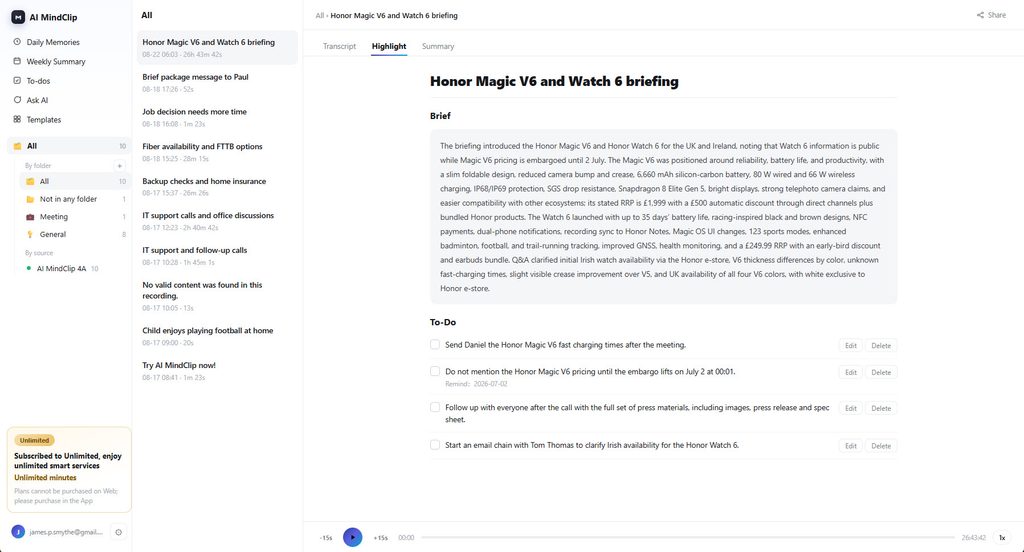
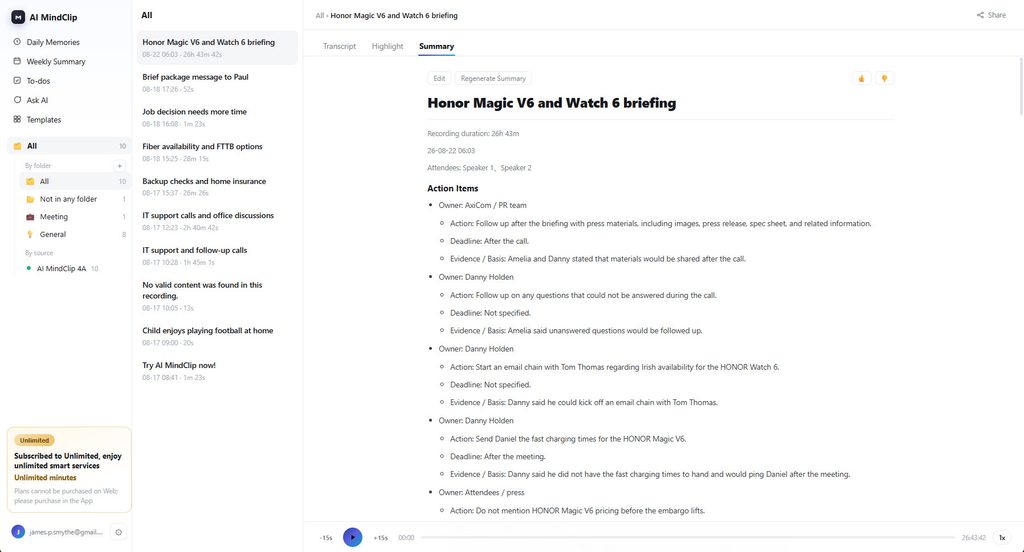
The overall quality of summaries and templates is similar to both Plaud and Memoket. SwitchBot and Plaud both offer a web interface for viewing your data, which I find more useful for actually getting work done than an app. Memoket instead lets you share a link that gives web access to the recording, transcript and summaries for one specific conversation.
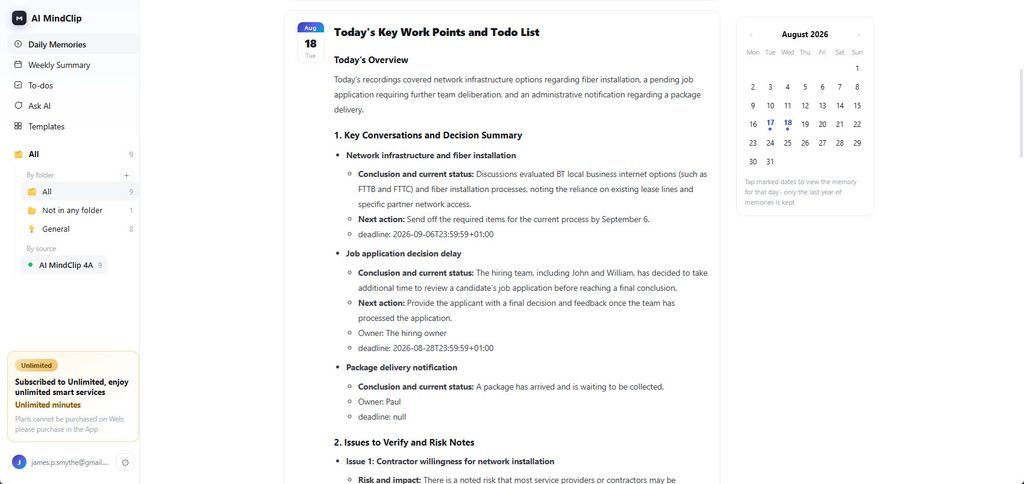
SwitchBot also builds a kind of diary out of each day’s recordings. Its Daily Memory feature pulls everything you recorded on a given day into a single structured brief. On one of my test days, this broke the conversations down into IT Systems, Backups and Email Security, Hardware Connectivity Troubleshooting, a Club Wiser Performance Issue, and Equipment Logistics and Repairs, each with its own conclusion and current status, a next action, and an owner. That is a genuinely useful feature for anyone who wants an end-of-day summary of what actually happened, rather than a pile of separate recordings to work through.
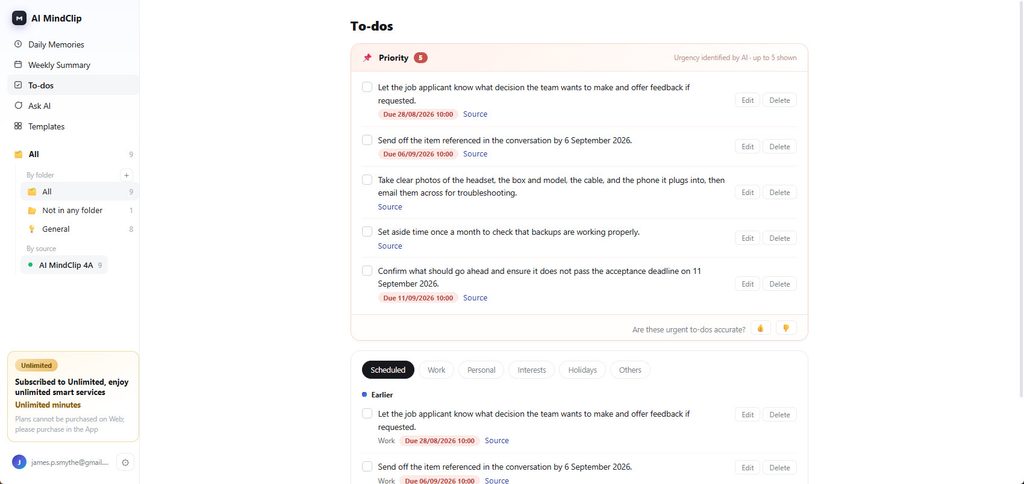
I also like how MindClip handles to-do lists. You get a set of to-dos attached to each recording, plus a separate tab covering everything still outstanding, split into Scheduled, Work, Personal, Interests, Holidays and Others. A Priority section at the top surfaces up to five to-dos the AI judges most urgent, each one linking back to its source recording, and some carrying a due date and a reminder. In testing, this correctly picked up on a deadline mentioned in passing, an acceptance deadline of 11 September, and set a reminder for it automatically. Items can be edited, deleted or ticked off directly in the app.
Ask AI and Searchable Memory
Ask AI lets you search past conversations using natural language across more than 30 languages, rather than scrolling back through transcripts to find a specific detail. Behind the scenes, this relies on Alibaba Cloud’s RAG architecture, using ADBSQL as the retrieval database, with a Qwen-based model handling the question-answering itself. Transcription runs on Qwen’s Fun-ASR speech recognition service, and SwitchBot says it also draws on capabilities from ChatGPT, Gemini and Claude Opus elsewhere in the app, presumably for tasks such as summarisation and to-do generation.
That is a more varied AI stack than most competitors disclose, and it is a sensible approach: pick the best available model for each job rather than relying on a single provider throughout. I was not able to put Ask AI through an extended test in the time I had with the review unit, but the underlying design, a proper retrieval database rather than simply feeding a whole transcript back into a chat model, should scale better as your library of recordings grows.
Integrations
SwitchBot’s documentation states that MindClip supports syncing to-dos with Apple Calendar, Google Calendar and Reminders, and that it will work with the SwitchBot E-Ink Home Dashboard.
However, at the time of writing I was unable to enable any of this. I have been using the device for more than two weeks ahead of launch, so I would expect these features to be switched on shortly. Memoket already has working integrations, while the more established Plaud still has not launched them. Like Plaud and Memoket, MindClip also supports API CLI, so transcripts can be used as a context data source for AI agents such as Codex, Claude Code and OpenClaw.
Privacy and Data Security
Wearable recorders raise an obvious question: who else is being recorded, and where does that audio end up. MindClip’s approach is broadly in line with its rivals. A light on the device shows when it is recording, and you can start, pause or stop from either the physical toggle or the app. Records, transcripts, summaries and to-dos can all be reviewed, edited or deleted from within the app, and SwitchBot states that pairing and file transfer are encrypted end to end.
The device has passed EN18031, ISO 27001 and ISO 27701 certification, covering areas including cyber security for connected devices and information security management. That is a reasonable set of credentials for a product that is, by design, built to listen to other people as well as its owner.
What none of this changes is that transcription and summarisation happen in the cloud rather than on the device itself, which is true of MindClip, Plaud and Memoket alike. There is no fully offline mode. If you plan to use a device like this around clients, patients or anyone discussing sensitive information, it is worth telling them it is recording, both as a courtesy and because consent rules for recording conversations vary by country and, in some places, by region.
Battery Life
The MindClip offers 20 hours of battery life, matching the Memoket. The Plaud Note and Note Pro manage 30 hours, while the NotePin S is also rated at 20 hours. Standby is rated at more than 40 days.
20 hours is more than enough for my own use, and if credits were not a concern, I would be tempted to just leave it recording for a full day rather than risk missing something important. USB-C charging also means I do not need to remember to pack a proprietary cable alongside it.
Price and Alternative Options
The SwitchBot AI MindClip launches on 3 September 2026 through SwitchBot’s own website, with Amazon listings following about a week later on 10 September. It carries an RRP of £119.99 (USD 119.99 / CAD 159.99 / EUR 119.99).
That undercuts most of its direct rivals. The Memoket Gem is available for pre-order at £134 in the UK, a substantial discount off its claimed RRP that also bundles in a year of the Pro subscription. The Plaud Note Pro is £169, the original Plaud Note is £149, and the Plaud NotePin S is £159. The Boya Notra AI Note Taker is cheaper still at £120, but it is a noticeably weaker product than either Plaud or Memoket.
On subscriptions, MindClip’s Pro plan is priced the same as Plaud’s for a comparable monthly allowance, and it is cheaper than Plaud’s unlimited tier, but it is more expensive than Memoket’s equivalent plan. The 300 free minutes included every month go some way to offsetting this for anyone who is not recording every day.
Overall
There is a lot to like about the SwitchBot AI MindClip. Had it arrived as one of the first devices in this category, it would look very impressive. As it stands, it launches into a market with several strong alternatives already available, and those alternatives highlight a few real caveats with this device.
The credit system is the main one. MindClip charges the same subscription price as Plaud, but generating extra summaries from the same recording eats further into your monthly allowance, something Plaud does not charge for. In practice this may not affect most people much, since the default summary is usually good enough, but it is worth knowing about before you commit, particularly if you are not on the Unlimited plan.
The clip-on form factor is also a limitation if you would rather wear something as a wristband or on a lanyard, and at the time of writing there were fewer working integrations than Memoket offers.
Against that, MindClip has a genuinely more attractive up-front price than Plaud, Memoket and most other rivals, and I am a fan of USB-C charging paired with automatic Wi-Fi syncing. It makes a real difference when you are using a device like this regularly. Core performance is excellent too, on a par with Plaud and Memoket, and well ahead of the Boya Notra. The Daily Memory feature and the way to-dos are organised are, in my view, better executed here than on either Plaud or Memoket, which counts for a lot on a device whose entire purpose is to stop things slipping through the cracks.
SwitchBot AI MindClip Review
-
Overall - 90%90%
Summary
The SwitchBot AI MindClip is a well-priced and capable wearable recorder with excellent transcription, practical USB-C charging and some of the best daily summaries and task management in its class. Its recurring-credit model is less appealing than Plaud’s for heavy users, and integrations were unfinished during testing, but it remains a strong option for anyone who wants to capture conversations and turn them into useful follow-ups.
Pros
- Excellent daily summaries and to-dos
- USB-C charging and Wi-Fi sync
- Competitive up-front price
- Accurate transcription and voiceprints
Cons
- Extra summaries consume transcription credits
- Integrations unavailable during testing
- No offline transcription or processing
- Clip-only wearing design

I am James, a UK-based tech enthusiast and the Editor and Owner of Mighty Gadget, which I’ve proudly run since 2007. Passionate about all things technology, my expertise spans from computers and networking to mobile, wearables, and smart home devices.
As a fitness fanatic who loves running and cycling, I also have a keen interest in fitness-related technology, and I take every opportunity to cover this niche on my blog. My diverse interests allow me to bring a unique perspective to tech blogging, merging lifestyle, fitness, and the latest tech trends.
In my academic pursuits, I earned a BSc in Information Systems Design from UCLAN, before advancing my learning with a Master’s Degree in Computing.
I’m proud to share that Vuelio has consistently ranked Mighty Gadget as one of the top technology blogs in the UK. With my dedication to technology and drive to share my insights, I aim to continue providing my readers with engaging and informative content.
I work directly with the companies he reviews products for or their chosen PR agency.
For Social Media, you can find me on: