SwitchBot Lock Vision Pro Review – Smart deadbolt locks with 3D structured-light facial recognition for the US market
I have reviewed many smart locks over the years, and I have been impressed by the recent models SwitchBot has launched.
Today I have something a little different, because this lock is built for deadbolts, the style traditionally fitted in the US. In the UK, we typically use multi-point locks on our uPVC doors. Though deadbolts still might be used on an old wooden door, even then, it is typically latch locks plus a mortice lock.
SwitchBot does not even sell this model in the UK.
The new SwitchBot Lock Vision Pro carries a lot of the technology that was introduced with the SwitchBot Lock Ultra Vision Combo I reviewed this time last year, but it adds a few extra tricks. Rather than a retrofit robot that turns an existing thumb turn, this is a full deadbolt replacement that takes over the lock entirely.
The main selling point is the variety of unlocking methods. SwitchBot claims this lock offers 19 of them which, on the face of it, sounds like the company is introducing weakness by giving you so many ways to open the door. In reality that is not the case, at least in my opinion, although I do think the headline number has been inflated to look more impressive than it is.
Before I get into the detail, I want to be upfront about how I tested this lock, because there is an important limitation that affects parts of this review. I will cover that in the test set-up section, and I have leaned on the wider testing of reviewers who could fit it to a real door where my own setup could not stretch.
Features
The Lock Vision Pro brings together several technologies that you would normally find spread across different products. The standout is 3D structured-light facial recognition, the same broad approach Apple uses for Face ID, paired with palm vein recognition, a fingerprint reader, a keypad, NFC and a physical key. On top of that sits native Matter over Wi-Fi connectivity, which removes the need for a separate SwitchBot hub.
Access Methods
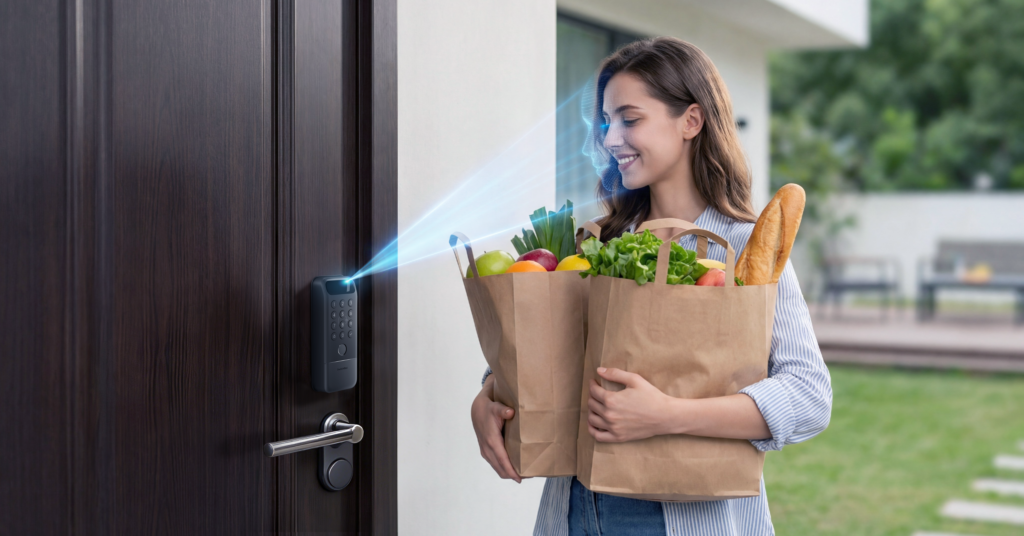
The device supports up to 19 different ways to unlock the door. While that sounds like a lot, the number has been padded out. Several entries are really variations of the same method, including permanent passcodes, temporary passcodes, one-time passcodes and combination passcodes, which are all just the keypad behaving slightly differently. Counted honestly, the genuinely distinct access methods are far fewer, and that is no bad thing.
The primary biometric and physical methods are as follows.
- 3D facial recognition. The lock projects over 20,000 infrared dots to map your face at a millimetre level. Because it builds a depth map rather than reading a flat image, it is far harder to fool with a printed photo or a video on a phone than older camera-based systems.
- Palm vein recognition. Internal infrared sensors read the vein pattern inside your hand rather than the surface of your skin. The theory is that it keeps working when the surface of your hand is wet or slightly dirty, and it is contactless, which some people will prefer on hygiene grounds.
- Fingerprint scanner. A traditional semi-conductive sensor sits beneath the keypad on the outer housing. Palm vein and fingerprint recognition are exclusive to the Pro model.
- Keypad entry. The physical keypad includes anti-peep technology, so you can press random digits before or after your real passcode to hide it from anyone watching.
- NFC reader. Entry via compatible tap-to-unlock cards, including the SwitchBot Wallet Finder Card, which doubles as a Bluetooth tracker and a key.
- Physical key. A traditional keyhole is hidden behind a sliding panel for mechanical entry if everything else fails.
- Remote app access. You can unlock the door from the SwitchBot app over your local network or the internet, plus voice assistants, a smartwatch, a widget and geo-fenced auto-unlock round out the list.
All of the biometric data, the facial maps, palm vein prints and fingerprints, is stored locally on the lock rather than in the cloud. For a device that effectively holds the keys to your home, that local-only approach is the right decision and one I am glad SwitchBot made the default.
How the 3D structured-light recognition works
It is worth explaining what is happening here, because the technology is the reason this lock costs what it does. A structured-light module contains an infrared dot projector, an infrared flood illuminator and an infrared camera. The projector throws around 20,000 infrared dots onto your face, the camera reads how that dot pattern is deformed by the contours of your face, and the lock reconstructs a 3D map from it. That map is then matched against the template you enrolled.
The advantage over the alternatives is meaningful. Time-of-flight sensors only measure to centimetre accuracy, and basic binocular RGB systems are highly sensitive to lighting and are effectively useless in the dark. Structured light reaches sub-millimetre accuracy at short range and, in principle, is not dependent on visible light, which is why SwitchBot quotes a false-recognition rate below 0.0001 per cent and claims it still works with glasses, wigs and makeup. The caveat, which I will return to, is that infrared from strong sunlight can swamp the projected pattern, and that is exactly where the real-world testing gets interesting.
Connectivity and Integrations
The system is built to talk to other platforms without a proprietary hub. It connects over Matter on a 2.4 GHz Wi-Fi network, which gives you local control with Apple Home and Home Assistant without leaning on a cloud server. It also works with Amazon Alexa, Google Home, Siri Shortcuts, IFTTT and SmartThings, and uses Bluetooth for the initial setup, calibration and local control.
One point worth flagging for the smart home enthusiasts reading this. It is Matter over Wi-Fi, not Matter over Thread. Wi-Fi locks tend to be more responsive than Bluetooth-only designs, and in testing the response over Wi-Fi has been quick, but Wi-Fi is also more power hungry than Thread and ties the lock to your 2.4 GHz network being reliable at the door. If you have built a Thread mesh, this lock will not join it, and that is a slight shame on a device pitched at the higher end.
Hardware and Build Specifications
The outer assembly is the part that wins you over. It is made from zinc alloy, carries an IP65 rating for water and dust resistance, and feels genuinely solid and weighty in the hand, which matters on a part destined to live outdoors. The inner assembly is mostly ABS plastic and houses the manual thumb turn and the battery compartment. It is well enough made but looks fairly plain, and at least one reviewer who lived with it found the rear housing marked easily, which is worth bearing in mind for a busy household.
| Component | Description |
| Outer Assembly | Constructed from zinc alloy and holds an IP65 rating for water and dust resistance. Includes an LED status indicator. |
| Inner Assembly | Made primarily from ABS plastic and houses the manual thumb turn and the battery compartment. |
| Proximity Sensor | Uses mmWave radar or button presses to wake the biometric scanners on approach. Detection range can be set to roughly 3 metres, 5 metres or 8 metres. |
| Audio and Alerts | An integrated speaker on the underside handles voice prompts, lock status sounds and security alarms for forced entry. |
A couple of small design grumbles carry over from elsewhere in the range. The keypad uses flush buttons that are not to everyone’s taste, and the sliding panel that hides the keyhole is stiff to operate. The panel will rarely get used, so it is a minor point, but the engineering could be smoother.
Dual Power System
To keep working when the power drops, the lock uses two separate battery sources, which SwitchBot brands as its DualPower and DualBackup systems.
The main battery is a 10,000 mAh rechargeable pack charged over USB-C, and SwitchBot rates it at up to 12 months on a single charge based on 10 locks and 10 unlocks per day. The backup is a standard CR123A cell that SwitchBot says lasts up to five years and handles up to 500 emergency unlocks. When you are relying on the backup, the high-drain features such as face and palm scanning are disabled, but the keypad and fingerprint reader keep working. There is also an external USB-C port on the keypad so you can hold a power bank against the lock from outside if both internal batteries are flat.
This three-tier approach, main battery, backup cell and emergency external power, is one of the strongest parts of the design. It is not new to SwitchBot locks, but it is genuinely useful and addresses the single biggest anxiety people have about smart locks, which is being locked out by a dead battery. An mmWave radar only wakes the scanners when it detects someone approaching, which helps the headline battery figures, and the app warns you when the charge is low, backed up by an audible alert at the door.
Software and Privacy Capabilities
The companion app manages the administrative side of the lock. Administrators can generate permanent, temporary or one-time passcodes for visitors and tradespeople, which is handy if you want to let a cleaner in on a Tuesday without handing over anything permanent. Auto-lock and auto-relock timers can be set between 30 seconds and 30 minutes, and a magnetic door sensor detects if the door has been left ajar.
As covered above, all facial maps, palm vein prints and fingerprints stay on the lock’s own hardware. The app also lets you mute all sounds, disable the external keypad, adjust the trigger interval and switch on a low-power mode to stretch the battery further. You can route some functionality through a SwitchBot hub to lower battery use as well.
Advanced Security Protection
SwitchBot describes a six-tier security model, and while some of that is marketing framing, the substance is reasonable. Data is encrypted with AES-128 for transmission, biometrics are stored locally, and there are sensible protections such as lockout after repeated wrong attempts, tamper and ajar-door alerts, remote unlock confirmation and an emergency SOS fingerprint option. The IP65 rating covers the outdoor exposure the deadbolt format demands.
One area where I would temper expectations is the physical cylinder. The supplied keys feel cheap, more like the keys you get with a filing cabinet, and the lock cylinder is graded to the lowest of the US standard tiers rather than a higher security grade. In practice, as one reviewer rightly pointed out, a determined burglar is far more likely to go for a window than to pick a lock at the front of your house, so for most people this is a low priority. If physical pick resistance matters to you, though, it is worth knowing before you buy.
SwitchBot Lock Vision vs SwitchBot Lock Vision Pro
There are two models in the range. The cheaper Lock Vision keeps the headline 3D facial recognition, the keypad, NFC, Matter and physical keys, but drops palm vein recognition and the fingerprint reader. The Pro adds both of those back in. Everything else, including the build, the IP65 rating and the dual power system, is shared.
| Feature | SwitchBot Lock Vision | SwitchBot Lock Vision Pro |
| 3D Facial Recognition | Yes | Yes |
| Matter over Wi-Fi | Yes | Yes |
| Apple Home Support | Yes, through Matter | Yes, through Matter |
| NFC Cards | Yes | Yes |
| Passcode Unlock | Yes | Yes |
| Physical Key | Yes | Yes |
| Fingerprint Unlock | No | Yes |
| Palm Scanning | No | Yes |
| Best For | Most smart home users | Users who want extra biometric options |
Whether the Pro is worth the extra outlay comes down to how much you value palm vein unlocking and a fingerprint reader, because those are the only functional differences. For a lot of buyers the standard Lock Vision will do everything they need.
Unboxing and Design
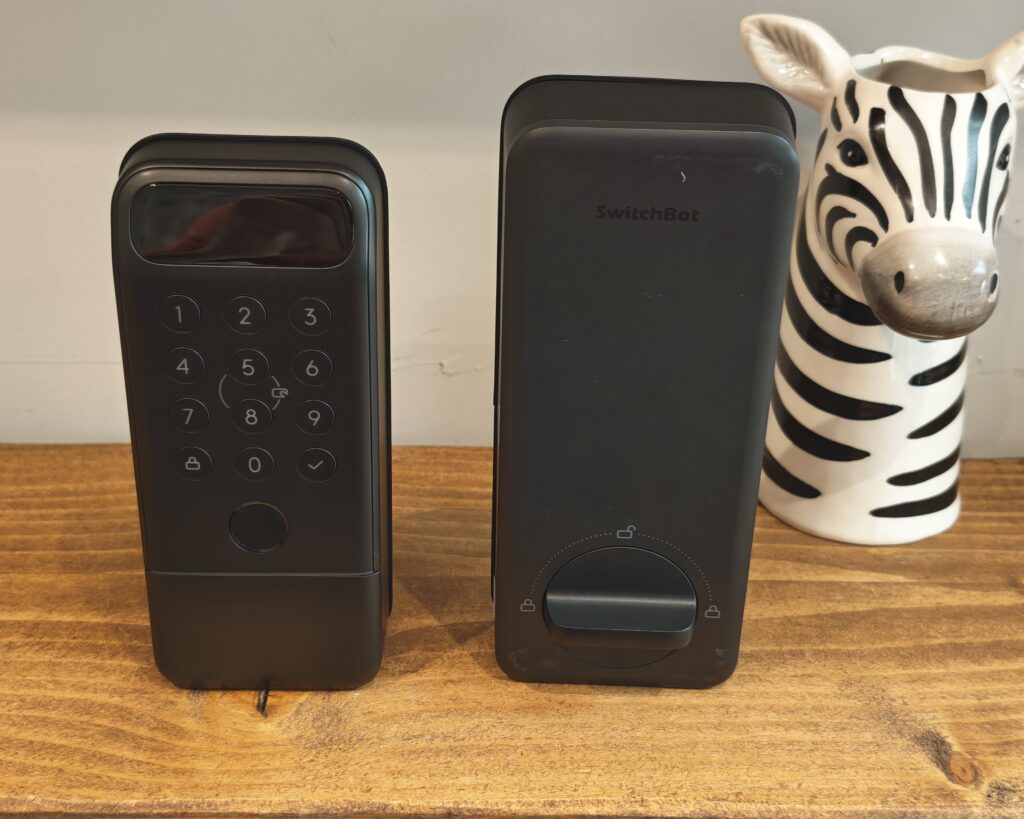
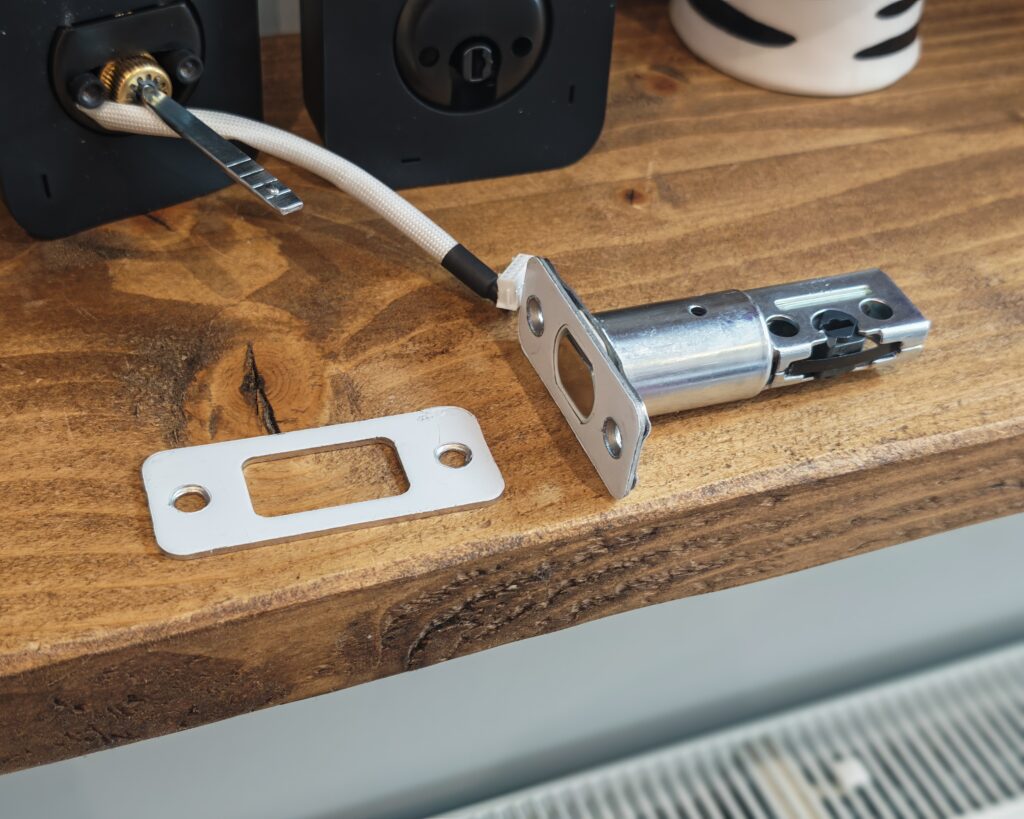
In the box you get the deadbolt itself, a strike box and strike plate, two pairs of fixing bolts in different lengths, screws for the deadbolt, strike plate and inner assembly, some sticky tape to hold the outer assembly in place during fitting, the magnet for the door sensor, the rechargeable battery, a USB-C charging cable and a set of physical keys. The Matter setup code is printed on the underside of the inner unit in both digit and QR form.
Test Set-Up / Review Limitations
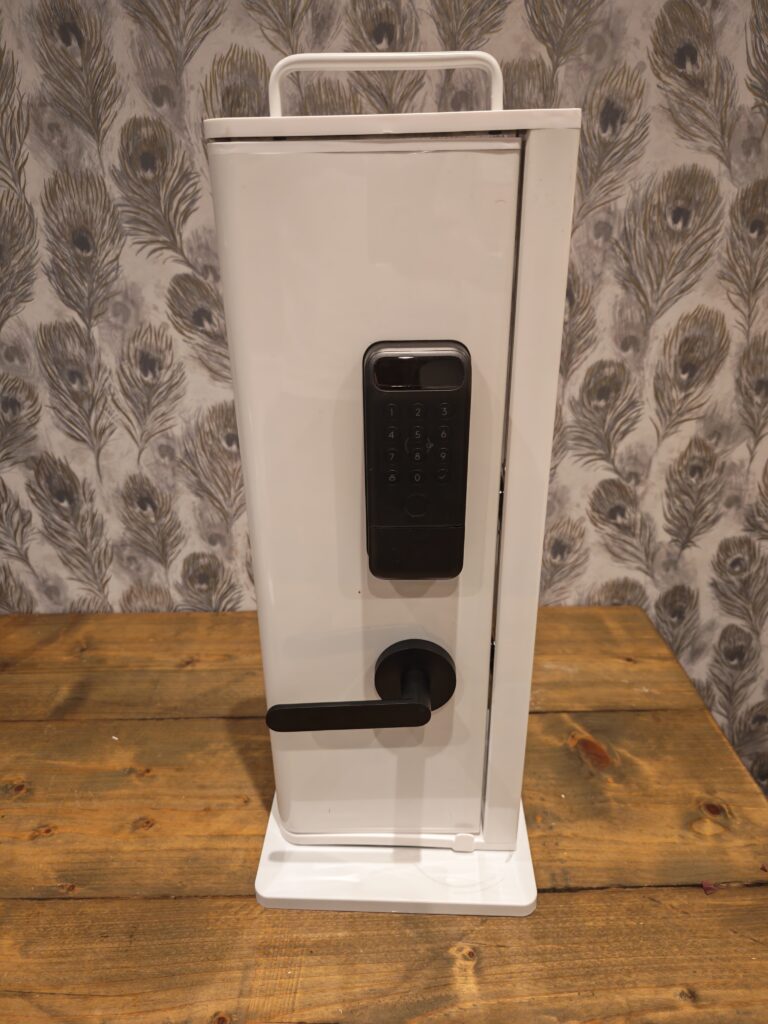
Since this is a deadbolt smart lock and I am a UK blogger, I do not have a door compatible with it. SwitchBot anticipated this and supplied a mini door, a small test rig that shows how the lock works on the desk.
The obvious issue is that I have not used the lock in a genuine real-world scenario, and it has not been exposed to British weather over a period of weeks. I want to be transparent about that so any reader can weigh my findings accordingly. Where real-world durability and environmental performance matter, I have drawn on the experiences of reviewers who were able to fit it to an actual door and a deadbolt testing stand, and I will be clear about which observations are theirs rather than mine.
Installation and Set Up
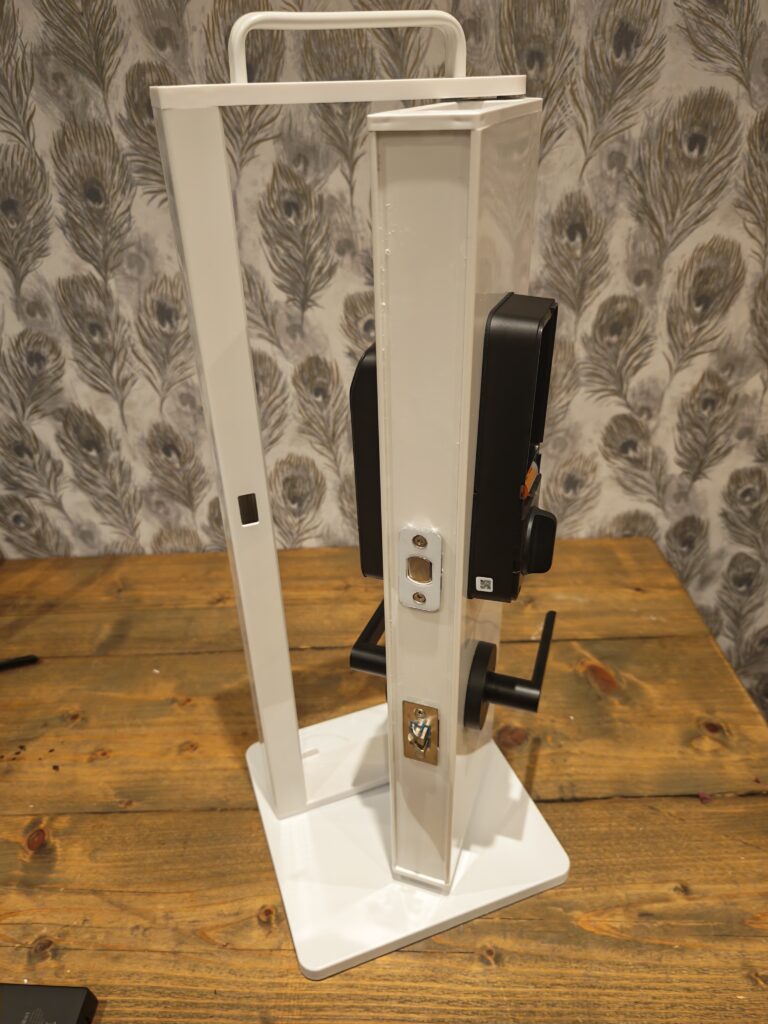
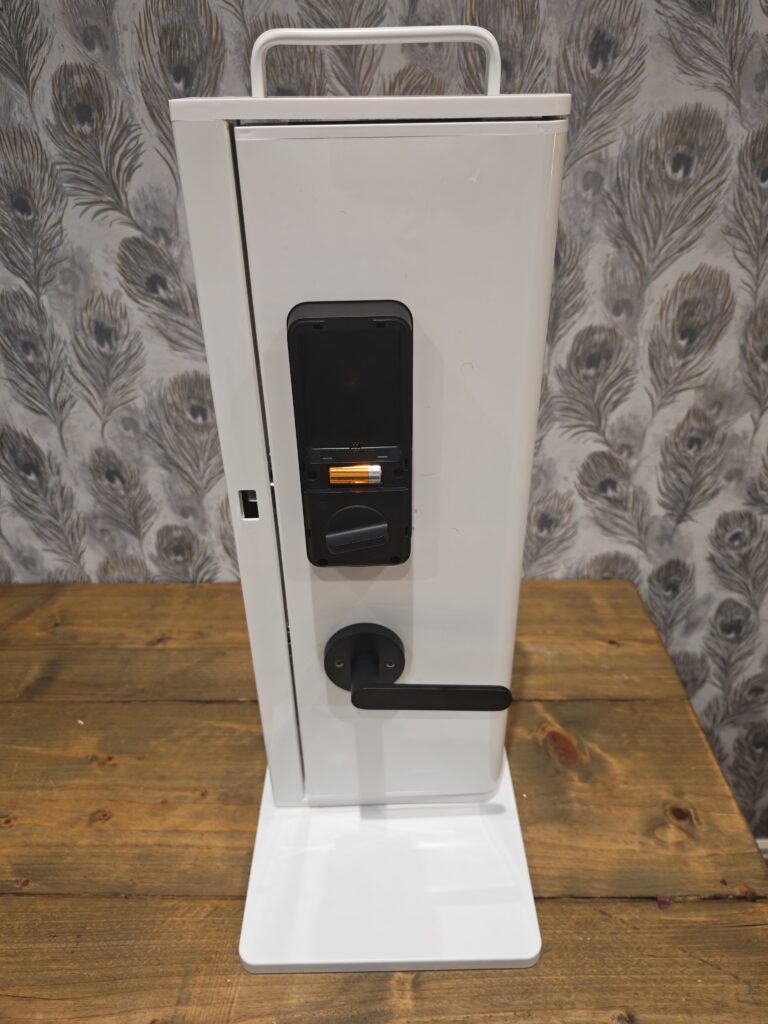
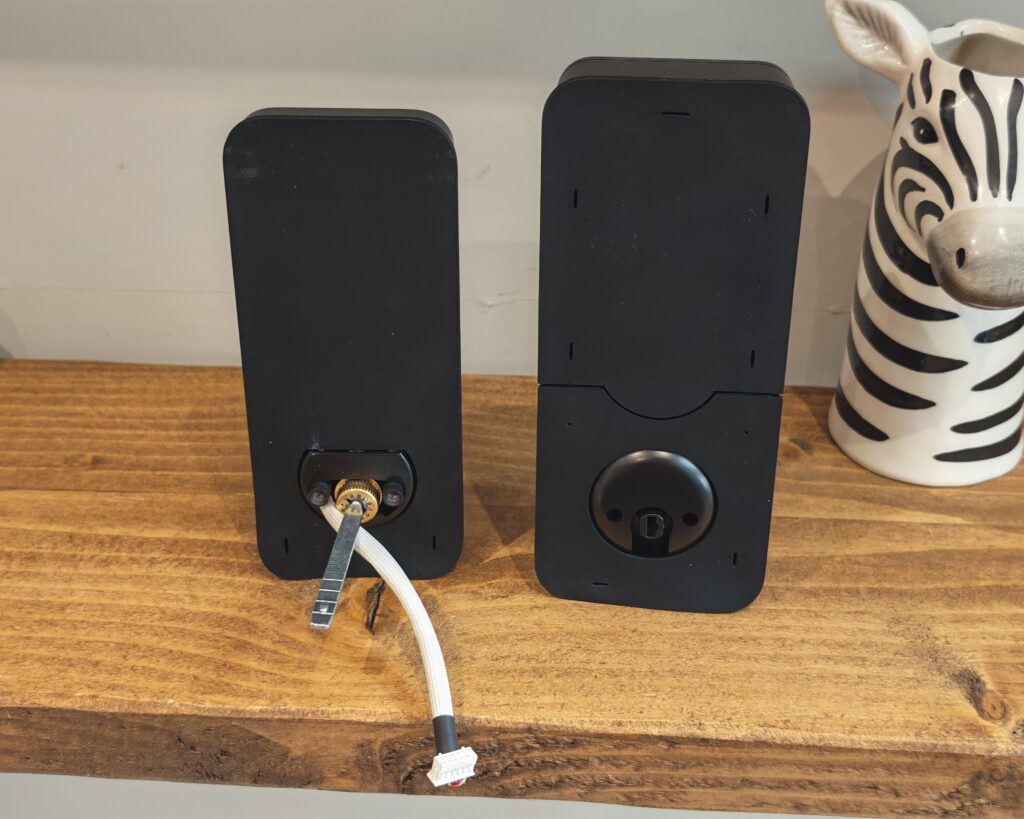
As I had not installed a deadbolt lock before, it felt a little more involved than the multi-point door locks I usually review. There are three parts to connect: the outside keypad, the internal deadbolt and the internal unlocking mechanism. The outside keypad has a deadbolt tailpiece that threads through the deadbolt into the internal part of the lock, and there is a cable running between the two halves that you also need to connect.
It is not technically difficult, but it was a touch fiddly, and that was with me working on a desktop with a mini door. I imagine it would be more awkward on a proper door. SwitchBot says it works with most deadbolt locks and needs only a single screwdriver, and reviewers fitting it to a real door reported about 15 minutes from start to finish, which matches that claim. The lock fits doors 35 to 55 mm thick, with a cross-bore of 38 mm or 54 mm and a backset of 60 mm or 70 mm, so it is worth checking your door against those figures first.
SwitchBot App and Settings
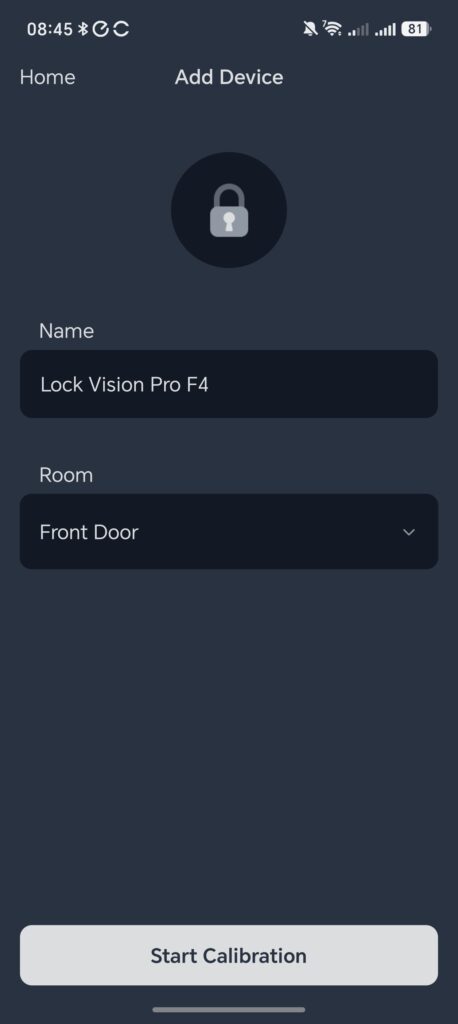
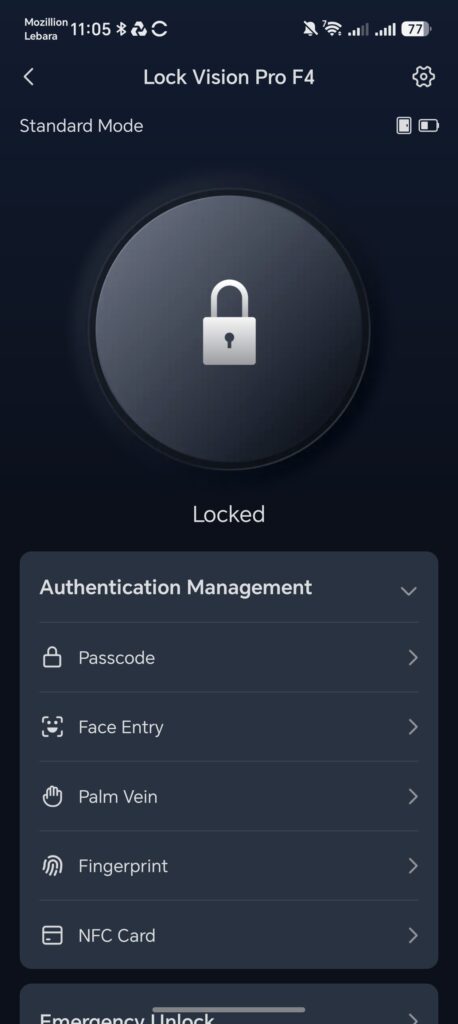
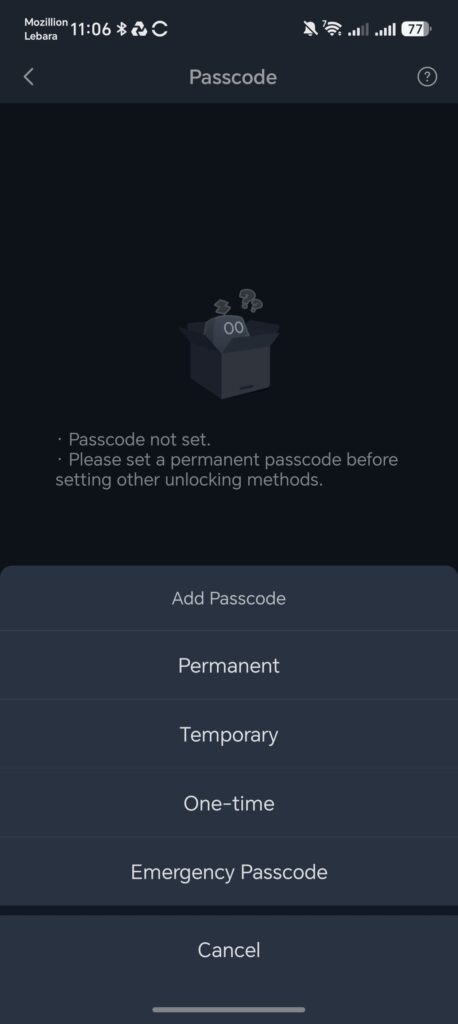
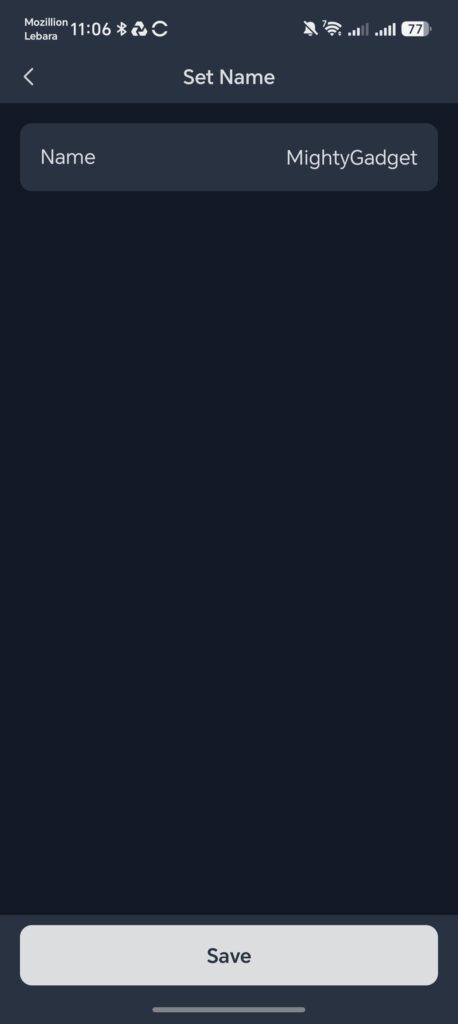
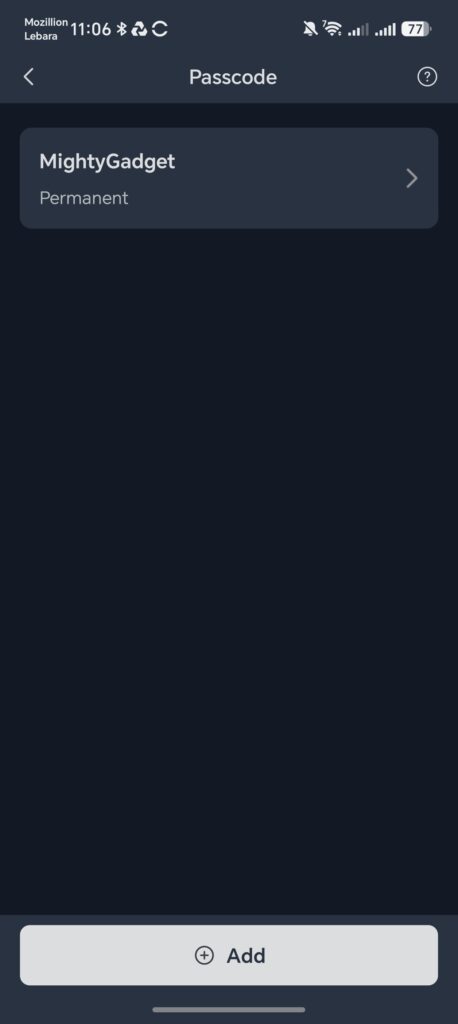
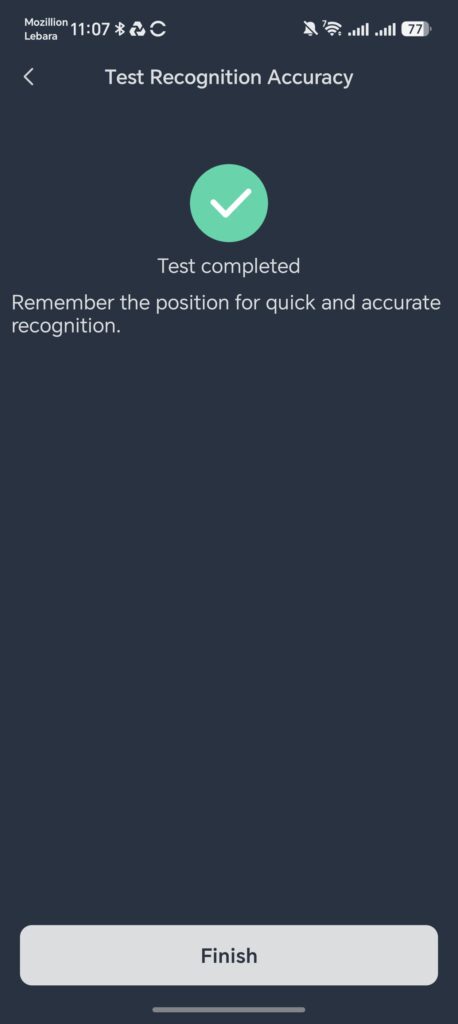
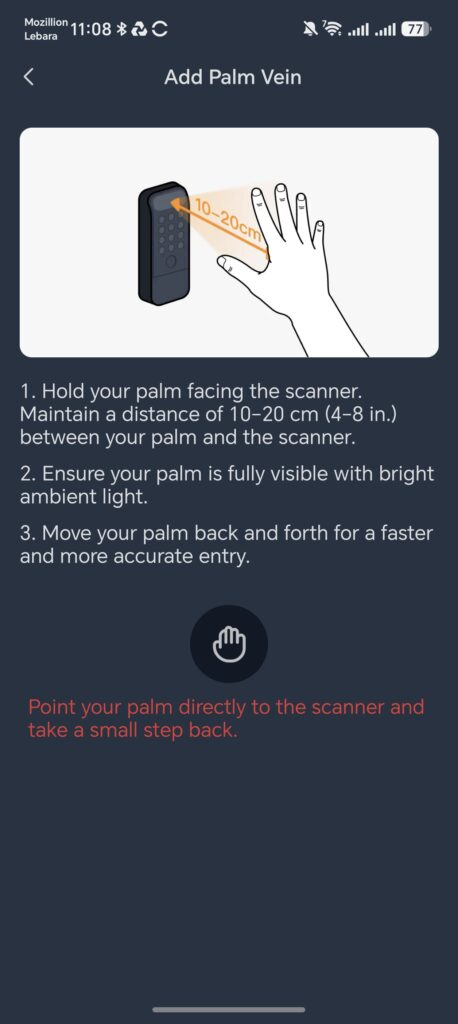
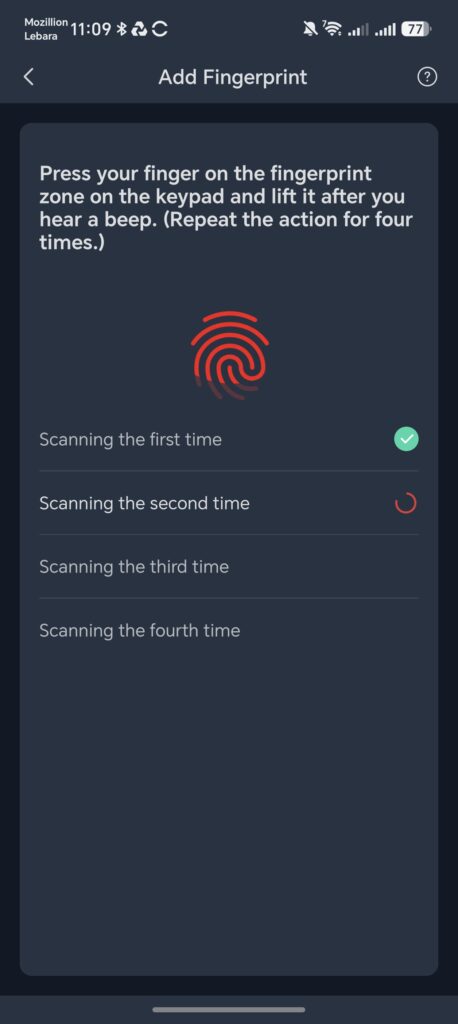
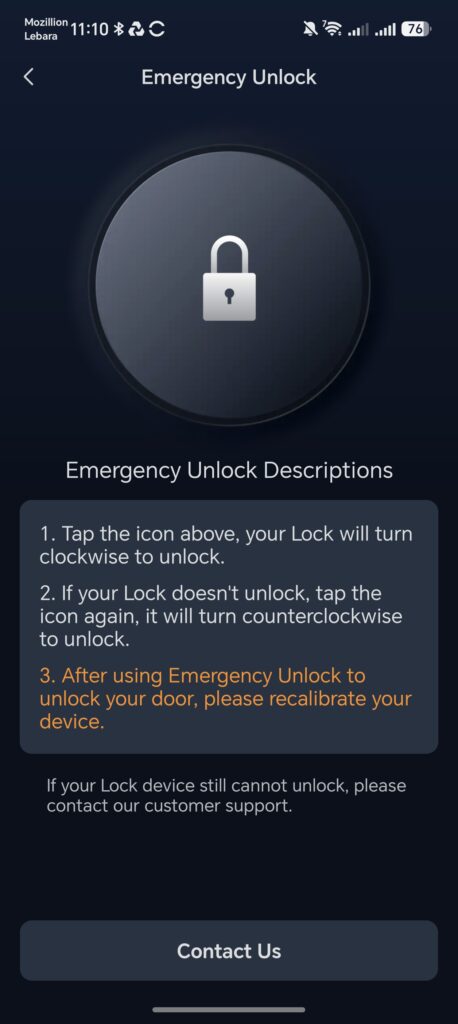
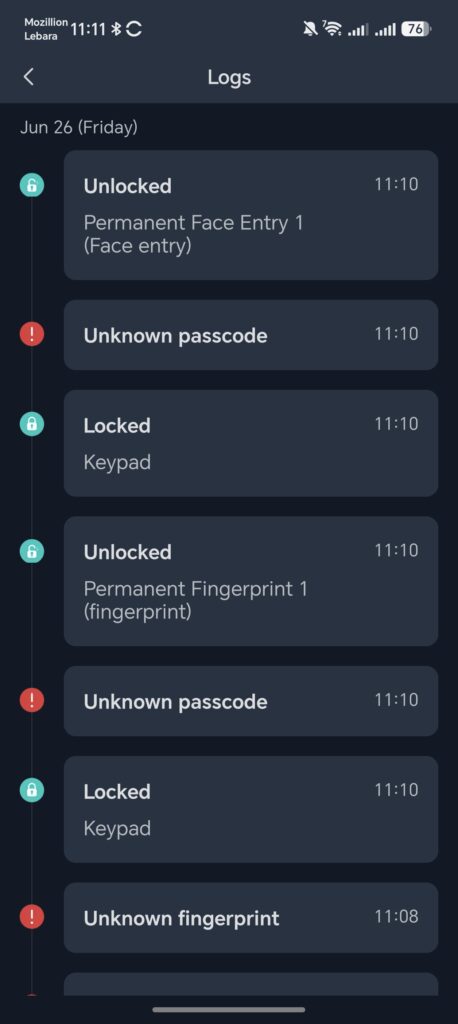
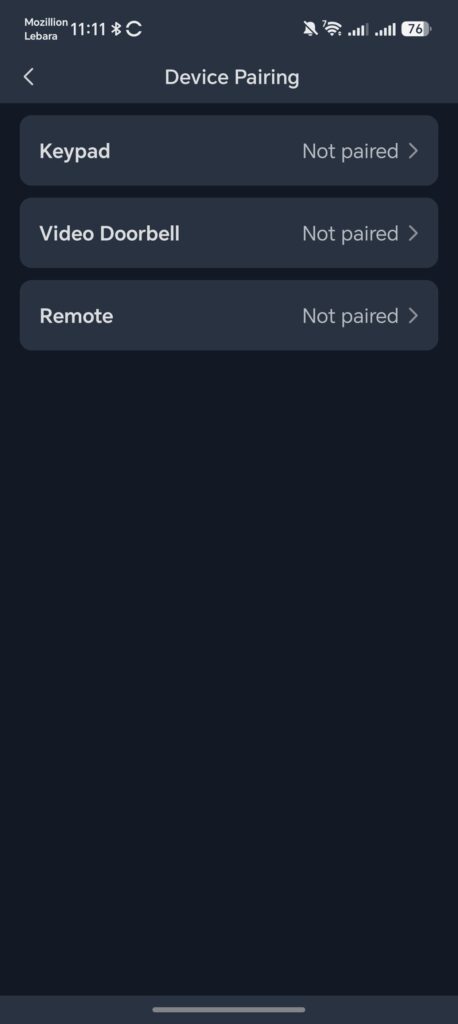
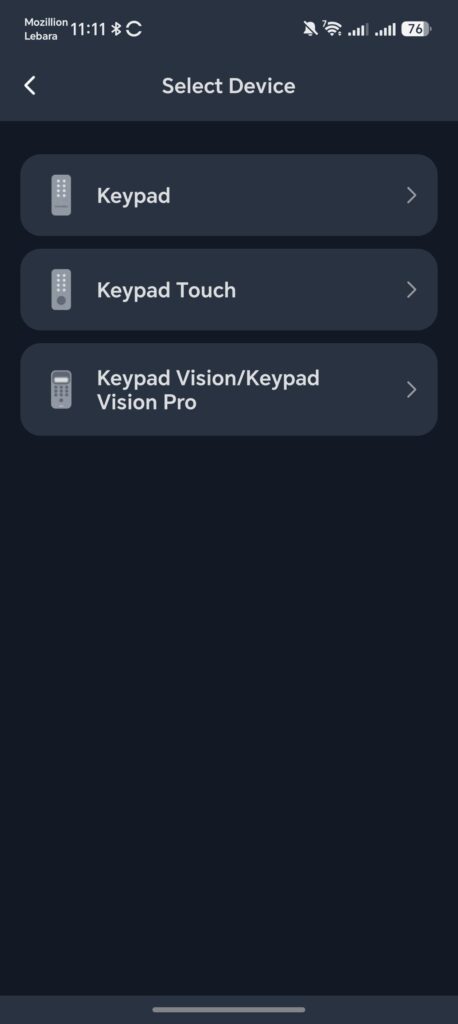
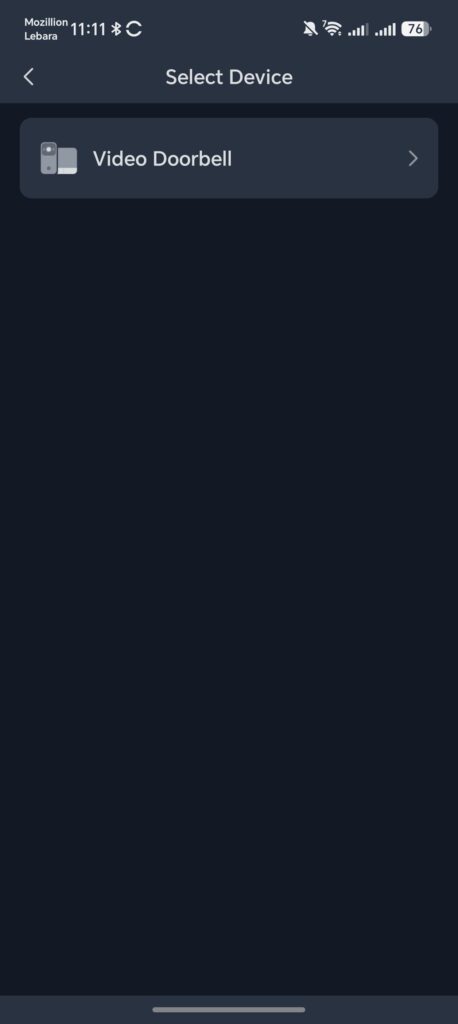
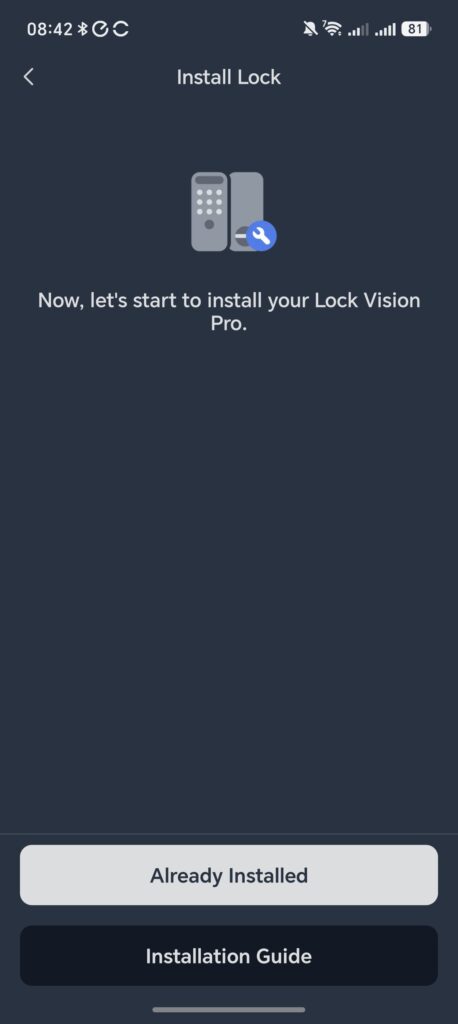
Initial setup needs the SwitchBot app for calibration and for enrolling faces, fingerprints and palm prints. The app detects the lock over Bluetooth, then you add it to a 2.4 GHz Wi-Fi network, name it, set its location and calibrate the open and closed positions using the magnet. The process is straightforward and quick to complete.
The settings are reasonably deep. You can adjust how loud the prompts are or mute them entirely, set the keypad to one of three states including fully disabled, and choose whether the face and palm scanners wake from the mmWave radar or only when you press the button. The detection range can be set to roughly 3, 5 or 8 metres, although it does this in steps rather than with a slider, and a continuous slider would be a better way to fine-tune it. You can also set the trigger interval and switch on a low-power mode while you are away. The auto-lock and relock options, passcode management with one-time codes, and the door ajar and left-unlocked alerts all live here too.
One small bug worth noting, raised by a reviewer and fed back to SwitchBot, is that unlock events did not always appear in the in-app log area even though they showed up in notifications. That is the kind of thing a firmware update should resolve, and it is worth checking whether it has been fixed by the time you read this.
Smart Home Integration
Because it speaks Matter over Wi-Fi, the lock can be added to Apple Home, Amazon Alexa, Google Home and Home Assistant, and the Apple Home and Home Assistant connections run locally with no cloud involved. In Home Assistant you get the door open and closed status, auto-relock time, operating modes, the actuator, battery percentage and battery voltage, all locally, which is exactly what the home automation crowd will want to see.
There are real gaps in the Apple Home integration, though, and they are hard to overlook on a lock at this price launching in 2026. There is no Apple Home Key support, so you cannot tap your iPhone or Apple Watch to unlock, and there is no managed access, so any passcodes have to be created in the SwitchBot app rather than in Apple Home. Apple first supported smart locks back in 2016 and introduced Home Key tap-to-unlock in 2021, and rivals such as Aqara, Nuki and Yale have pushed hard into Home Key since. SwitchBot says Apple Home certification is in progress, but I would caution against buying on the strength of a promised feature, because the industry has a long history of promised updates that never arrive. You also get basic control and a doorbell chime function if you pair it with a SwitchBot Hub 3, and it can work alongside the SwitchBot Smart Video Doorbell so you can see who is at the door and unlock from the chime unit.
Performance
This is the section where my mini door becomes a genuine limitation, so I want to separate what I have confirmed from what comes from more extensive real-world testing. On my rig, enrolment and basic operation worked as described. The wider point, which the field testing brings out clearly, is that the environment makes a large difference to how reliable the biometrics are.
Unlocking performance
Across the board the lock is responsive over Wi-Fi, and the headline biometric features set up far faster than I expected. The question is not whether they work in a controlled space, because they do, but how consistently they hold up in direct sunlight and wet weather. The answer, based on the most thorough independent testing I have seen, is that they struggle in both.
Face Recognition Unlocking
Enrolling a face takes seconds, and indoors or in shade the recognition is quick and accurate. SwitchBot claims sub-one-second unlocking, and in good conditions it is fast, although careful testing put the real figure closer to three to five seconds rather than under one. That is still acceptable for daily use.
The problem appears in bright, direct sunlight. In one detailed test of around 170 cycles across different conditions, facial recognition failed nine times out of ten in direct sunlight, and on the rare success it could take many seconds of shuffling back and forth. This is consistent with how structured-light systems behave, because strong infrared in sunlight competes with the projected dot pattern. If your door sits in deep shade or a porch, this may never bother you. If it faces the afternoon sun, it could undermine the feature you are paying a premium for.
Contactless palm vein recognition
Palm vein recognition is the Pro’s party piece, and on paper it solves a real problem. Because it reads the veins inside your hand rather than the surface, it should keep working when your hands are wet, which is where fingerprint readers fall down. In controlled conditions it works well, and once enrolled it is roughly as quick as the face scan, in the region of three to five seconds. Getting the distance right takes a little practice, though it is arguably easier to judge than face positioning because you can see your own hand.
The same environmental caveat applies. In direct sunlight, palm recognition failed around eight times out of ten in testing, and under simulated rain it failed across every attempt. So the headline promise of working when wet did not hold up once water was actually on the sensors. Indoors and in shade it is a pleasant way to get in. Outdoors in poor conditions it is not something I would want to rely on as my only method.
Fingerprint Unlocking
The fingerprint reader is the fastest of the biometric options and is on par with the better readers on other locks. For most households this will end up being the method people actually use day to day, with face and palm as the hands-full backup.
It has one notable weakness that is common to capacitive readers but still relevant here. With even minimal moisture on the sensor it became unreliable in testing and disabled itself before a full set of cycles could be completed. So while the palm option is meant to cover wet conditions, the fingerprint reader does not, which leaves the keypad and key as the dependable wet-weather fallbacks.
Real-world reliability
Pulling those threads together, the pattern is clear and worth stating plainly. The biometrics are excellent indoors and in shade, and they degrade in direct sunlight and rain. SwitchBot’s accuracy and speed claims are best read as best-case figures from a controlled environment. None of this makes the lock unusable, because it has so many fallback methods, but it does mean the flashy features cannot be assumed to work everywhere, and that is exactly the sort of context a buyer needs before spending this kind of money.
Battery Life
This is one area I cannot test properly, because the lock is not installed on a real door and is not being used through a normal daily routine. I therefore cannot verify how the battery performs in real life, and I would rather say that than guess.
For reference, SwitchBot rates the 10,000 mAh main battery at up to 12 months per charge based on 20 operations a day, with the CR123A backup good for up to five years or 500 emergency unlocks. A reviewer who has lived with the related SwitchBot Lock Ultra and keypad for over a year, going in and out roughly ten times a day, reported charging each unit only three or four times across the whole year, which suggests the real figures are healthy even if they fall short of the headline claim. The combination of mmWave wake, low-power mode and the option to offload work to a hub all help here.
Price and Alternative Options
The SwitchBot Lock Vision Pro has an RRP of $230, which is roughly £180 once converted, and bundled with the SwitchBot Video Doorbell it is $330, or around £260. The lower-specced SwitchBot Lock Vision has an RRP of $170, about £135, and at the time of writing it was discounted by 23 per cent to $131, which is close to £100. In Canada the Pro is CAD 299.99 and the standard model is CAD 229.99.
The obvious catch for readers here is availability. The Lock Vision series is sold only in the US and Canada through SwitchBot’s website and Amazon, and only fits deadbolt doors, so it is not a practical purchase in the UK or much of Europe without importing and a compatible door. Prices are quoted in dollars because that is the market this lock is built for.
On price the Pro sits in the upper-mid tier of US deadbolt smart locks. The biometric spread, particularly palm vein recognition, is hard to match at this money, and locks with comparable build and a similar feature set often cost more. Where it loses ground is the Apple ecosystem. If Apple Home Key is a must-have, locks from Aqara, Yale, Lockly, Schlage and others already offer tap-to-unlock and fuller Home integration, and several add ultra-wideband for hands-free entry that the SwitchBot lacks. The trade-off is that few of those rivals offer 3D facial and palm vein recognition with fully local biometric storage, so it depends entirely on what you value.
Overall
The SwitchBot Lock Vision Pro is one of the more ambitious smart locks on the market. When it works well, indoors or in shaded conditions, it is a genuinely good experience. The 3D facial recognition and palm vein unlocking set up almost absurdly quickly, the build quality of the outer assembly is excellent, the dual battery system removes most of the lockout anxiety that puts people off smart locks, and keeping all the biometric data on the device is the right call. Matter over Wi-Fi without a hub is a sensible foundation, and Home Assistant users get clean local control.
The honest counterpoints are real, though. The biometrics that justify the price become unreliable in direct sunlight and rain, so door placement matters a great deal. The Apple Home integration is thin, with no Home Key and no managed access on a lock launching in 2026. The 19-method claim is padded, the inner housing and the supplied keys feel cheap next to the outer unit, the cylinder is graded to the lowest tier, and it is Wi-Fi rather than Thread. And of course, for UK readers, it is not sold here and only fits deadbolts.
My own testing on a mini door cannot speak to long-term durability or real weather, which is why I have been clear about leaning on wider field testing for those parts. With that caveat in place, the picture is straightforward. If your front door is mostly shaded and protected, and you are buying into the SwitchBot ecosystem rather than chasing the full Apple Home experience, this is a capable lock that does things very few rivals can. If your door takes a lot of direct sun or regular weather, or if Apple Home Key is non-negotiable, you should think hard about whether the standout features will be reliable enough to live with every day. It is a strong piece of hardware held back by environmental limits and a couple of software gaps, and where you live with it will decide how much those matter.
SwitchBot Lock Vision Pro Review
-
Overall - 80%80%
Summary
The SwitchBot Lock Vision Pro is an innovative smart lock that combines advanced biometric security with excellent smart home integration and thoughtful battery backup. Its facial and palm vein recognition are genuinely impressive in favourable conditions, but their reliability drops noticeably in direct sunlight and wet weather. For US homeowners with shaded entrances, it is one of the most feature-rich deadbolt locks available, though Apple users and anyone with an exposed front door should consider its limitations before buying.
Pros
- Excellent biometric unlocking options
- Local biometric data storage
- Robust dual battery backup
- Native Matter over Wi-Fi
- Premium external build quality
Cons
- Sunlight affects facial recognition
- Rain reduces biometric reliability
- No Apple Home Key
- Deadbolt-only US compatibility
- Wi-Fi instead of Thread

I am James, a UK-based tech enthusiast and the Editor and Owner of Mighty Gadget, which I’ve proudly run since 2007. Passionate about all things technology, my expertise spans from computers and networking to mobile, wearables, and smart home devices.
As a fitness fanatic who loves running and cycling, I also have a keen interest in fitness-related technology, and I take every opportunity to cover this niche on my blog. My diverse interests allow me to bring a unique perspective to tech blogging, merging lifestyle, fitness, and the latest tech trends.
In my academic pursuits, I earned a BSc in Information Systems Design from UCLAN, before advancing my learning with a Master’s Degree in Computing.
I’m proud to share that Vuelio has consistently ranked Mighty Gadget as one of the top technology blogs in the UK. With my dedication to technology and drive to share my insights, I aim to continue providing my readers with engaging and informative content.
I work directly with the companies he reviews products for or their chosen PR agency.
For Social Media, you can find me on: