Looki L1 AI Life Logging Camera Review
Life logging cameras are not a new idea. Devices such as the Autographer and Narrative Clip appeared over a decade ago, attempting to automatically document daily life through passive photography. Both ultimately failed to find a sustainable market. The Looki L1 is a modern take on the same concept, but with a meaningful difference: instead of simply accumulating thousands of snapshots, it uses on-device and cloud-based AI to process what it captures and turn it into curated daily summaries, highlighted moments, mood palettes, and – most distinctively – illustrated comic strips.
The result is something that sits in its own category. It is not a security camera, not an action camera, and not a competitor to your smartphone. Looki describes it as an AI companion that observes your day and reflects it back to you in a meaningful way. Whether that proposition is worth $249 depends on who you are and how you live, but the idea itself is more coherent than it might first appear.
I have been using the Looki L1 for several weeks, and this review covers everything from the hardware and app experience through to the AI features, battery life, and the legitimate privacy questions that come with wearing a recording device all day.
Looki L1 Specification
| Colours | Black / White / Green |
| Dimensions | 50.53mm x 16.84mm x 48.02mm |
| Weight | 32g |
| Waterproof Rating | IP67 |
| Battery Capacity | 375mAh |
| Charging Time | Approximately 1.5 hours |
| Battery Life | 5-second clip every 1 minute: approx. 9 hours 9-second clip every 2 minutes: approx. 11 hours 11-second clip every 3 minutes: approx. 13 hours |
| Photo Resolution | 4K |
| Video Recording | 1080p at 30fps |
| Camera Optimisation | AI lifelogging and battery efficiency |
| Focal Length | 16mm equivalent |
| Aperture | f/2.2 |
| Field of View | 109 degrees |
| ISO Range | Auto ISO 100-4800 |
| Electronic Image Stabilisation | Supported |
| HDR | Supported |
| Microphones | 3 |
| Speaker | 1W with 6V Boost Smart PA |
| Storage | 32GB |
| Bluetooth | Bluetooth 5.0 |
| Wi-Fi | Dual-band 2.4GHz / 5GHz (802.11 a/b/g/n/ac) |
| Gyroscope | 6-axis gyroscope |
Design
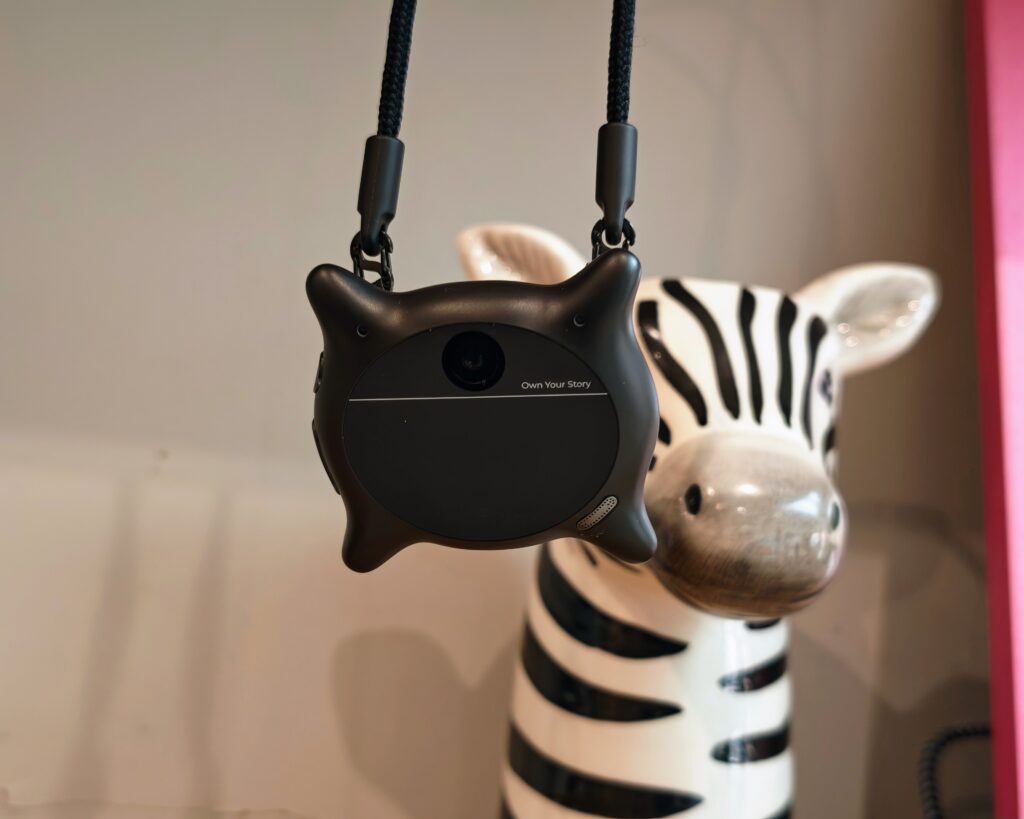
The Looki L1 is small – genuinely small. At 50.53mm x 16.84mm x 48.02mm and weighing just 32g, it is roughly the size of a large coat button and light enough that you stop noticing it after the first hour of wear. It is available in three colours: black, white, and green.
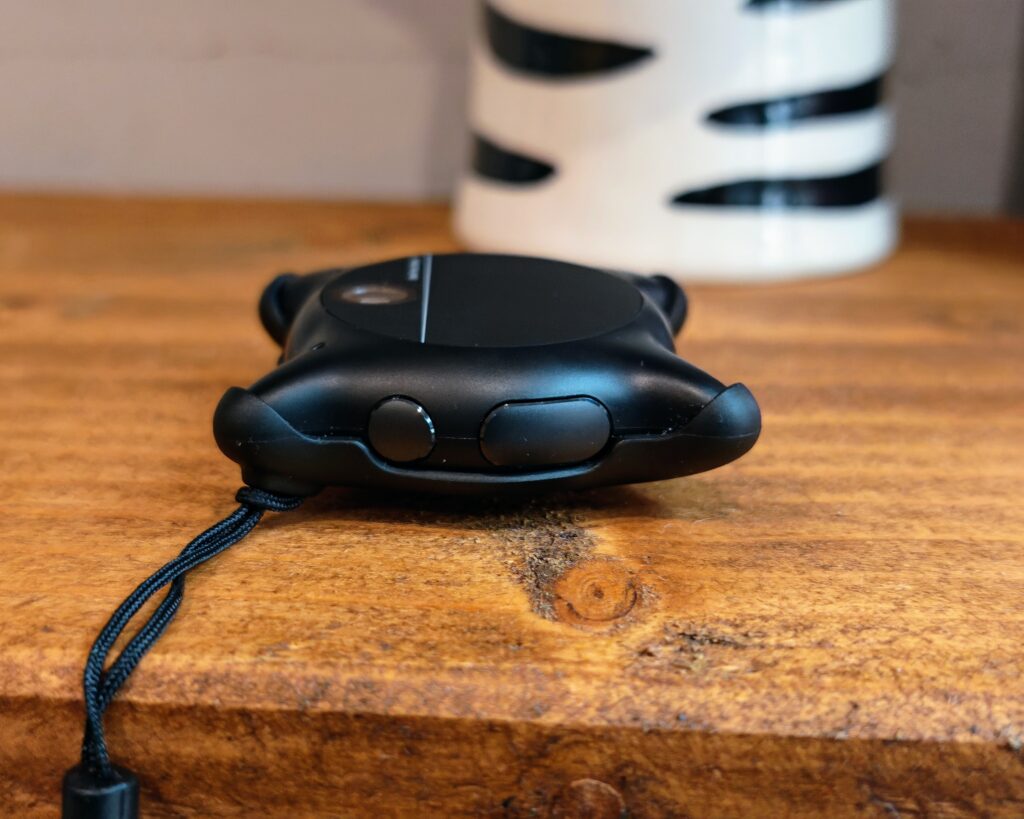
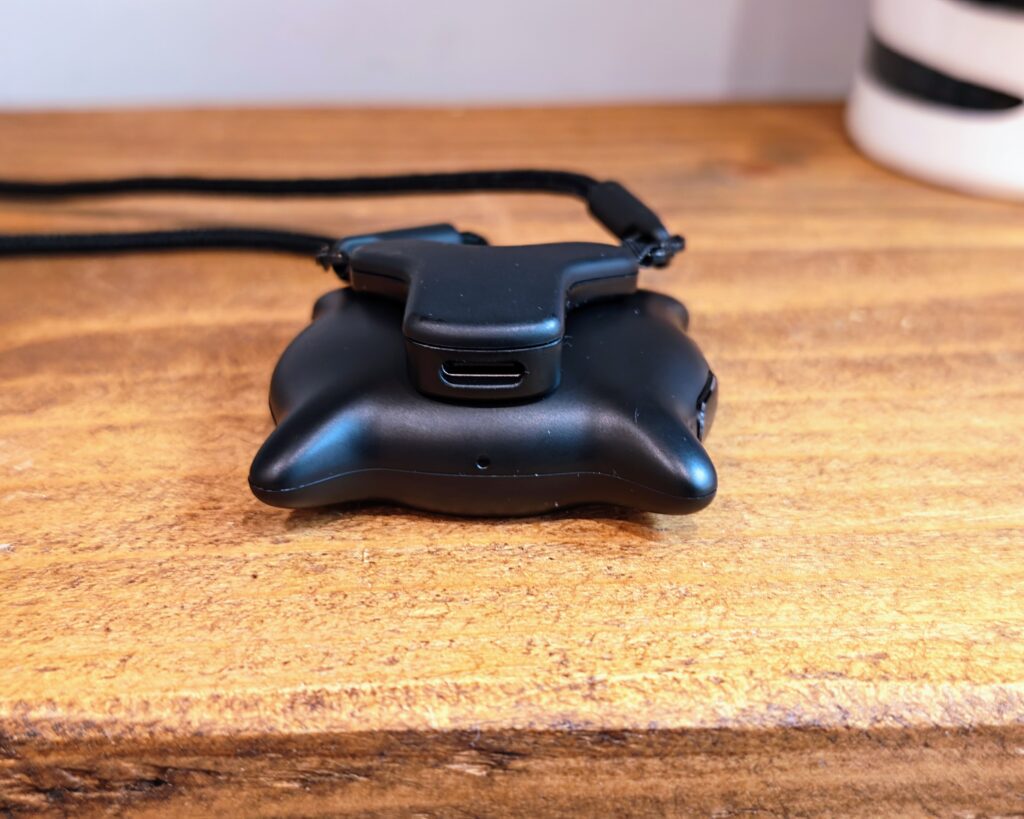
The device clips directly onto clothing using a magnetic clip mechanism, and also comes with a lanyard that tucks behind your shirt, which doubles as the charging cable. That is a clever piece of design – the charging solution is always attached to you, which means you are unlikely to leave the house without it. The connection is magnetic, which makes it easy to attach and remove but also means it will detach if snagged. This is the main physical concern I have with the hardware. If you are walking through a busy environment, there is a real chance of losing it. Looki does sell an additional protective case, and I would strongly recommend buying it if you order one.
Build quality feels reasonable for the price point. The IP67 water resistance rating is reassuring – it means the device can handle being submerged in up to one metre of water for 30 minutes, so rain, splashes, and similar incidental exposure are not a concern. The single physical button on the front is used to toggle between modes, and there is a small status light that remains on during recording. That light is important from a transparency standpoint – more on that in the privacy section.
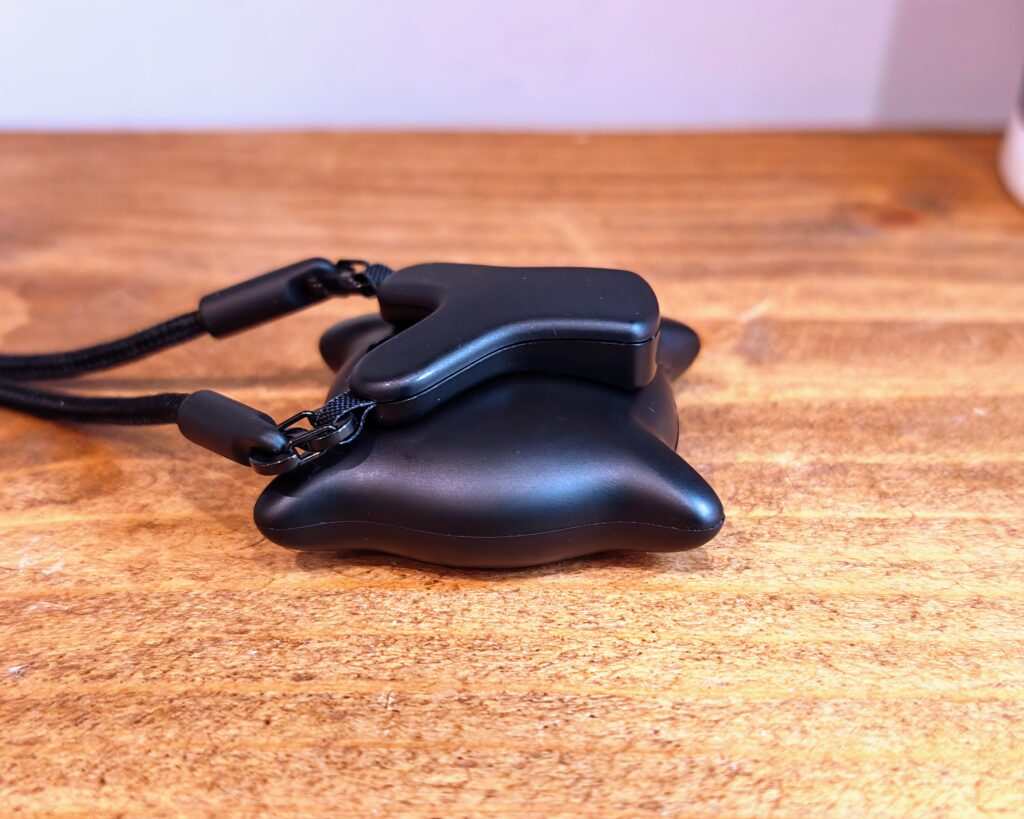
One design criticism worth raising is the overall aesthetic. The lanyard mounting in particular means the device hangs visibly at chest height, and it is not entirely discreet. A magnetic clip worn on a lapel or collar is less conspicuous, but either way, people who know what it is will notice it. I would have preferred a smaller, more minimal form factor, or alternatively something more robust and overtly durable. The current design falls between the two.
Set Up
Setup is handled through the Looki app, available on iOS and Android. The process is straightforward: download the app, create an account, pair the device over Bluetooth, and connect it to your home Wi-Fi. The whole process takes under ten minutes.
Once connected, the app walks you through the main modes and settings. You can customise how frequently the device captures clips – from a five-second clip every minute through to an eleven-second clip every three minutes – with the less frequent options extending battery life noticeably. You can also personalise the AI companion (called PIE, standing for Proactive Intelligence Engine) in terms of what role it plays and how it communicates with you.
On first use, the experience is fairly quiet while the system learns your context – your routines, the people around you, the places you visit. After a few days, the outputs become noticeably richer and more personalised. That learning curve is worth knowing about in advance.
Looki App
The app is where the majority of the Looki L1 experience takes place. The main section is called the ‘For You’ tab, which aggregates the daily content the AI has prepared overnight. This includes life logs (text summaries of the day), mood palettes (colour-based visualisations of your emotional state as inferred from the day’s observations), short AI-generated vlogs, individual moment highlights, and the comics feature.
Navigation is clean and the app loads content quickly. The AI summaries are readable and reasonably accurate to what actually happened during the day. The mood palette feature is more experimental and not something I would rely on for any meaningful insight, but it is an interesting addition. The vlog feature generates short video summaries from the captured clips and is better than I expected, though the footage quality (more on this below) limits how polished the output looks.
There is also a manual recording mode accessible directly from the app, and a voice command function built into the device itself. Saying the wake word followed by an instruction – for example, asking it to set a location-based reminder – works reliably in most cases. The conversational interaction with PIE feels natural rather than robotic, and the reminder features are practically useful.
The app does require a cloud connection to generate most of its content – processing happens server-side overnight, which means you receive your daily digest in the morning rather than in real time. For the most part this is fine, but it does mean the device is less useful if you have a slow or unreliable connection, and it raises valid questions about what happens to your data during that processing window.
In Use
Camera


The Looki L1 captures stills at up to 4K resolution, with a 16mm equivalent focal length, f/2.2 aperture, and a wide 109-degree field of view. Electronic image stabilisation and HDR are both supported, and the ISO range runs from 100 to 4800 in automatic mode.
In good light, the images are perfectly adequate for the device’s intended purpose – providing the AI with enough visual context to understand your surroundings. Colours are reasonably accurate, and the wide field of view captures enough of a scene to be useful. In low light, image quality drops off noticeably. Noise becomes visible at higher ISO settings, and the lack of optical stabilisation means that motion – even relatively slow motion – can introduce blur.
To be clear: this is expected behaviour, and Looki is transparent that image quality is not the point. The camera exists to give the AI context, not to replace your phone. If you go in expecting sharp, detailed photos you can share on social media or print, you will be disappointed. If you understand that the images are source material for AI processing rather than finished photographs, the quality is sufficient.
The three built-in microphones with noise reduction handle audio capture reasonably well indoors. In outdoor or noisy environments, background noise can overwhelm quieter speech, though the AI transcription still picks up the majority of conversations in normal listening conditions.
Video
Video recording runs at 1080p and 30fps. The footage has a characteristic wide-angle, slightly washed look that is typical of small sensor cameras with a very wide field of view. Electronic image stabilisation helps with minor movement but does not fully compensate for walking, which introduces a noticeable wobble in clips taken on the move.
The AI-generated vlogs produced from this footage are better than the raw clips suggest they should be. The system selects the more interesting segments, applies basic transitions, and adds context from the life log to produce something watchable. It will not replace a properly shot video, but as an automatic record of a day out, a holiday, or a family event, it is a genuine convenience.
One practical point: the device captures clips at intervals rather than continuously. In the default mode, it takes a clip every few minutes, so you are not generating hours of footage to manage. By the end of a typical day, the total raw footage is manageable in terms of both storage and processing time.
Stories
The stories feature is where the Looki L1 does something genuinely different from any other device I have reviewed. Each morning, the app presents a comic strip based on the previous day’s activity. These are proper illustrated panels – not filters applied to photos, but AI-generated artwork drawn from the context the device has gathered. The visual style is hand-drawn and warm, and the results are surprisingly accurate to the people, places, and events of the day.
Daily comics drop each morning. Weekly comics appear at the end of the week, pulling from the broader context of the past seven days to produce a longer narrative strip. The AI selects what it considers thematically meaningful rather than simply the most recent or most frequent events, and it is noticeably good at filtering out noise and highlighting moments that actually matter.
This is the feature that is hardest to convey in a written review, because you genuinely need to experience receiving a comic version of your own Tuesday to understand why it works. It is one of the more original software features I have encountered in consumer tech in some time, and it is easy to see why Looki considers it their most popular feature by a significant margin. If you have children who are old enough to appreciate comics, the novelty of seeing themselves illustrated in strip form is considerable.
Beyond comics, the app also generates mood palettes – abstract visualisations of the emotional tone of your day, based on the AI’s interpretation of what it observed. These are more speculative and harder to validate, but they add an interesting reflective dimension to the daily digest.
Uploading Files to Looki Cloud
In addition to the automatic capture from the device, the Looki app allows you to upload photos and videos directly from your phone’s camera roll. These are processed alongside the device footage and incorporated into your life log, comics, and vlogs. This is a useful feature if you also take photos on your phone during the day and want everything unified in a single narrative.
The upload process is straightforward, and the AI handles the integration well – supplementary phone photos are woven into the story coherently rather than appended as an afterthought. The 32GB of on-device storage provides adequate headroom for extended use before requiring a sync.
Web Interface
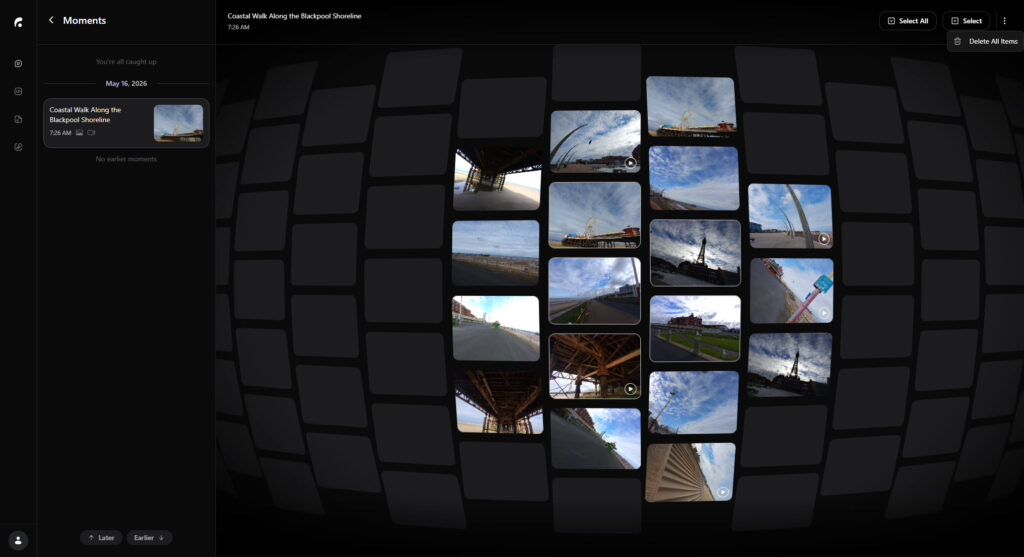
In addition to the iOS and Android apps, Looki provides a browser-based interface at web.looki.ai. This is a web app rather than a native desktop application, meaning it runs in your browser of choice on any platform, including Windows, macOS, and Linux, without requiring a separate installation.
The main advantage of the web interface is screen real estate. Reviewing your daily comics, life logs, and auto-generated vlogs on a laptop or desktop monitor is a noticeably better experience than scrolling through them on a phone. The comics in particular benefit from being viewed at larger sizes, where the illustration detail is more apparent. For anyone who spends most of their day at a desk, having a browser tab open to check the morning digest feels more natural than reaching for a phone.
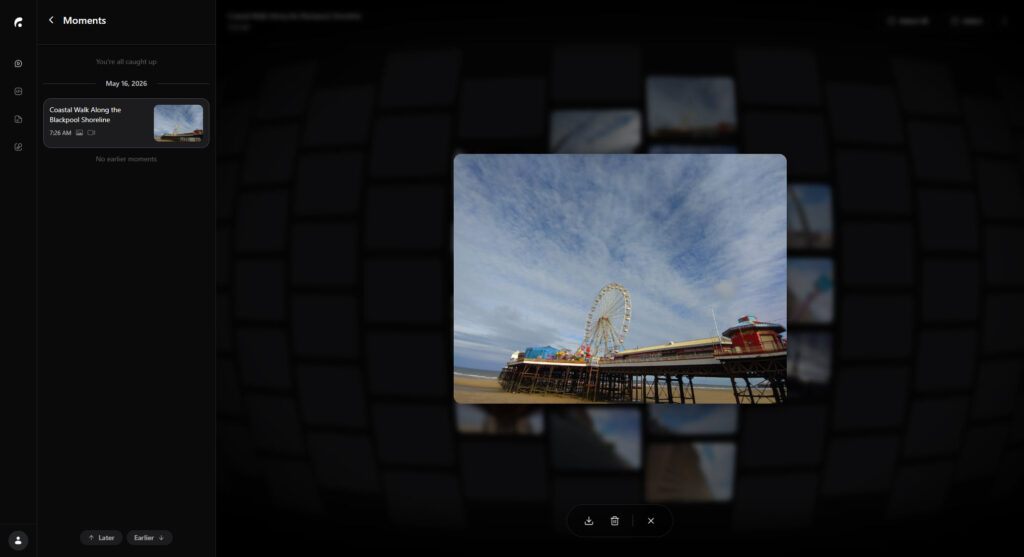
The web interface gives access to your content library, including life logs, mood palettes, stories, and the searchable memory timeline. The AI chat functionality – where you can ask questions about your recent past, such as what you were doing at a particular time or whether you mentioned something during a conversation – is also available through the browser. This is one of the more practically useful features of the Looki ecosystem, and being able to query it from a computer while working adds genuine convenience.
What the web interface does not offer is device management. Pairing the L1, configuring Wi-Fi, adjusting capture intervals, and managing firmware updates all still require the mobile app. The web interface is a companion viewer and AI chat tool rather than a full replacement for the phone app. If you are hoping to get rid of the mobile app entirely and manage everything from a browser, that is not currently possible.
Performance in the browser is acceptable, though as a JavaScript-heavy web app it does not feel as fluid as a native application. Page loads and content rendering take a moment longer than they do in the mobile app, and on slower connections the daily digest can take a while to populate. It is also worth noting that since web.looki.ai is a web app, its feature set may evolve independently of the mobile app versions, so the experience may differ depending on when you are reading this.
Overall, the web interface is a welcome addition that makes the Looki ecosystem more flexible. It is not a polished desktop experience, and device management still requires a phone, but for reviewing content and interacting with the AI on a larger screen it does the job well enough. Looki would do well to develop this further – a dedicated desktop app with offline access to locally stored content would be a meaningful step forward for users who prefer to keep their phone away from their desk.
Battery Life
Battery life is one of the Looki L1’s more impressive practical attributes. The 375mAh cell achieves up to 13 hours in the least intensive capture mode (11-second clip every three minutes), which is enough to cover a full waking day on a single charge. In the more frequent five-second clip every minute mode, you can expect around nine hours, which will be sufficient for most days but may fall short of a very long day out.
Charging takes approximately 1.5 hours via the magnetic lanyard cable. The charging method is integrated and clever, but it does mean you cannot use a standard USB cable as a backup. Keeping the lanyard charged and with you is therefore essential.
In practice, I found charging overnight and wearing it the following day worked seamlessly. The battery rarely ran out before I got home, even on busier days with more frequent captures.
Privacy Concerns
To be as transparent as possible, when looking online, I have seen people raise concerns about privacy, with claims that this is a Chinese business.
While I agree that privacy is a concern here, I am not sure that this being a Chinese company is that relevant when you have companies like Google scraping your personal emails and photos to train AI data, or the constant privacy violations by OpenAI and Anthropic.
They do state that the data is stored on AWS servers, which is better than some random Chinese server, but you don’t know what they do with the data when it is there. Nor would I regard Amazon as the beacon of privacy.
Additionally, my Honor phone and my previous Pixel phone have access to much more personal data than this camera does.
If privacy is a concern for you, this camera and many other pieces of tech are not for you, including your phone.
There are, however, a few additional points worth knowing. Looki states that all user data is encrypted and that only the account holder can access it. They also state that user data is not used to train any large language models, which addresses one of the more common concerns people have with AI-powered devices. Before generating any comics or summaries, content is passed through a cloud firewall to screen for inappropriate material.
The recording indicator light is always active when the device is capturing. This is an important detail – the Looki L1 is not and should not be used covertly. You are legally and ethically responsible for obtaining consent from anyone you record, whether that is in a workplace, at a social gathering, or in public. The brand is clear about this, and it is worth taking seriously before you start wearing it outside the home.
Price and Alternative Options
The Looki L1 is available to buy now, with an RRP of $249, directly from Looki.ai.
From a bit of Googling there have been a few similar devices launched over the years including:
- LUCI Pin which is described as a third core device: a life-logging camera that captures your memories, providing AI with context to enrich your life. This is currently not launched.
- Autographer was launched back in 2013, this had camera uses five different sensors to determine when to automatically take photos and can take up to 2,000 pictures a day. The company discontinued operations in 2016.
- Narrative Clip also launched in 2013 which automatically took photos every 30 seconds. The Narrative Clip 2 launched in 2016 and was available for $199. The website is still live but appears to be defunct.
The more obvious alternatives would be things like the Ray-Ban Meta Smart Glasses which has a 12MP camera built in or one of the many alternatives.
The Ray-Ban Meta glasses are worth considering seriously as an alternative. At a similar price point, they offer first-person video capture integrated into something you already wear, without the need to clip an additional device to your clothing. However, they lack the AI life-logging layer – they capture footage and audio, but do not generate the daily summaries, mood logs, or comics that differentiate the Looki L1. They are also considerably more visible and carry their own set of social and privacy implications.
On the UK market, $249 converts to roughly PS200 at the time of writing, though pricing may vary depending on import costs and any UK-specific retail availability. It is worth checking the Looki website directly for the most current figures.
Overall
When I started using the Looki L1, I knew it wasn’t designed for me, and that remains true to a certain extent.
But part of me has grown to like it, and I can totally see the appeal to its target demographic.
For me, if I were to continue using it, this would be ideal for holidays, being able to capture all the experiences of the holiday without having to constantly get my phone out to take pictures, then upload them to the Looki cloud to create a curated experience that I can share with my partner.
I have no intention of ever going to a festival at my age, I am too old, dislike large groups of people and excessively loud music, but if you do love festivals, I can imagine this is the perfect gadget to take with you to capture all those experiences (depending on if you really want photographic evidence of those experiences).
Criticisms of this would be that the design is a bit odd, it is not something is particularly wanted hanging around my neck, clearly visible. The magnetic lanyard is just asking for you to lose it within the first few hours of use. I feel like the go clip should have been the default mounting mechanism, or at least include the safety case with all orders. I would have preferred a smaller discrete design, or on the flip side, something larger and more durable, but thankfully, it is IP67 rated.
The comic strip feature remains the most distinctive thing about this device. It is something no other product on the market does, and the results are charming in a way that is difficult to anticipate before you experience it. The AI processing is genuinely useful rather than gimmicky, and the daily digest format suits the pace at which most people actually want to reflect on their day.
That said, $249 is a meaningful amount of money for a device with limited image quality, a charging cable you cannot replace easily, and a mounting solution that needs more thought. The learning curve before the AI outputs become truly personalised is also worth factoring in – you need to commit to wearing it consistently for at least a week before you get a fair sense of what it can do.
For parents, travellers, or anyone who has struggled to maintain a diary or photo journal and wants an effortless way to document their life, the Looki L1 is one of the more thoughtful answers to that problem that I have come across. For everyone else, it is a genuinely interesting piece of technology that is worth following as the software continues to develop.
Looki L1 AI Life Logging Camera Review
-
Overall - 75%75%
Summary
The Looki L1 is one of the more original gadgets I have used in recent years. As a camera, it is merely adequate, but that misses the point entirely. The real appeal lies in the AI-powered storytelling, daily summaries, and surprisingly charming comic generation, all of which make passive life logging feel far more meaningful than previous attempts at the category. It is not a device for everyone, and the privacy implications will understandably put some people off, but for users who enjoy quantified-self technology, journalling, or capturing family memories without constantly reaching for a phone, the Looki L1 offers a genuinely unique experience that no smartphone app currently replicates convincingly.
Pros
- Genuinely unique AI features
- Fun illustrated daily comics
- Lightweight and comfortable design
- Simple app and setup
Cons
- Average image quality
- Privacy concerns unavoidable
- Magnetic mount feels insecure
- Cloud processing dependency

I am James, a UK-based tech enthusiast and the Editor and Owner of Mighty Gadget, which I’ve proudly run since 2007. Passionate about all things technology, my expertise spans from computers and networking to mobile, wearables, and smart home devices.
As a fitness fanatic who loves running and cycling, I also have a keen interest in fitness-related technology, and I take every opportunity to cover this niche on my blog. My diverse interests allow me to bring a unique perspective to tech blogging, merging lifestyle, fitness, and the latest tech trends.
In my academic pursuits, I earned a BSc in Information Systems Design from UCLAN, before advancing my learning with a Master’s Degree in Computing.
I’m proud to share that Vuelio has consistently ranked Mighty Gadget as one of the top technology blogs in the UK. With my dedication to technology and drive to share my insights, I aim to continue providing my readers with engaging and informative content.
I work directly with the companies he reviews products for or their chosen PR agency.
For Social Media, you can find me on:
![Netgear Orbi Pro WiFi 6 Tri-Band AX6000 WiFi System Review – Cloud Managed WiFi 6 for your Business [SXK80]](https://mightygadget.com/wp-content/uploads/2026/03/Netgear-Orbi-Pro-Wi-Fi-6-review-scaled-1-1-768x423.jpg)