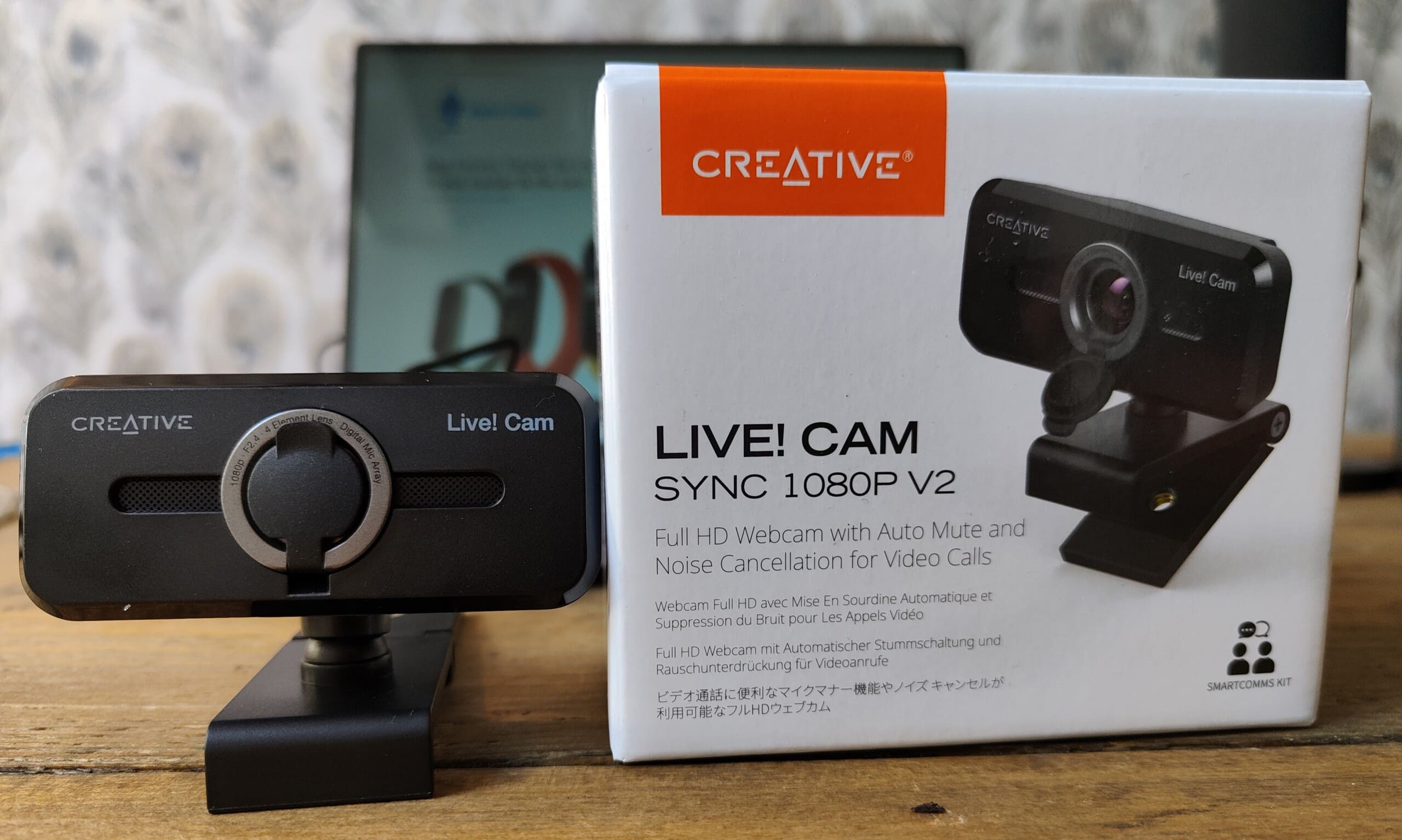
Creative Live! Cam Sync 1080p V2 Review – An affordable webcam for Zoom calls
Recently we have seen Creative roll out new hardware versions for several of their popular devices, with the main change being the integration of their new SmartComms Kit.
The Creative Live! Cam Sync 1080p is one of those products. The new V2 model is almost the same as the previous generation, the design changes a little, they have improved the cameras, but very little else has changed with the hardware. However, the new V2 has the SmartComms Kit which offers a variety of useful additions to improve the overall quality of your voice in video calls.
The main features that the SmartComms Kit offers is:
- VoiceDetect automatically unmutes your mic when you speak and mutes when you stop.
- NoiseClean helps eliminate background noise such as fan noise
- NoiseClean does the same, but in reverse, cleaning up the audio from other people on the call/stream
Specification
- Simplify your video calls – Creative Live. Cam Sync 1080p V2 features our latest SmartComms kit, including VoiceDetect, which automatically cancels the mute when you talk so you have your hands free to take notes or assist in a presentation, and NoiseClean-out that suppresses static background noise during a call. The SmartComms Kit can be downloaded from Windows 10 platforms
- Improved built-in dual microphones for natural voice taking: the improved built-in dual microphones from Creative Live. Cam Sync 1080p V2 are capable of recording audio signals more precisely, so your voice sounds more natural during a video call, almost as natural as if you are talking face to face. Besides, you can talk at a pleasant volume without expressing your voice, while still being clearly heard
- Full HD wide angle video and good look from any angle - Creative Live! Cam Sync 1080p V2 presents you precise Full HD videos that are fluid, sharp and vibrant. The wide field of view of 77° allows you to capture more of everything with minimal optical distortion, so you can comfortably conduct video conversations as a group. In addition, the camera can be rotated 360° horizontally and tilted 30° vertically and comes with a universal mounting bracket
- UVC compatible with improved functionality – connect the camera to any free USB-A port on your PC or Mac, and you can live video conversations. Start Cam Sync 1080p V2. It is UVC compatible, meaning it does not require any additional driver installation. The webcam is also smaller than its predecessor, and comes with a longer cable (1.8 m) for easy setup
- Supports conference app and includes lens protection. Works with common video conferencing apps such as Zoom, Skype, Microsoft Teams, Cisco WebEx, Google Meet and more. The webcam comes with a built-in lens cover that protects you from unwanted access to your webcam by spyware when not in use, so you can feel safe when you leave your camera connected. It also acts as protection against dust accumulation when not in use
- HD 1080p 30FPS lens with 77-degree field of view
- Privacy Cover
- Dual built in mic
- Flexible mounting with tripod mounting hole
- 360° horizontal rotation and 30° vertical tilt
- Plug and play
- Smartcomms Kit
- Long 1.8m / 70 inch cable
Mounting
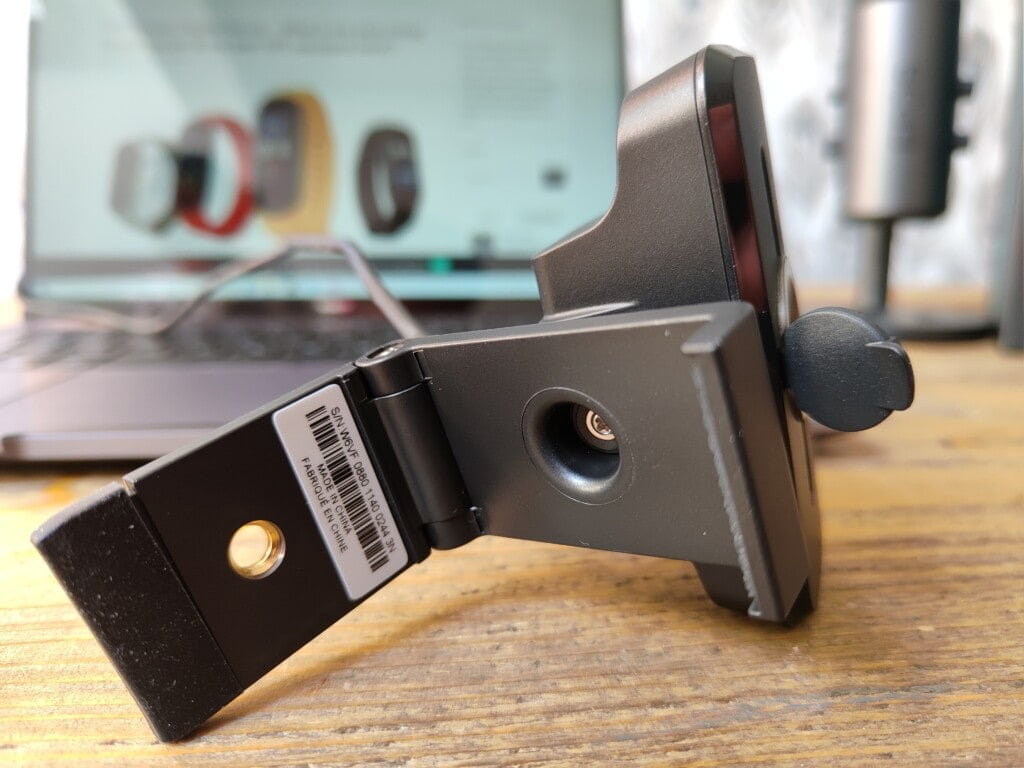
The webcam can be mounted directly to your display using a little hinged clip that holds it in place. The camera itself is extremely lightweight, so it locks into place easily and securely.
Alternatively, there is a mounting hole allowing you to use a tripod for more flexibility on placement.
When not in use, the camera has a privacy door that snaps over the lens.
Software


The camera uses the Creative App, which has the Smartcomms kit built-in. Using the app, you have various controls over the mic as well as enabling the different features of Smartcomms
Performance
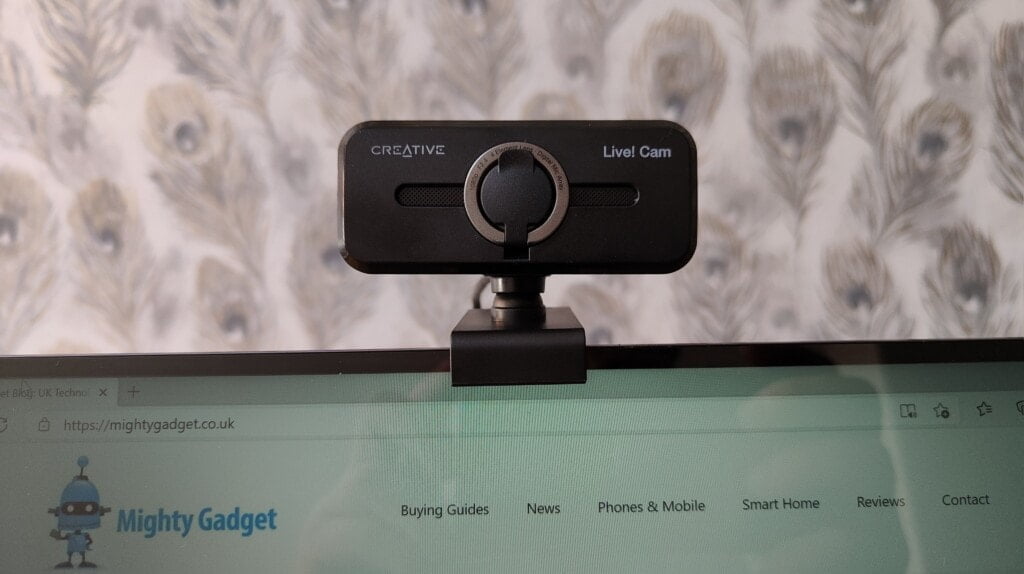
I avoid video calls, or calls in general for that matter, as much as possible. I have managed to scrape buy lockdown without buying a webcam. So, my overall experience is limited to the handful of zoom/video calls I have done via the built-in webcam of a laptop.
This works exactly as intended, it offers a significant improvement over laptop webcams or as a cheap solution to add a webcam to a desktop PC.
Being able to mount it and point it in a specific direction is obviously one of the main benefits vs my Huawei Matebook 13.
The camera has a 1080p sensor which may be limited by the software you choose to use, with Zoom you get 1080P.
Quality is good, offering superior image quality to my laptop.
Like most affordable cameras, the sensor starts to struggle in less than ideal light.
The microphone, aided by the SmartComms Kit, offers vastly superior performance to the built in mic of my laptop. Admittedly, serious streamers or people on zoom calls regularly may want to invest in a decent microphone, but this isn’t aimed at that sort of user. Voice is clear, which can be improved with the NoiseClean feature, which will remove background noise. The automated function is handy, avoiding you having to remember to mute yourself.
Price and Alternative Options
The Creative Live! Cam Sync 1080p V2 has launched for £44.99, but the Amazon page already shows a 20% off voucher for me, which would take it down to £36
There are not many brands name 1080P cameras at this price point, showing that the Creative camera offers excellent value for money.
The best alternative would be Creative themselves, the original Creative Live! Cam Sync can be bought on Amazon for £29.99 with the available £5 voucher. You lose the SmartComms Kit and the microphones are not quite as good.
The ASUS C3 USB Webcam is around £50
The Microsoft LifeCam Studio Full HD 1080P is a popular option priced at around £60
Overall
I haven’t used the previous generation, so I can’t comment on how much things have improved. However, I have been impressed with the SmartComms Kit, both with this and the Creative Sound Blaster Play! 4. Based on the current Amazon pricing, I think the £6 price difference between this and the last model is well worth it.
There is not much in the way of competition either, so this looks to be one of the best solutions if you want an affordable webcam for all your zoom meetings.

I am James, a UK-based tech enthusiast and the Editor and Owner of Mighty Gadget, which I’ve proudly run since 2007. Passionate about all things technology, my expertise spans from computers and networking to mobile, wearables, and smart home devices.
As a fitness fanatic who loves running and cycling, I also have a keen interest in fitness-related technology, and I take every opportunity to cover this niche on my blog. My diverse interests allow me to bring a unique perspective to tech blogging, merging lifestyle, fitness, and the latest tech trends.
In my academic pursuits, I earned a BSc in Information Systems Design from UCLAN, before advancing my learning with a Master’s Degree in Computing.
I’m proud to share that Vuelio has consistently ranked Mighty Gadget as one of the top technology blogs in the UK. With my dedication to technology and drive to share my insights, I aim to continue providing my readers with engaging and informative content.
I work directly with the companies he reviews products for or their chosen PR agency.
For Social Media, you can find me on: