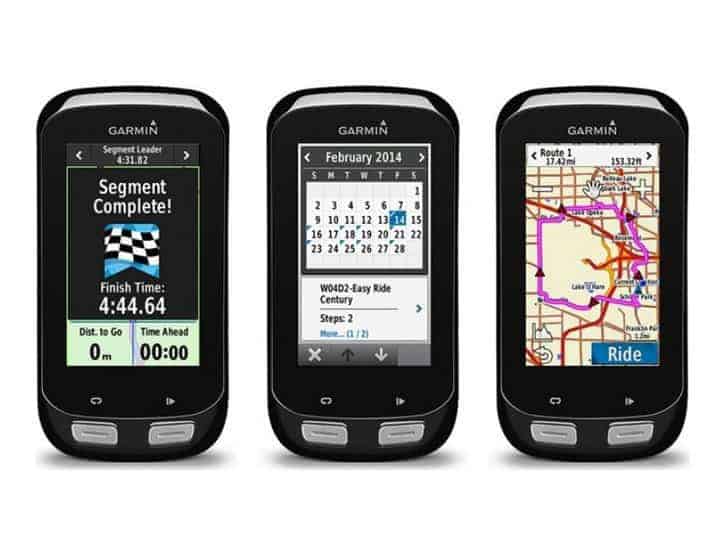
I am a bit late to the game with the review of the Garmin Edge 1000 as it was released around 2 years ago. After reviewing the Wahoo ELEMNT I wanted to see what the competition could do, and I also had the Manchester to Blackpool bike ride to do so Garmin kindly hooked me up.Priced at £499 RRP or around £400 from places like Wiggle and Evans, this makes it quite a lot more expensive than the Wahoo ELEMNT which retails for around £250.The immediate difference between the 2 devices is that the Edge uses a colour screen with a resolution of 240 x 400 pixels. This screen resolution does feel a bit retro, like a using a ten-year-old phone, but you don’t need more as the most detailed thing it displays is maps. The low resolution will help with battery life too.Apart from that functionality is similar, they both provide ride data thanks to the GPS built in. Garmin has GLONASS too, which may help improve accuracy.Some of the other features include:Bike MountQuarter turn mount, Out-front mountRoutesRound-trip Routing, Route plannerLive TrackingIn-ride competitions through Garmin Connect™ segments with instant uploads to analyse and shareMaps IncludedPreloaded Garmin Cycle map of Europe: Andorra, Austria, Belgium, Croatia, Czech Republic, Denmark, Finland, France, Germany, (Republic of) Ireland, Italy, Liechtenstein, Luxembourg, (Principality of) Monaco, The Netherlands, Norway, Poland, Portugal, San Marino, Slovakia, Spain, Sweden, Switzerland, UK, Vatican CityWater RatingIPX7: Withstands incidental exposure to water of up to 1 meter for up to 30 minutesAdditional FeaturesOn-device segments, Wi-Fi compatible, Smart Notifications, GLONASS, Compatible with Garmin Connect MobileSmudged screen, but the Edge worked great on my charity bike ride.Mounting the Edge is very easy, just like the Wahoo. There are a couple of mount options but I like the out in front mount. The mount and unit all mounted up nice and central to my bar stem so it was out of the way of my brake cables and was almost flush sat in front of my stem.As I already use a Garmin Forerunner 235 as my main activity tracker, setting up the Edge 1000 was extremely simple. I already had Garmin Connect installed, so I just needed to plug it in, add device and follow the basic instructions which including syncing the wifi settings to the device.I invested in a cheap random brand Bluetooth HRM since I used the Wahoo and getting it to connect with the Garmin was extremely easy, you just go into settings to pair it up. If you are lucky enough to have multiple sensors such as power meters etc, then this should be the same.Garmin Connect is an area where the Garmin device really stands out from Wahoo. Wahoo was heavily reliant on third party apps such as Strava, which is fine, but Garmin Connect is a great fitness tracking website itself. If you have multiple devices you can access all your data from one place, and view each activity in detail.So, for me when I completed a cycling activity I can view it online via Garmin Connect, when I load the activity the available data includes:A detailed Google map that I can zoom in and out of.
Elevation
Speed
Heart Rate
Temperature
All the above are on a graph and you can see which point on the map they happen.Below the graph is, even more, data including various heart rate stats, timing, pace, and elevation stats. There are then more data tabs which include splits, segments, and time in zones.All this data is free for you to access, whereas with the Wahoo syncing to Strava will require a premium account to get the sort of data you get above.
Garmin Connect Activity View
More data in Garmin Connect
Another factor that differentiates Garmin from other competitors is their Connect IQ Apps. This allows you to install basic apps onto your device similar to how you would with a normal smartwatch. Most of the apps are quite basic and generally about customising the data screens of your device. I actually found the apps available for the Edge 1000 to be quite poor compared to the wrist based trackers. I ended up just customising the activity profiles myself with the data I wanted to see.In terms of the data you can see when you ride, the Garmin is excellent and probably better than the Wahoo. You just need to make sure it is all set up before you set off. With the Wahoo, you have several default screens that you can then zoom in and out of for more data. With Garmin, by default, there is one screen and you can change the data on the screen as you ride, but not the amount. To do this you need to go into the settings and alter the profiles. From there you can add several more screens and have screens displaying 10 different fields. This makes the Garmin far more customizable the Wahoo.One concern quite a few people raise is the visibility of the screen during sunny days. I had no issue with this at all, and you can adjust the display brightness if you need to.With the built-in maps, it is great to have a colour screen, but on my Manchester to Blackpool bike ride I just had the route loaded into it, and I would sometimes find it hard to see where my route line was one the road. It is quite easy to plan a route on the device itself, I could just use a drop pin to set markers then plenty the route that way, but it suffered from the same issue as Wahoo, it calculates a set route and sticks to it, so the day I used it I planned a route from Blackpool to a small village called St Michaels, within the first few minutes it was beeping at me to turn around as it had planned a route different to what I would choose.As with the Wahoo, I ended up not using the maps much, but as a backup, to the directions, I was already following through Google maps voice navigation. It does work well like this as Garmin tells you what road is coming up so it helped me avoid the inevitable confusion of trying to work out if I am on the correct road.
Overall
This is pretty much the most expensive bike computer on the market and it is from the industry leader in fitness technology. So, as you would expect it is great and as far as I am aware not much can beat it.For your average Sunday rider, it is likely that the cheaper models would be a wiser investment, the Edge 820 offers very similar functionality but in a smaller body and £90 cheaper. Cheaper still is the 520, which again offers very similar functionality but this time smaller and not a touchscreen.If you are a serious rider, with lots of sensors, such as the £1k Vector 2 power meter pedals, and electronics gears then this is the computer that will fit you best. It is expensive but quite cheap compared to high-end bikes and all the other gear that comes with them.
I am James, a UK-based tech enthusiast and the Editor and Owner of Mighty Gadget, which I’ve proudly run since 2007. Passionate about all things technology, my expertise spans from computers and networking to mobile, wearables, and smart home devices.
As a fitness fanatic who loves running and cycling, I also have a keen interest in fitness-related technology, and I take every opportunity to cover this niche on my blog. My diverse interests allow me to bring a unique perspective to tech blogging, merging lifestyle, fitness, and the latest tech trends.
In my academic pursuits, I earned a BSc in Information Systems Design from UCLAN, before advancing my learning with a Master’s Degree in Computing.
I’m proud to share that Vuelio has consistently ranked Mighty Gadget as one of the top technology blogs in the UK. With my dedication to technology and drive to share my insights, I aim to continue providing my readers with engaging and informative content.
I work directly with the companies he reviews products for or their chosen PR agency.
The Huawei P40 Pro was announced at the end of March, and it is available to pre-order now for £899.99 on Amazon with shipping starting on the 16th of April. The impeccable hardware of the new phone is somewhat overshadowed by the issues on the software side of things, as this is the first big…
As I eagerly wait for Realme to launch a flagship device in the UK this year, they have whetted my appetite for what might come with the Realme 8 Pro. The Realme 8 Pro is launching in the UK as the first sub-£300 phone to feature a 108MP camera. Specification – Realme 8 Pro vs…
I must admit; I had never heard of SimpliSafe before I was contacted to do a review for them. It turns out that this home security company is quite popular over in the States and they are hoping to replicate this success in the UK market. Another admission, I only have a vague awareness of…
Following on from my Reolink RLC-511WA review, I have been using the RLC-811A, which is the 4K POE model. It follows the same pattern as the previous model; this has a 5X optical zoom lens (not PTZ) with a built-in spotlight which will enable night-time colour video. It also includes the AI object detection we…
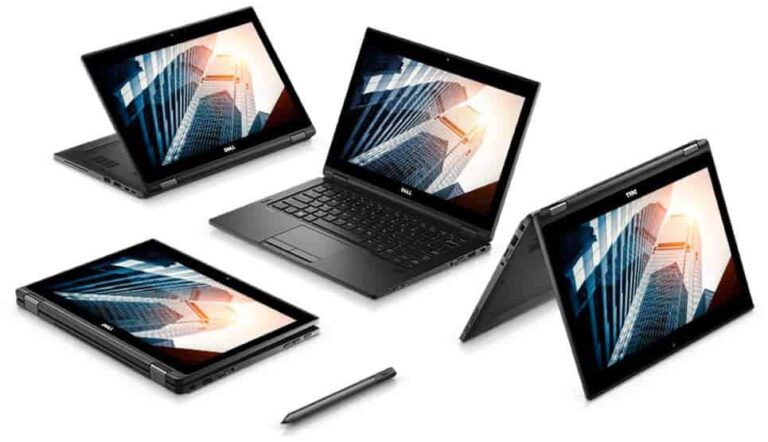
Following my review of the excellent Acer Spin 7, I have been sent the business orientated Dell Latitude 5289 2-in-1. The model I have reviewed is one below the top of the range and priced at £1,127 currently (minus VAT). The specification includes: 7th Generation Intel Core™ i5-7300U (Dual Core 2.60Gz 3MB cache) Windows 10…
I have previously reviewed the EnGenius EWS357AP Dual-Band WiFi 6 PoE Access Point and then the EAP1250 access point, both of which need an Engenius SkyKey or Ezmaster server to enable the centralised cloud/LAN management. In my review of the SkyKey, I highlighted that you could enable remote management by integrating it with the free…