SwitchBot AI Art Frame 2 Review
Mighty Gadget is reader-supported. Links to retailers may be affiliate links, and I may earn a commission if you buy through them, at no extra cost to you. As an Amazon Associate I earn from qualifying purchases. How I test and review products.
I reviewed the original SwitchBot AI Art Frame around a year ago, and it was the most impressive digital photo frame I had used. The E Ink Spectra 6 display has no backlight, so it looks far closer to a printed picture than the LCD frames I have reviewed from brands like Aura, and the battery meant you could hang it on a wall with no cables.
It was not perfect. It could only store 10 images, the battery life claim was based on changing the image once a week, the AI features needed a subscription, and the 7.3-inch model I reviewed had a small display surrounded by a large white mat.
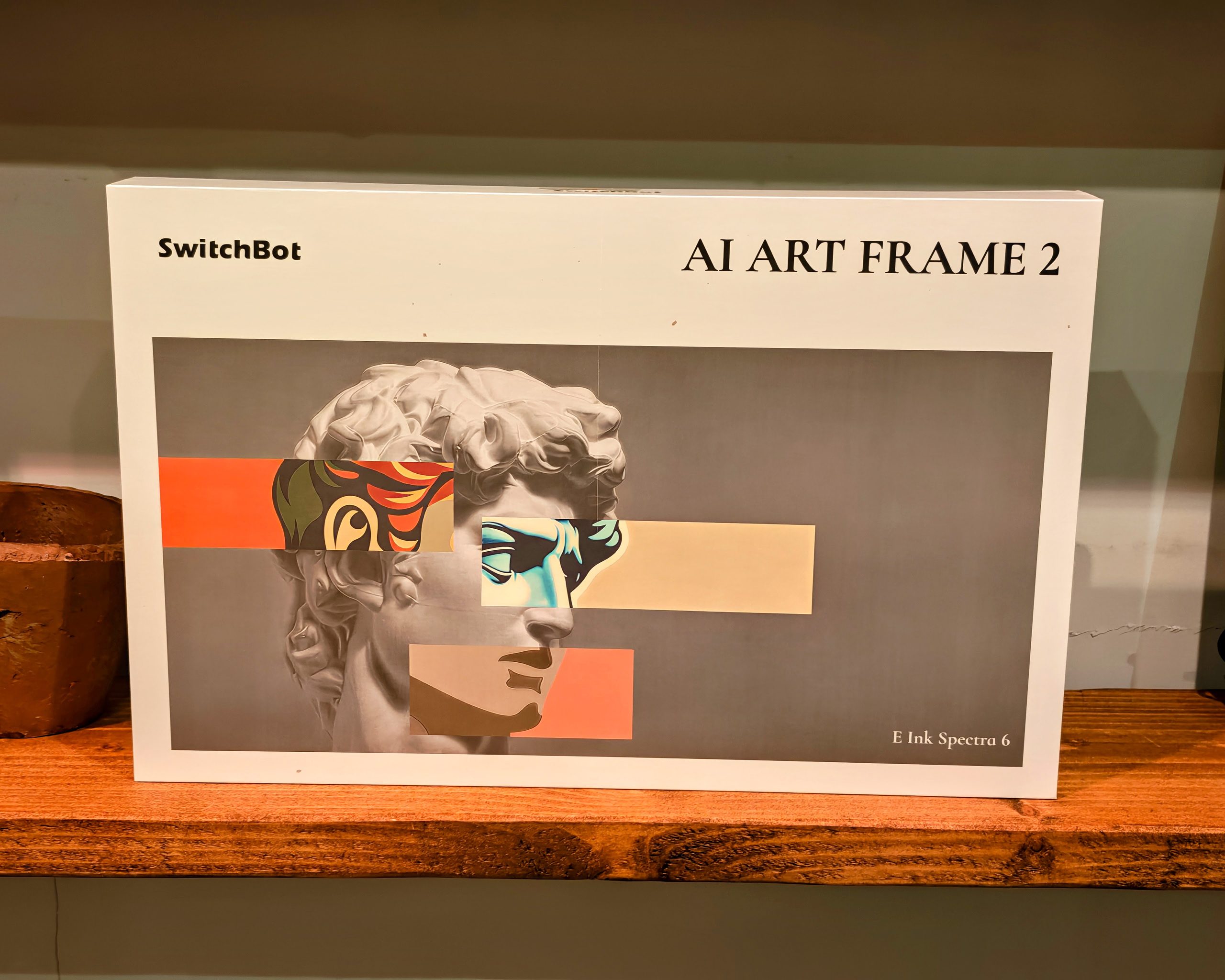
The SwitchBot AI Art Frame 2 launched at the end of October and is a refinement of that product. The display panel is the same, but SwitchBot has redesigned the frame, fitted a much larger battery, increased the storage to around 5,000 images and added voice control, a Gift Mode and more AI options.
This time I have been sent the 13.3-inch model, which costs £409.99.
Specification
The specification below is for the 13.3-inch model I was sent, with the differences for the other two sizes noted.
- Display: E Ink Spectra 6 full-colour e-paper with no backlight or front light
- Sizes: 7.1-inch, 13.3-inch and 31.5-inch
- Resolution (13.3-inch): 1200 x 1600, approximately 150 PPI, 4:3 aspect ratio
- Storage: 16GB, enough for approximately 5,000 images
- Preloaded content: 500 artworks
- Battery: 20,000mAh / 74Wh on the 13.3-inch and 31.5-inch, 5,000mAh on the 7.1-inch
- Claimed battery life: up to 3 years, based on one image change per day
- Charging: USB-C
- Connectivity: 2.4GHz Wi-Fi and Bluetooth
- Audio: built-in microphone and speaker for voice prompts
- Controls: rear function button, triple tap on the frame, SwitchBot app, slideshow and schedule modes
- Smart home: Amazon Alexa, SwitchBot API and Home Assistant
- Mounting: wall or desk stand in portrait or landscape for the 7.1-inch and 13.3-inch, wall only for the 31.5-inch
- Dimensions (13.3-inch): approximately 33.5 x 26.7 cm
- Model number: W8502010
- RRP: £179.99 (7.1-inch), £409.99 (13.3-inch), £1,599.99 (31.5-inch)
The display technology has not changed from the original SwitchBot AI Art Frame. It is the same Spectra 6 panel at the same resolution on the 13.3-inch model, so I would not expect any difference in how images look.
The changes are everywhere else, and they address most of the complaints I had with the original. SwitchBot now quotes three years of battery life with a daily image change, where the original was quoted at two years with a weekly change, which I felt was slightly misleading. Local storage was my other main criticism, as the original could only hold 10 images when I wanted 50 to 100. The new frame holds around 5,000. It also gains a microphone and speaker for voice prompts.
The smallest model has shrunk slightly from 7.3 inches to 7.1 inches, and prices have gone up across the range. The 13.3-inch model was £349.99 at launch for the original and is now £409.99.
Unboxing / Design
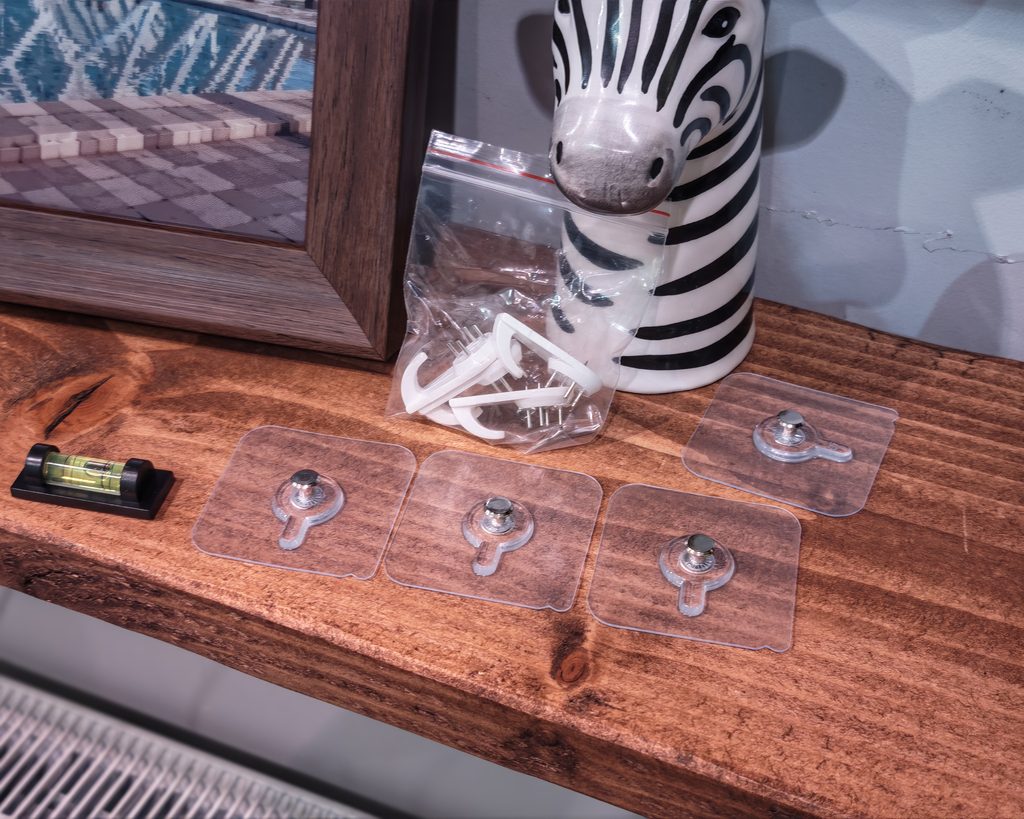
Inside the box, you get:
- The AI Art Frame 2
- A desk stand that works in portrait or landscape
- Four self-adhesive wall hooks
- Four nail-in wall hooks
- A small spirit level
- A braided 80 cm USB-C to USB-C cable
- Quick start guide and paperwork
I like that SwitchBot includes both types of wall hook plus spares. The adhesive hooks are useful if you rent or don’t want to put holes in the wall, and the spirit level is a small touch that saves you from hunting for one. There is no charger in the box, but with a battery that should last years, that is not much of an issue.
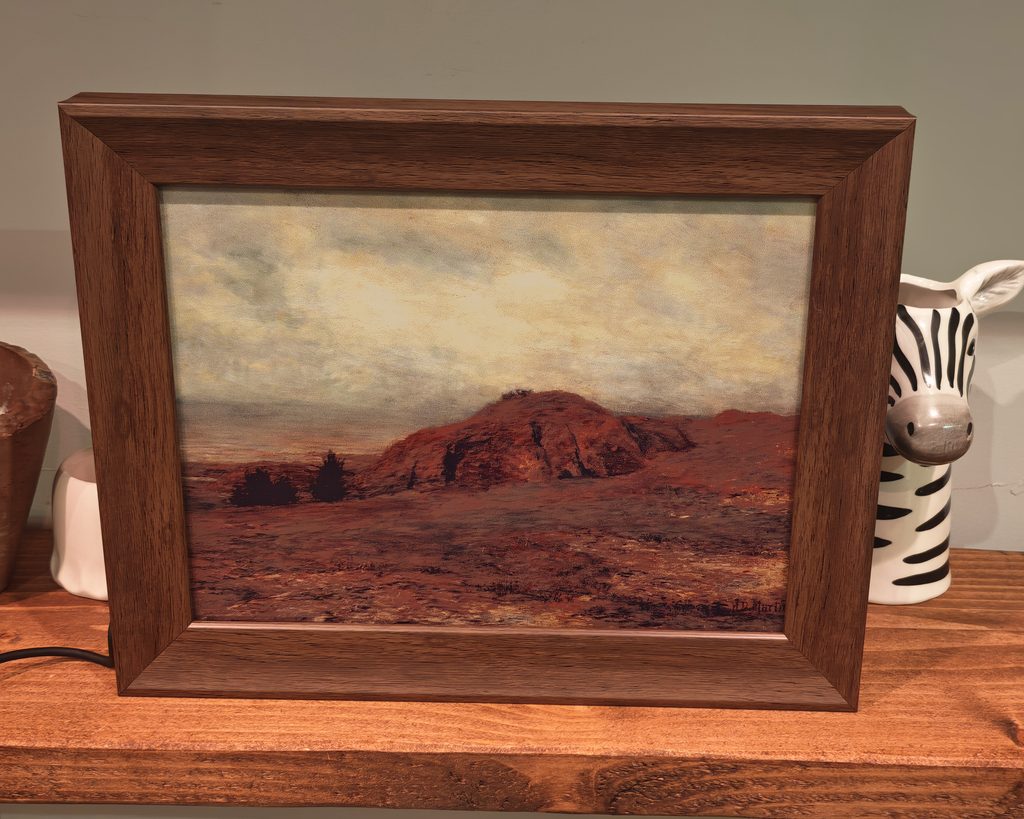
The big change from the original is the frame itself. The first generation used an aluminium frame with a large white mat between the frame and the display, which made the picture look quite small for the overall size. The AI Art Frame 2 drops the mat, so the display runs right up to the inner edge of the frame. It makes better use of the space on your wall, and the picture looks larger than the screen size suggests.
The frame has a walnut-colour wood-grain finish with a stepped bevel and mitred corners. It is now a lightweight polymer rather than aluminium, but the finish is convincing, and it passes for a normal picture frame from any sensible viewing distance. Overall, I think the size and build quality are better than the original I reviewed. I said at the time that I expected the 13.3-inch model to look more impressive than the 7.3-inch, and that has proven to be the case.
Walnut is the only option, and this is one area where the new design is a step back. The original was compatible with IKEA RODALM frames, so you could swap the surround for a different finish for around £10. The AI Art Frame 2 appears to be a single fixed unit, so if walnut doesn’t suit your room, you are out of luck.
The desk stand is improved. I found the kickstand on the original flimsy, whereas this one screws into a threaded hole on the back and can be fitted for portrait or landscape. The angle is still not adjustable.
There is still no glass or protective cover over the E Ink panel. This keeps the paper-like look, but it means the display is exposed, so you need to be careful when handling it or cleaning it.
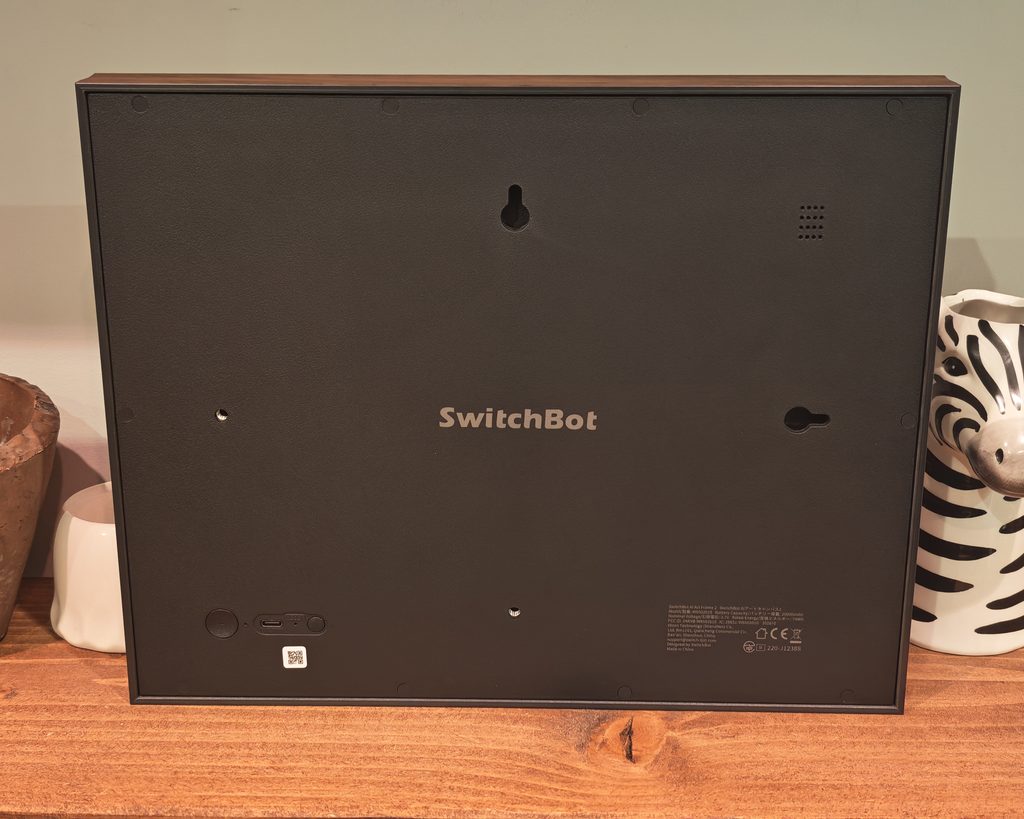
Around the back, there are keyhole slots for hanging in either orientation and two threaded holes for the desk stand. One corner has the function button, status LED, USB-C port, reset pinhole and pairing button, and there is a small speaker grille on the opposite side. The USB-C port being on the back means the cable sticks out if you leave it plugged in on the stand, but you should rarely need to.
Set Up
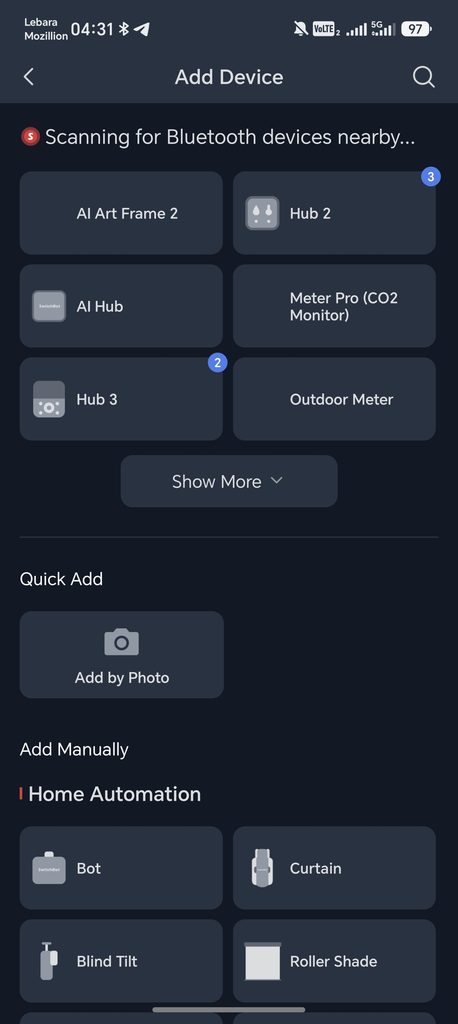
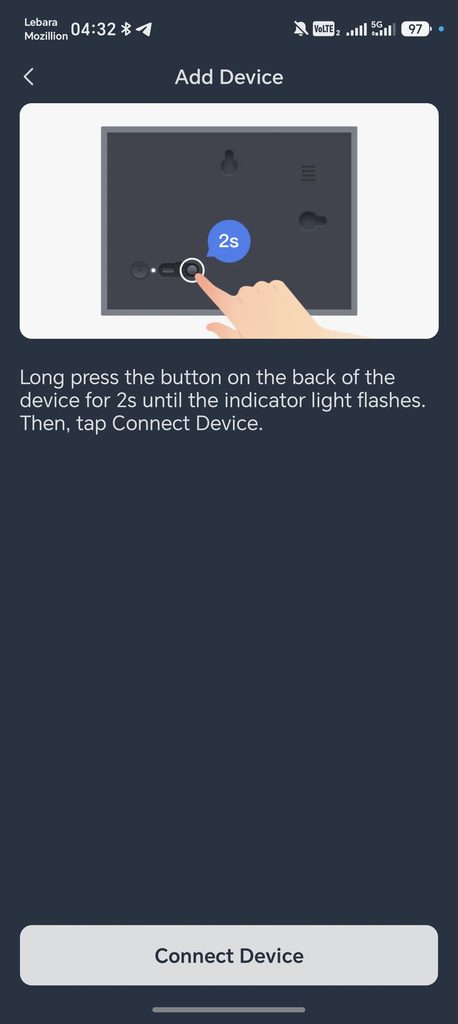
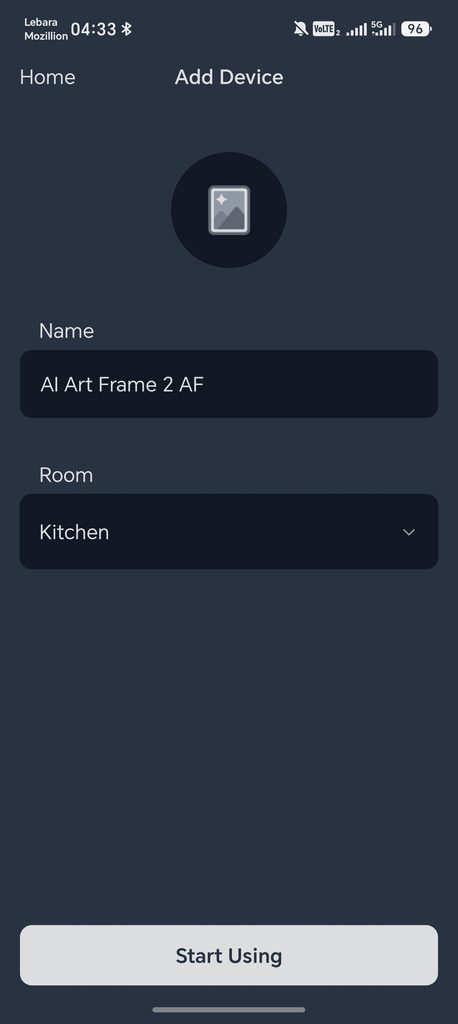
Set up is done through the SwitchBot app, and you will need a SwitchBot account. I already have several SwitchBot devices, so the app was installed and ready to go.
The process is the same as most SwitchBot products:
- Open the app and tap add device. The app scans for nearby Bluetooth devices, and the AI Art Frame 2 appeared at the top of the list for me.
- Hold the pairing button on the back of the frame for two seconds until the indicator light flashes, then tap connect.
- Select your Wi-Fi network and enter the password.
- Name the frame and assign it to a room.
It took me about two minutes from start to finish. With the original frame, it took a couple of attempts before the Wi-Fi credentials were accepted, but this time it connected first time.
The frame only supports 2.4GHz Wi-Fi. This is normal for low-power smart home devices and it is not a problem for something that only needs to download an image occasionally. I connected it to my dedicated IoT network without issue, but if you have a mesh system that combines 2.4GHz and 5GHz under one name, you may occasionally need to temporarily separate the bands if pairing fails.
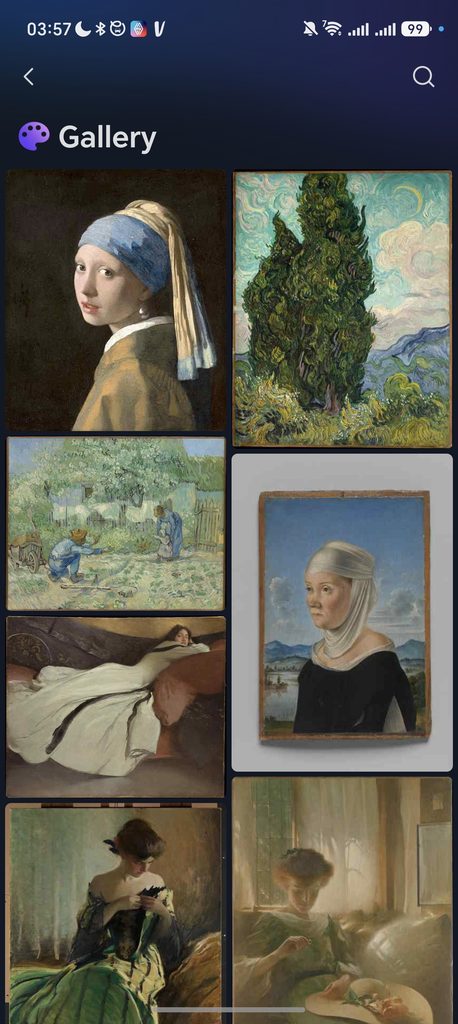
Once paired, the app shows the frame with no image selected, and the main screen gives you four options: AI Studio, Gallery, Album and Mode. Gallery is where the 500 preloaded artworks are, Album is for your own uploads, and Mode switches between a static image, slideshow and schedule. The frame detects its orientation automatically, so the app knows whether you have it in portrait or landscape.
A few features need to be switched on in the settings before they work, including the triple tap gesture, which SwitchBot calls knock on frame. You can set the sensitivity and choose what the gesture does, such as moving to the next image in your album or starting a voice prompt.
Gift Mode
One new feature that happens before set up is Gift Mode. There is a QR code on the back of the box, and scanning it lets you upload a photo and a personal message to the frame without opening the packaging. When the recipient sets the frame up, your image and message are displayed.
It is a clever idea, and it works because of the battery capacity and Bluetooth connection, as the frame can sit in its box for a long time and still be ready. You can also continue to send photos to the frame remotely after it has been set up.
AI Studio Image Generation Subscription
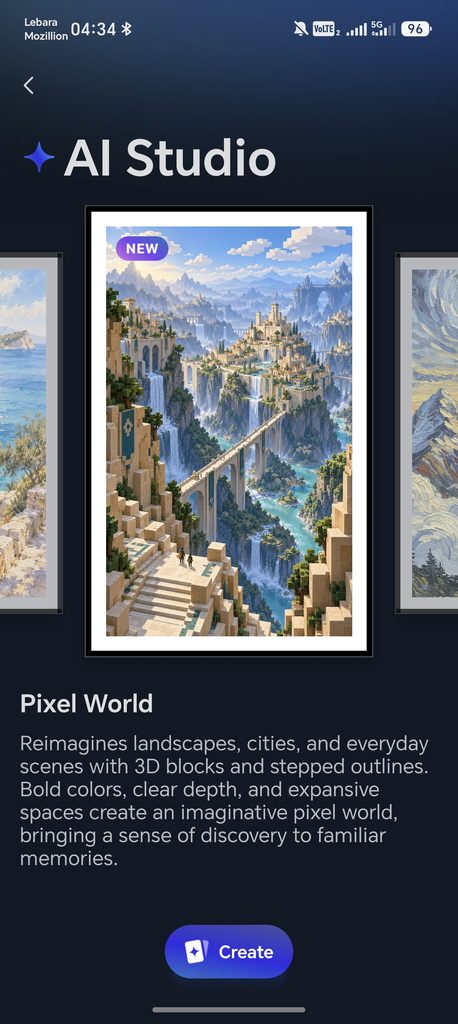
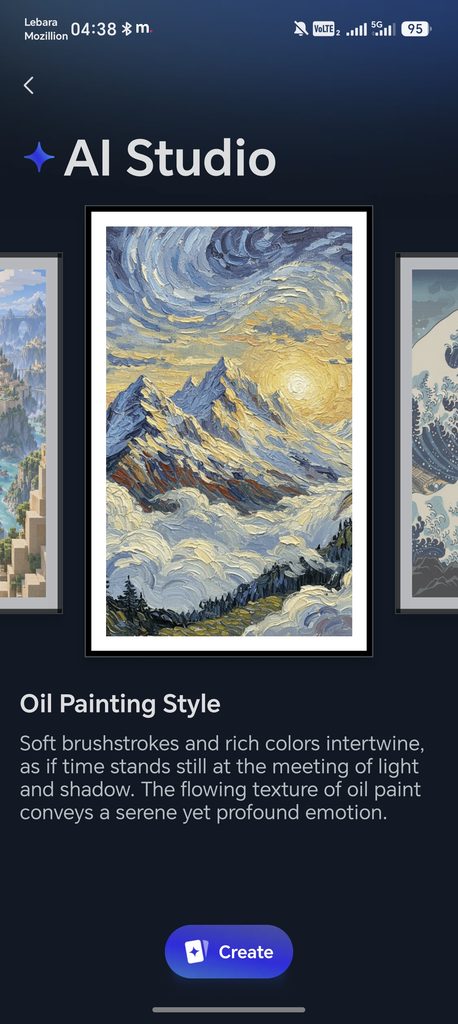
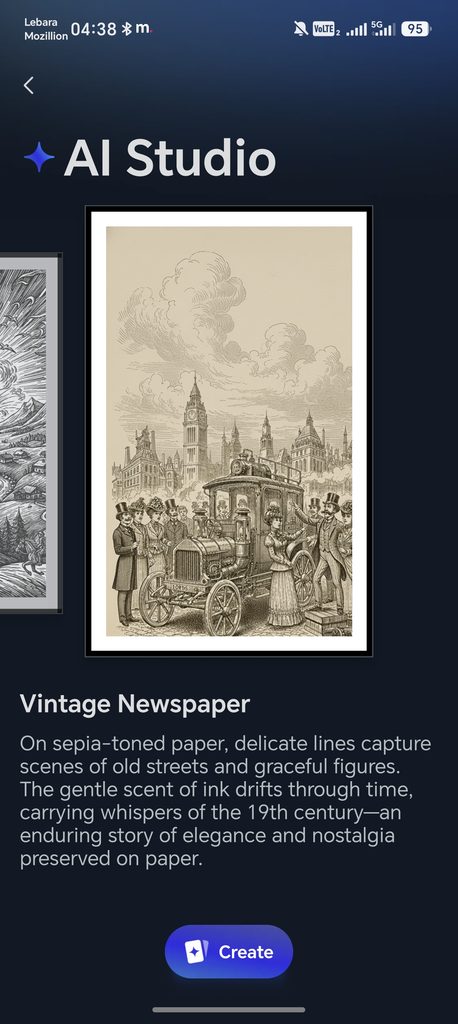
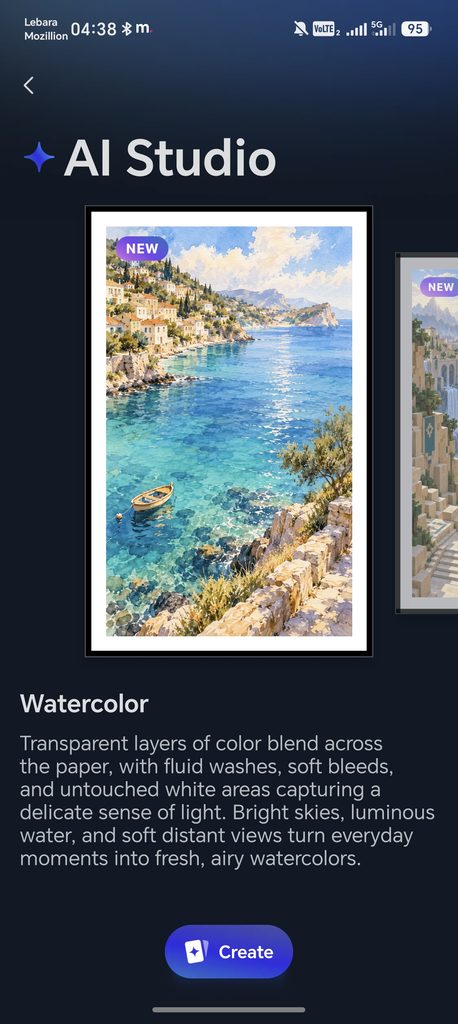
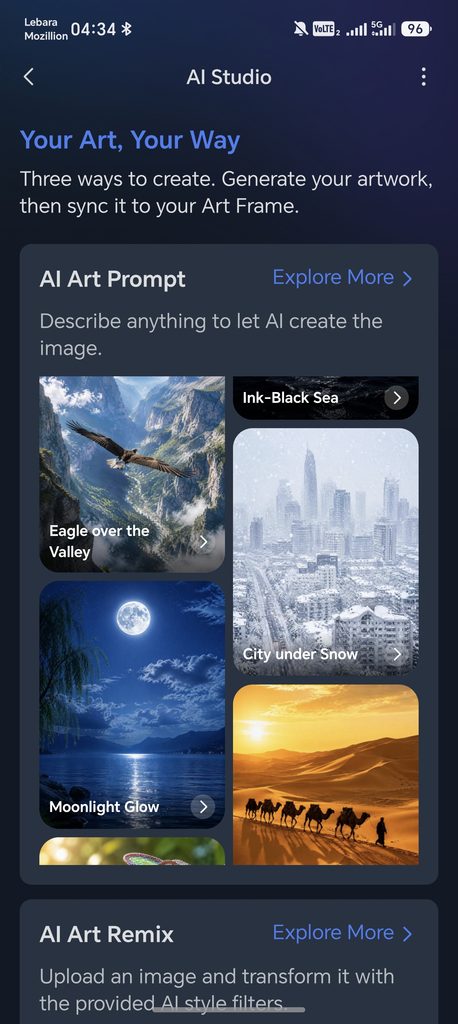
As with the original, the AI image generation features require a subscription called AI Studio. In the UK, the app offers a single Basic Monthly Plan at £4.99 per month, which gives you 400 AI creations per month. It renews automatically, and you can cancel at any time.
That is more than I expected. When I reviewed the original frame, the same 400 image allowance was $3.99 per month, which worked out at about £3.15, and SwitchBot’s US site still lists it at $3.99.
SwitchBot states that AI Studio is free for the first 30 days, so you can try it properly before deciding if it is worth paying for.
The subscription covers three tools within the app, plus voice prompts on the frame itself:
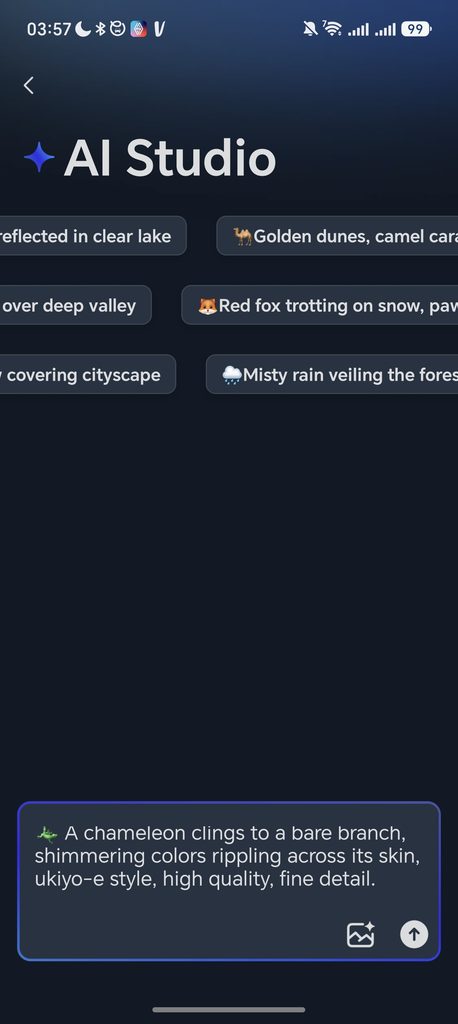
- AI Art Prompt: type a description, and the AI generates an image from it.
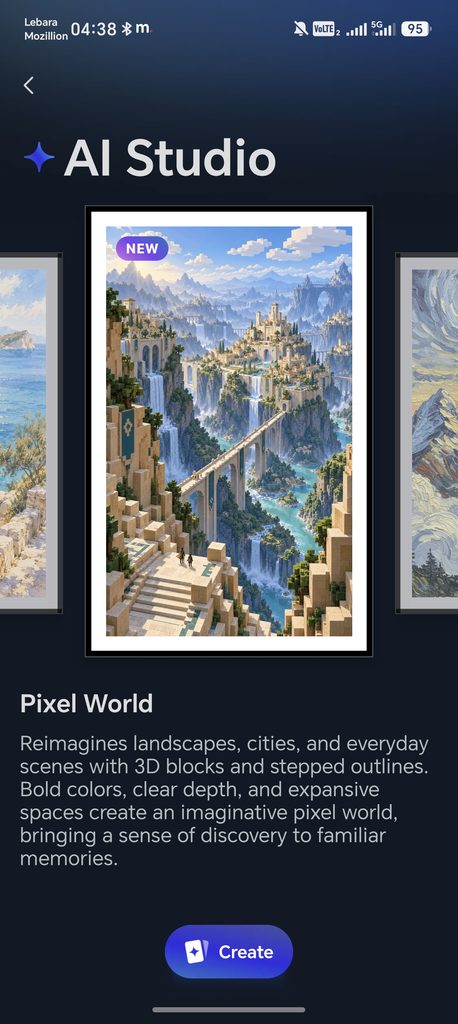
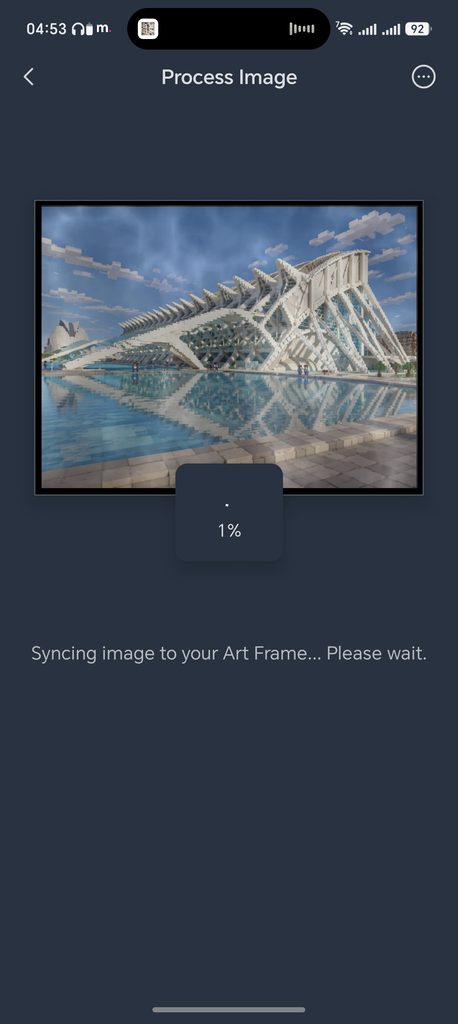
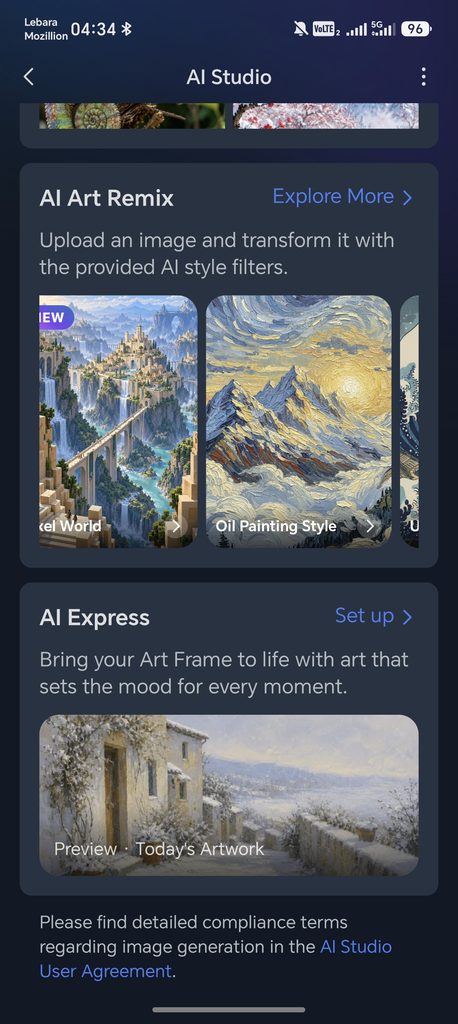
- AI Art Remix: upload one of your own photos and apply a style filter. There are over 10 styles, including Oil Painting Style and a new Pixel World filter that rebuilds your photo out of 3D blocks.
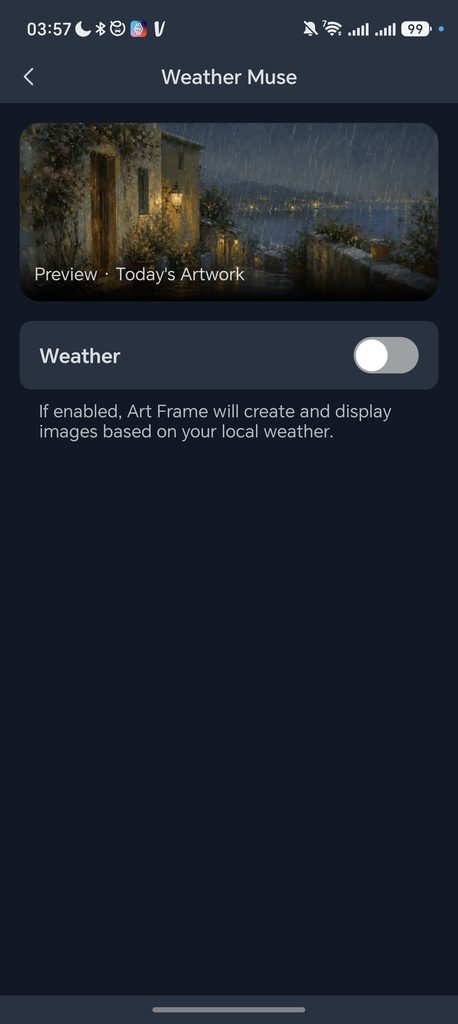
- AI Express: this includes Weather Scenes, where you describe a scene, and the frame redraws it each day based on your local weather.
- Voice to image: long-press the function button, or use the triple tap gesture, and describe what you want out loud.
Each generation uses one of your monthly creations, including voice prompts, so a misheard request still costs you a credit.
What matters most is that none of this is required to use the frame. Without a subscription, you still have the 500 preloaded artworks, your own photo uploads, slideshows, schedules and all the smart home integrations. The subscription only covers the image generation.
My view on the subscription is the same as it was with the first frame. I enjoy the features, the image-to-image remix in particular, but I am not willing to pay monthly indefinitely. At £4.99 per month, it works out at £59.88 per year, which is a lot for something many people will play with for a few weeks and then use occasionally. 400 creations per month is around 13 per day, far more than most people will need.
I said last time that I would prefer a one-off pack of images that doesn’t expire, and that is still not an option. There is also no free tier for occasional use once the trial ends. Realistically, I will subscribe for the odd month when I want a batch of new images, then cancel.
It is also worth pointing out that you can generate images for free with tools like ChatGPT or Gemini and upload them to the frame yourself. That takes more effort, and you lose the voice prompts and weather feature, but it avoids the ongoing cost.
Where the subscription makes more sense is if you have more than one frame, or if you have children who will enjoy shouting ideas at it. In that case, the convenience of doing everything from the frame or the app is the selling point, and £4.99 is easier to justify.
In Use
The overall experience of using the AI Art Frame 2 is very similar to the original. You choose or create an image in the app, send it to the frame, and wait for the display to refresh. Anyone who has used the first frame will be immediately familiar with it.
What has changed is the number of ways you can get an image onto the frame and switch between them:
- The SwitchBot app, with static, slideshow and schedule modes
- The function button on the back
- Tapping the frame three times, which is useful when it is on a wall and you can’t reach the button
- Voice prompts through the built-in microphone
- Alexa voice commands
- The SwitchBot API and Home Assistant
The storage increase makes the biggest practical difference. With the original, slideshow mode was limited to 10 images, so you saw the same pictures over and over. With around 5,000 images stored locally and 500 artworks preloaded, you can leave the frame on a daily slideshow and not see a repeat for a very long time. The preloaded artwork is mostly classic paintings, and a lot of it suits the display well.
The Home Assistant integration is cloud-based and supports changing the image, reporting the battery level and uploading artwork. That opens up some interesting automations, such as changing the picture based on the time of day or who is home, though a local integration would be preferable.
Refresh speed has not improved. Changing the image takes around 30 seconds, and the display flashes through several colours while it redraws. This is a limitation of Spectra 6 and not something SwitchBot can fix, and for a picture that changes once or twice a day, it doesn’t matter. It does make browsing through images on the frame itself tedious, so it is better to choose in the app.
Image Generation
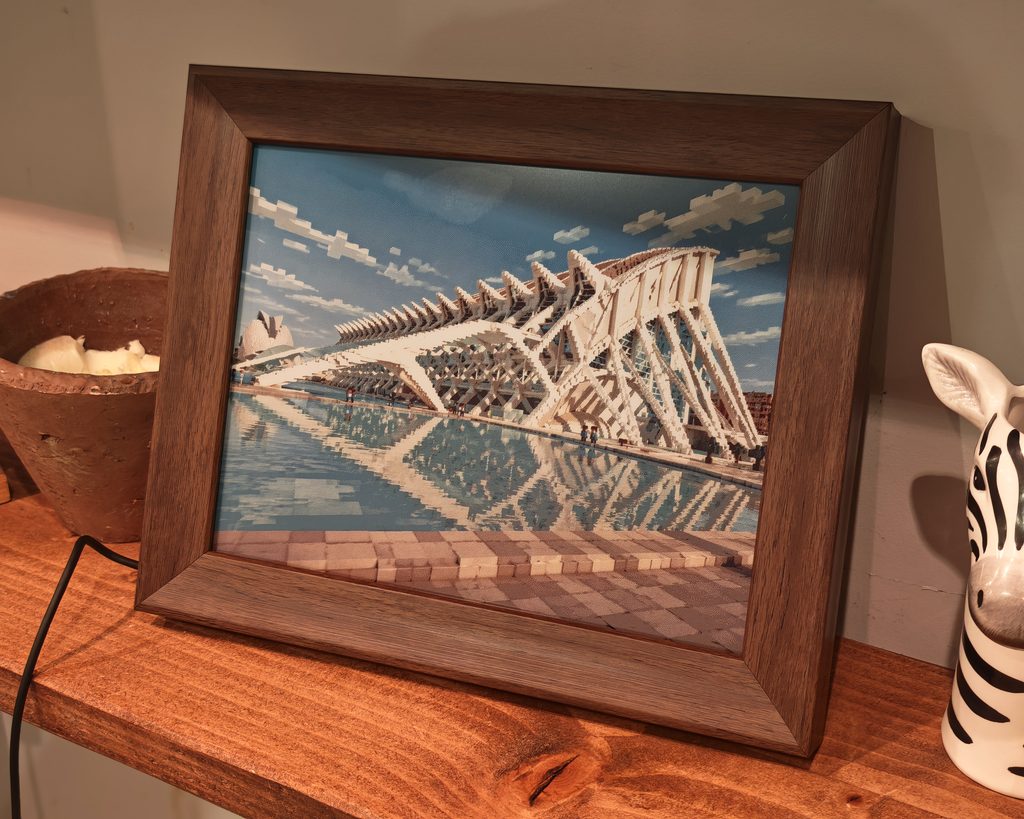

The artwork generated by AI Studio is very similar to what I got from the original frame, which is not a surprise as it is the same service. The difference is that there are more options now.
AI Art Remix remains my favourite feature. You upload one of your own photos and pick a style, and there are now more than 10 to choose from. I used the new Pixel World filter on a photo I took of the City of Arts and Sciences in Valencia, and it rebuilt the whole scene out of 3D blocks while keeping the composition and reflections in the water intact. The white structure and blue sky also happen to be colours that the display handles well, so it looks very good on the frame.
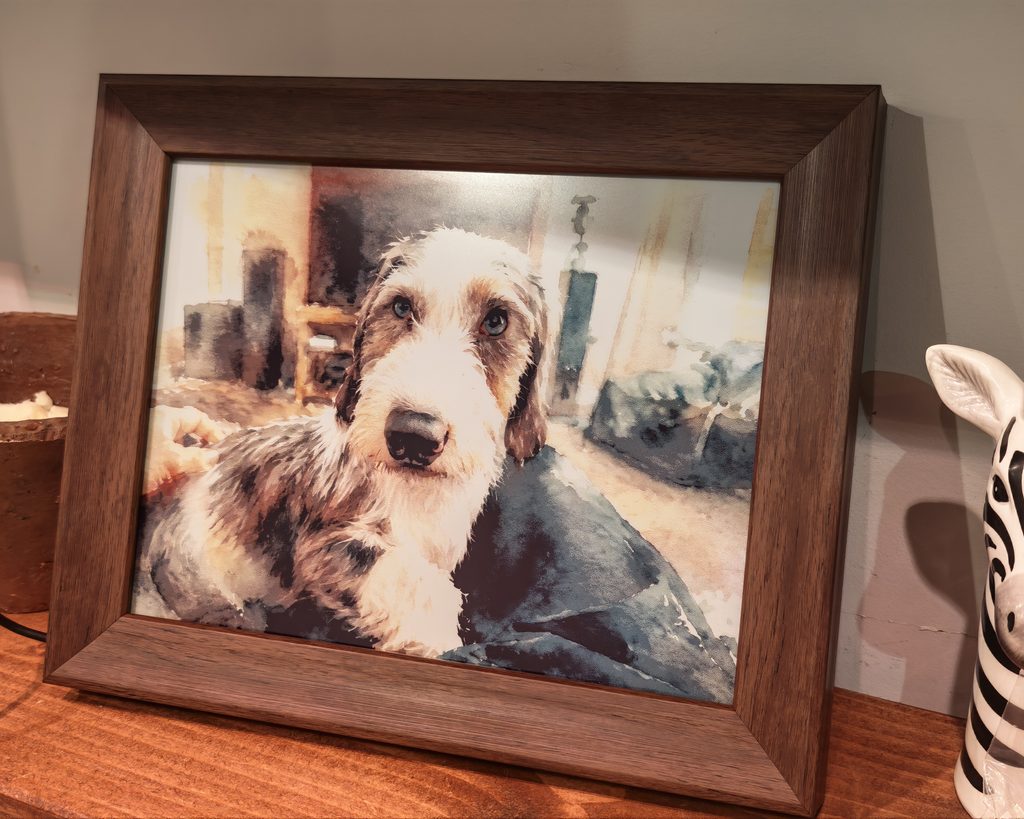

AI Art Prompt is the standard text-to-image tool. The results are impressive in terms of detail and composition, but as I said with the original, you can still tell they are AI-generated.
The two new additions are voice prompts and Weather Scenes. Voice prompts let you describe an image out loud, either by long-pressing the function button or using the triple tap gesture, and the frame generates and displays it. It takes around a minute or more for the image to appear. It is more of a novelty than something I would use regularly, but it will entertain guests and children.
Weather Scenes lets you describe a scene, and the frame then redraws it each day to match your local weather. It is a nice idea, but living in the UK during November, I expect it to mostly produce variations of grey and overcast.
AI Art and AI Slop
Something that has changed since I reviewed the original frame is the public attitude towards AI-generated images. There is growing pushback against AI artwork, often dismissed as AI slop, and “slop” was named word of the year by Merriam-Webster for 2025. Brands have faced criticism for using AI imagery in adverts, and many people now have a negative reaction to anything that looks AI-generated.
I am unsure how much this will affect sales. SwitchBot has put AI in the product name and made it the headline feature, and I can see that putting some buyers off a product they might otherwise like. Hanging AI-generated art on your wall is not something everyone will be comfortable with, and some guests may have opinions on it.
In fairness to SwitchBot, the AI is entirely optional. This works perfectly well as an E Ink frame for classic artwork and your own photos, with no subscription and no AI involved. I also think there is a difference between generating generic images from a prompt and applying a style to a photo you took yourself, which feels more personal. If you dislike AI art, I wouldn’t rule the frame out, but you may feel you are paying for a headline feature you will never use.
Frame Image Quality
The image quality is the same as the original, because the panel is the same. All of the strengths and weaknesses of E Ink Spectra 6 carry over.
The main strength is that it does not look like a screen. With no backlight, the image is lit by the room, the same as a print or painting, and in a well-lit room, it is convincing. The 13.3-inch model has a resolution of 1200 x 1600 at around 150 PPI, which is slightly sharper than the 137 PPI of the 7.3-inch model I reviewed last time. You can see the dithering if you look closely, but from a normal viewing distance, it looks fine.
The weaknesses are colour and brightness. Spectra 6 produces far fewer colours than an LCD, so images look muted. Blacks are closer to dark grey, whites are slightly grey, and strong pinks, purples and cyan tones don’t reproduce well. Reds, oranges, yellows and blues are much better, which is why classic landscapes and oil painting styles suit the frame, and neon or high-contrast modern images don’t. As there is no light of any kind, the picture gets dark in a dim room, and dark images can look murky.
The one difference I have noticed is the surface of the display. I preferred the matte display on the original, as it gave a more authentic-looking artwork and picked up less glare from lights. On the AI Art Frame 2, I can see reflections from ceiling lights at certain angles, which reminds you that you are looking at a display. This is just my personal opinion, and I have had friends who prefer the non-matte display on this model, so it will come down to taste and where you position it. I would avoid placing it directly opposite a window or under a spotlight.
Battery
I have not had the frame long enough to test battery life properly, and with a claimed life of up to three years, that would not be a practical test anyway.
E Ink only uses power when the image changes, so battery life depends almost entirely on how often you refresh it. With the original, I felt the two-year claim was slightly misleading as it was based on one image change per week. I had it changing every 30 minutes, and the battery had dropped to 83% after several weeks, which pointed to months of use, not years.
The AI Art Frame 2 is a big improvement on paper. The 13.3-inch and 31.5-inch models have a 20,000mAh battery, the 7.1-inch has 5,000mAh, and the three-year claim is based on a more realistic one change per day. If you change the image hourly or use the voice and AI features a lot, you will get much less than three years, but even a fraction of that claim would be more than enough. Realistically, most people will need to charge it once a year at most.
That matters more than it sounds. The whole appeal of this frame is hanging it on a wall with no cable, and taking it down to charge every few months undermines that.
Charging is via USB-C. A 20,000mAh battery will take several hours to charge fully, so it is a job to leave overnight.
Price and Alternative Options
The SwitchBot AI Art Frame 2 has an RRP of:
- 7.1-inch: £179.99
- 13.3-inch: £409.99
- 31.5-inch: £1,599.99
That is £30 to £100 more than the original at launch, which was £149.99, £349.99 and £1,499.99. The AI Studio subscription is an additional £4.99 per month if you want it.
SwitchBot regularly discounts its products, and I have seen 20% to 30% off around Black Friday in previous years, so I would not pay full price unless you need it immediately.
The most obvious alternative is the original SwitchBot AI Art Frame, which is still on sale. The display is the same, so if you are happy with the white mat, 10-image storage and shorter battery life, it is the cheaper way to get the same picture quality. For most people, I think the storage and battery improvements make the new model worth the extra.
The Reflection Frame is a 13.3-inch Spectra 6 frame with a real wood surround and a matte display. It was £284 when I reviewed the original SwitchBot, which makes it considerably cheaper. It has no AI features and a simpler app, but if you only want to display photos and artwork, it is the better value.
The Aura Ink uses a 13.3-inch E Ink display with a subtle front light, which helps in dim rooms, and Aura’s app is excellent for sharing photos with family. It costs $499 in the US, and the battery life is much shorter at around three months.
The BLOOMIN8 E-Ink Canvas 13.3-inch also offers AI-generated art and has good local control for Home Assistant users, but it is listed at over £700 on Amazon UK, which makes the SwitchBot look affordable.
The PocketBook InkPoster range starts at 13.3 inches and goes up to much larger sizes with a strong curated art library, but it is priced higher than the SwitchBot.
If you want a large display and are not bothered about E Ink or cables, the Samsung The Frame TV is worth considering against the 31.5-inch model. A much larger Frame TV can be had for similar money. It has a matte display and an art mode, though it uses power constantly and never quite stops looking like a TV.
Overall
The SwitchBot AI Art Frame 2 fixes most of the things I criticised on the original. Storage has gone from 10 images to around 5,000, the battery should last years with realistic use, the stand is better, and there are far more ways to control it. The size and build quality of the 13.3-inch model I have been sent are better than the original I reviewed, and removing the white mat makes the picture look larger.
The experience of using it is otherwise very similar. The display panel has not changed, so you get the same paper-like look in good light and the same muted colours and slow refresh. I preferred the matte finish of the original display, as it looked more like real artwork and had less glare, but that is personal preference, and others I have shown it to disagree.
The AI features are fun, and there are more of them, but my opinion on the subscription has not changed. At £4.99 per month, I would only subscribe occasionally. I am also less sure than I was a year ago about how much appeal AI-generated art has, given the growing pushback against it. The good news is that the frame works well without it.
Price is the other sticking point. £409.99 is a lot for a 13.3-inch picture frame, it is more expensive than the model it replaces, and competitors like the Reflection Frame undercut it if you don’t want the AI features. It is also a shame you can no longer swap the frame for a different finish.
Overall, the SwitchBot AI Art Frame 2 is a better product than the original, and it is the one I would buy out of the two. If you already own the first generation, there is no need to upgrade unless the storage or battery life has been bothering you. If you are buying your first E Ink art frame and like the idea of the AI and smart home features, this is a very good option, ideally at a discounted price.
SwitchBot AI Art Frame 2 Review
-
Overall - 80%80%
Summary
The SwitchBot AI Art Frame 2 is a worthwhile improvement over the original, addressing most of my previous criticisms with significantly more storage, a much larger battery and a better frame design. The 13.3-inch Spectra 6 display looks convincing as traditional artwork in a well-lit room, and the improved smart home integration and additional AI features make it more versatile than most competing E Ink frames.
Overall, I think this is one of the best E Ink art frames available, particularly if you want the AI features and Home Assistant integration. I would recommend it over the original, but ideally at a discounted price.
Pros
- Convincing paper-like E Ink display.
- Significantly improved 5,000-image local storage.
- Excellent claimed three-year battery life.
- Attractive design with minimal borders.
- Useful smart home integration.
- Versatile AI image generation features.
Cons
- Expensive at its £409.99 RRP.
- AI features require monthly subscription.
- Slow 30-second display refresh times.
- Muted colours and limited brightness.
- More reflective than original model.
- No alternative frame finishes available.

I am James, a UK-based tech enthusiast and the Editor and Owner of Mighty Gadget, which I’ve proudly run since 2007. Passionate about all things technology, my expertise spans from computers and networking to mobile, wearables, and smart home devices.
As a fitness fanatic who loves running and cycling, I also have a keen interest in fitness-related technology, and I take every opportunity to cover this niche on my blog. My diverse interests allow me to bring a unique perspective to tech blogging, merging lifestyle, fitness, and the latest tech trends.
In my academic pursuits, I earned a BSc in Information Systems Design from UCLAN, before advancing my learning with a Master’s Degree in Computing.
I’m proud to share that Vuelio has consistently ranked Mighty Gadget as one of the top technology blogs in the UK. With my dedication to technology and drive to share my insights, I aim to continue providing my readers with engaging and informative content.
I work directly with the companies I review products for or their chosen PR agency.
For Social Media, you can find me on: