Ugreen HomeAgent HA100 Review – Local AI-powered NAS, NVR and Smart Home Hub
Ugreen made its name with power-delivery USB chargers, hubs, and other computing peripherals, but in 2024 it launched its first NAS and quickly established itself as one of the best brands in the business.
While UGOS still has a long way to go to compete with the likes of Synology, I have found the OS to be as good or better than established affordable brands like Terramaster. The specs you get for the price comfortably beat Synology or other big-name brands like QNAP, and you have the flexibility to install your own OS on most of their devices. I personally run UNRAID on my NASync DXP4800 Plus.
Not content with taking over the NAS market, Ugreen has now set its sights on the surveillance and smart home market with its new AIoT ecosystem, which consists of a new range of HomeAgent devices which combine NAS/NVR and smart home hub functionality.
This can then be paired with a range of surveillance cameras, a smart speaker and a smart picture frame. The product range will almost certainly expand considerably in the future.
As you might expect, AI features heavily with these new devices, but thankfully, Ugreen is focusing on the local AI route rather than sending it off to ChatGPT/Claude.
HomeAgent Product Range
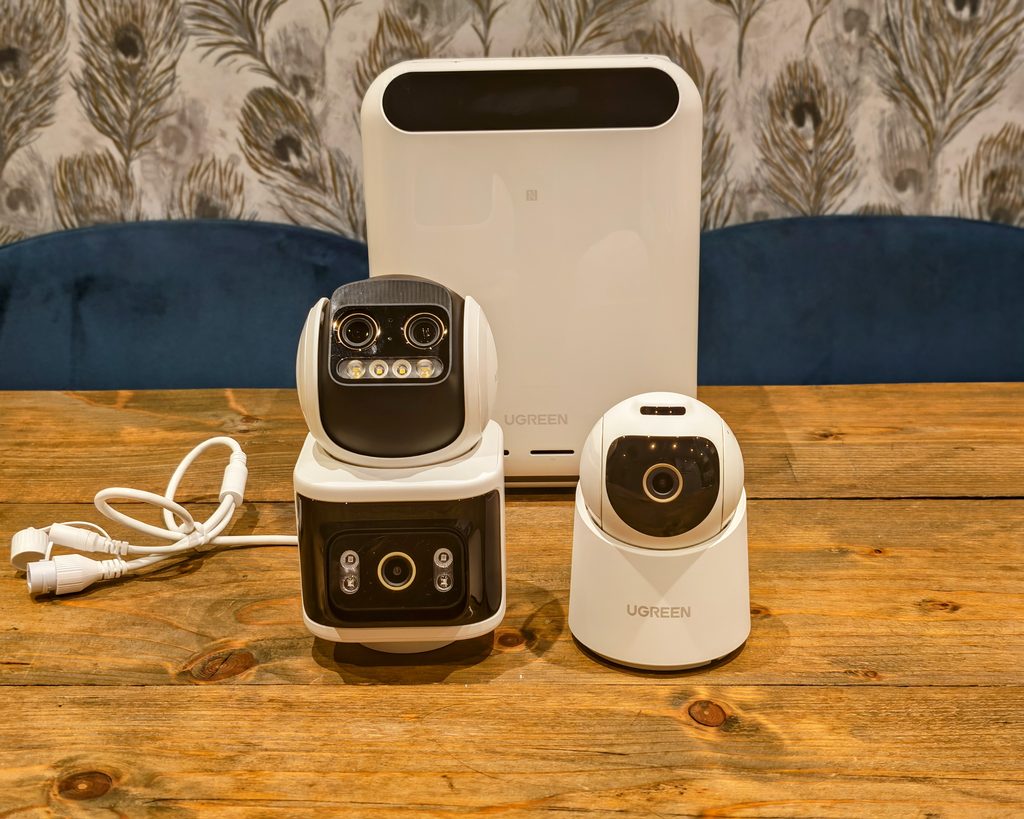
UGREEN’s AIoT range extends well beyond the HA100 reviewed here. The idea is a local AI hub, called HomeAgent, that ties together storage, home security and smart home control without routing everything through the cloud. It is a similar model to what Amazon and Google offer with Alexa and Google Home, but with processing and data kept on the device rather than sent off to a remote server.
The range currently consists of the following:
HomeAgent HA100
The entry point covered in this review. Rockchip RK3588 processor, 16GB of memory, three drive bays and an optional T20 AI accelerator card for extra processing power.
HomeAgent HA100 Pro
A higher spec version with a CIX-P1-CP8180 processor, 32GB of memory, 10GbE networking and four PCIe 4.0 NVMe lanes. UGREEN also claims better semantic understanding of voice requests and the ability to create automations by voice rather than through the app.
MasterAgent MA100
The flagship model, built with NVIDIA on the Jetson Thor T5000 platform, with a claimed 2,070 TOPS of AI performance. Details are thin at this stage and it looks to be some way off launch.
SynCare Indoor Cam ID500 Pro
An 8MP 4K indoor PTZ camera with AI motion tracking, starlight night vision and a physical privacy shutter.
SynCare PoE Cam OD600 Pro
An outdoor triple lens camera (one 8MP bullet, dual 5MP PTZ with 9x hybrid zoom), IP66 rated, with a 106dB siren and motion activated spotlight night vision.
SynCare Battery Cam OD800 Pro
The wire free outdoor option, with a 10,000mAh detachable battery and a 6W solar panel, plus radar and PIR detection alongside the same triple lens setup as the OD600 Pro.
Smart Speaker for Uliya
A speaker and microphone array that acts as the voice interface for HomeAgent from other rooms, with Uliya being the name given to the assistant across the whole range.
Gallery
A 13.3 inch colour E Ink photo frame that pulls images directly from HomeAgent storage rather than a cloud photo service.
None of these products have confirmed UK pricing at the time of writing, so value will need revisiting once retail prices are announced.
The pitch across the range is consistent: keep AI processing and personal data local, rather than dependent on ChatGPT, Claude or a manufacturer’s own cloud service. That is a reasonable answer to the privacy concerns that dog most smart home and camera brands, and UGREEN’s NAS pedigree means the underlying storage and app platform (UGOS) is more mature than you would expect from a first generation smart home product.
That said, several of the headline features are being rolled out in stages after launch rather than available from day one, including some of the voice notification and whole home automation features. As they already support Home Assistant on the NASync models I am hoping this will be the default smart home app, which then can take advantage of the built in Zigbee/Thread connectivity.
Review Caveats
I have been using this device for a couple of weeks before the launch date and there are some significant features missing.
The main one being that it is only accessible via the beta mobile app, with no web access. This is expected to be enabled when the product launches.
The underlying UGOS is missing some features from the other Ugreen NAS devices, and I am unsure if this is due to the unreleased nature, or if this just has fewer apps available.
Additionally, a lot of the smart home and voice functionality is currently missing. It will be interesting to see where they go with the smart home features.
Ugreen HomeAgent HA100 Specification
| Specification | Details |
| Product name | Network Attached Storage |
| Model | HA100 |
| Processor | Rockchip RK3588, octa-core (4x Cortex-A76 + 4x Cortex-A55) |
| Memory type | LPDDR5/5X |
| Memory capacity | 16 GB (non-expandable) |
| System storage | 64 GB eMMC |
| Built-in NPU | 6 TOPS |
| Compute card* | 20 TOPS (UGREEN AI Accelerator T20: RK1828, 5 GB, 20 TOPS) |
| Drive bays | 3x drive bays: 2x NAS hard drive bays and 1x surveillance hard drive bay |
| Supported drives | 2.5-inch and 3.5-inch SATA 3.0 drives (up to 6 Gbps) |
| M.2 storage | 1x M.2 2280 NVMe SSD slot, PCIe 3.0 (theoretical transfer rate up to 8 GT/s) |
| PCIe slot | 1x PCIe 3.0 x2 slot for the UGREEN compute card; other external devices are not supported |
| HDMI | 1x HDMI 2.0, supporting resolutions up to 4K at 60 Hz |
| Ethernet | 1x 2.5GbE RJ45 port |
| Power over Ethernet | 4x PoE camera ports, supporting 10/100 Mbps and IEEE 802.3af/at |
| USB-C | 1x USB-C, with a theoretical transfer rate of up to 5 Gbps |
| USB-A | 2x USB 3.0, with a theoretical transfer rate of up to 5 Gbps |
| SD card slot | 1x SD 3.0, compatible with SD, SDHC and SDXC cards; theoretical transfer rate up to 104 MB/s |
| NFC | Supported |
| Microphones | Omnidirectional four-microphone array |
| Speakers | Stereo, 2x 2.5 W |
| Smart home connectivity | Thread 1.4 and Zigbee 3.0 |
| Bluetooth | Bluetooth 6.0 for smart home or IP camera network configuration; Bluetooth 5.3 for wireless speakers |
| Cooling | 3x ventilation fans |
Ugreen HomeAgent HA100 vs NASync DH2300 & DH4300 Plus
The HomeAgent HA100 has a lot in common with the NASync DH2300 and DH4300 Plus I have previously reviewed.
The HomeAgent HA100 shares much of the functionality of other Ugreen NAS devices as it runs on UGOS, so you have all the same apps.
The main things that differentiate it are the T20 AI Accelerator Card, dedicated NVR drive, four PoE ports, the on-device display and microphone, and the voice control.
The NASync DH2300 & DH4300 Plus both have the Rockchip RK3576 whereas the HomeAgent HA100 has the RK3588.
| Spec | RK3576 | RK3588 |
| CPU | 4x Cortex-A72 + 4x Cortex-A53 (no shared L3) | 4x Cortex-A76 + 4x Cortex-A55 (shared L3) |
| GPU | Mali-G52 MC3 | Mali-G610 MP4 |
| NPU | 6 TOPS (INT8/INT4/FP16/BF16) | 6 TOPS (INT8/INT4/FP16/BF16), but faster in practice on bandwidth-heavy models |
| Process node | 8nm | 8nm |
| Memory | LPDDR4/LPDDR4X/LPDDR5, narrower bus | LPDDR4/LPDDR4X/LPDDR5, wider bus, up to 32GB |
| Video decode | Up to 8K@30fps | Up to 8K@60fps |
| Video encode | Up to 4K@60fps | Up to 8K@30fps |
| Storage interfaces | eMMC/SD | eMMC/SD, plus UFS and NVMe |
| Extra hardware | Integrated Cortex-M0 coprocessor for real-time I/O | None |
| Best suited for | Cost-sensitive AIoT, industrial control, battery-powered devices, single-camera use | Multi-camera analytics, 8K workflows, general-purpose devices needing more CPU/GPU headroom |
The HomeAgent HA100 benefits from the dedicated AI Accelerator Card, giving much more powerful AI functionality with an additional 20 TOPS of AI processing.
Both the HomeAgent HA100 and NASync DH2300 lack Docker support, giving them a reduced range of apps available in comparison to the DH4300 Plus, which does support it.
The HomeAgent HA100 does have some other features missing.
The big one for me is that under Sync & Backup, there is only the option to back up my mobile. I use the Backup & Restore function on the DH4300 Plus to back up web servers via rsync, so I hope this gets enabled in the future. It is possible the web interface may enable this feature.
Ugreen HomeAgent HA100 Design
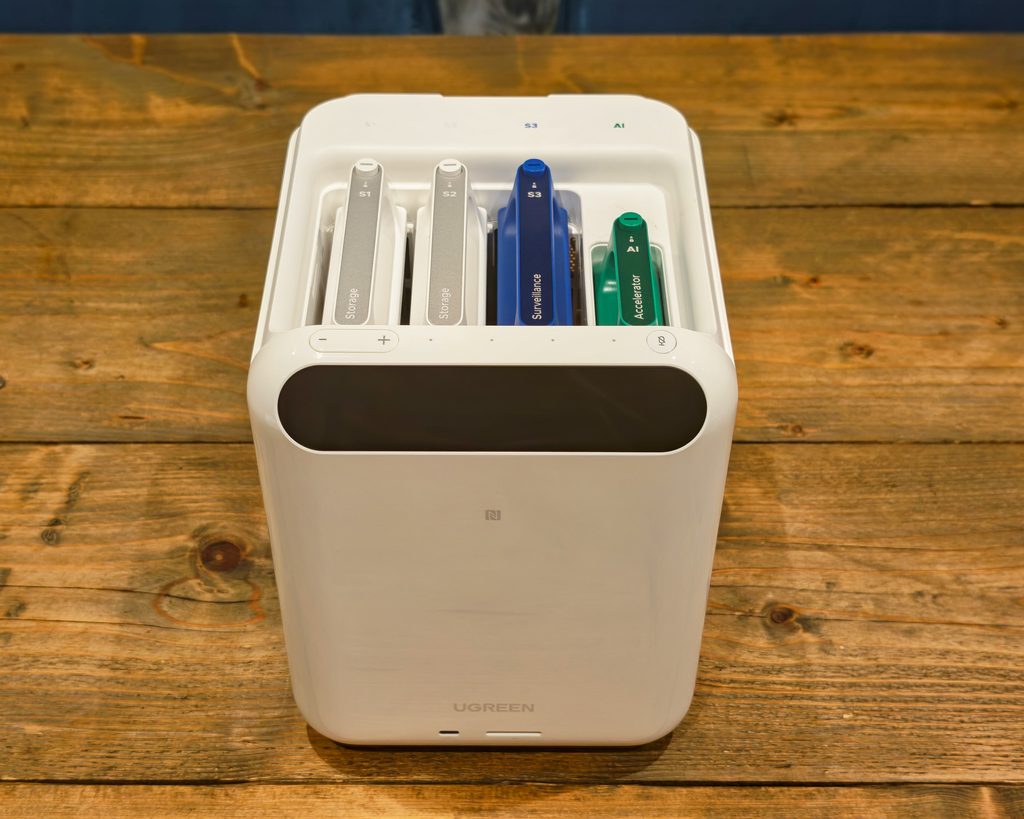
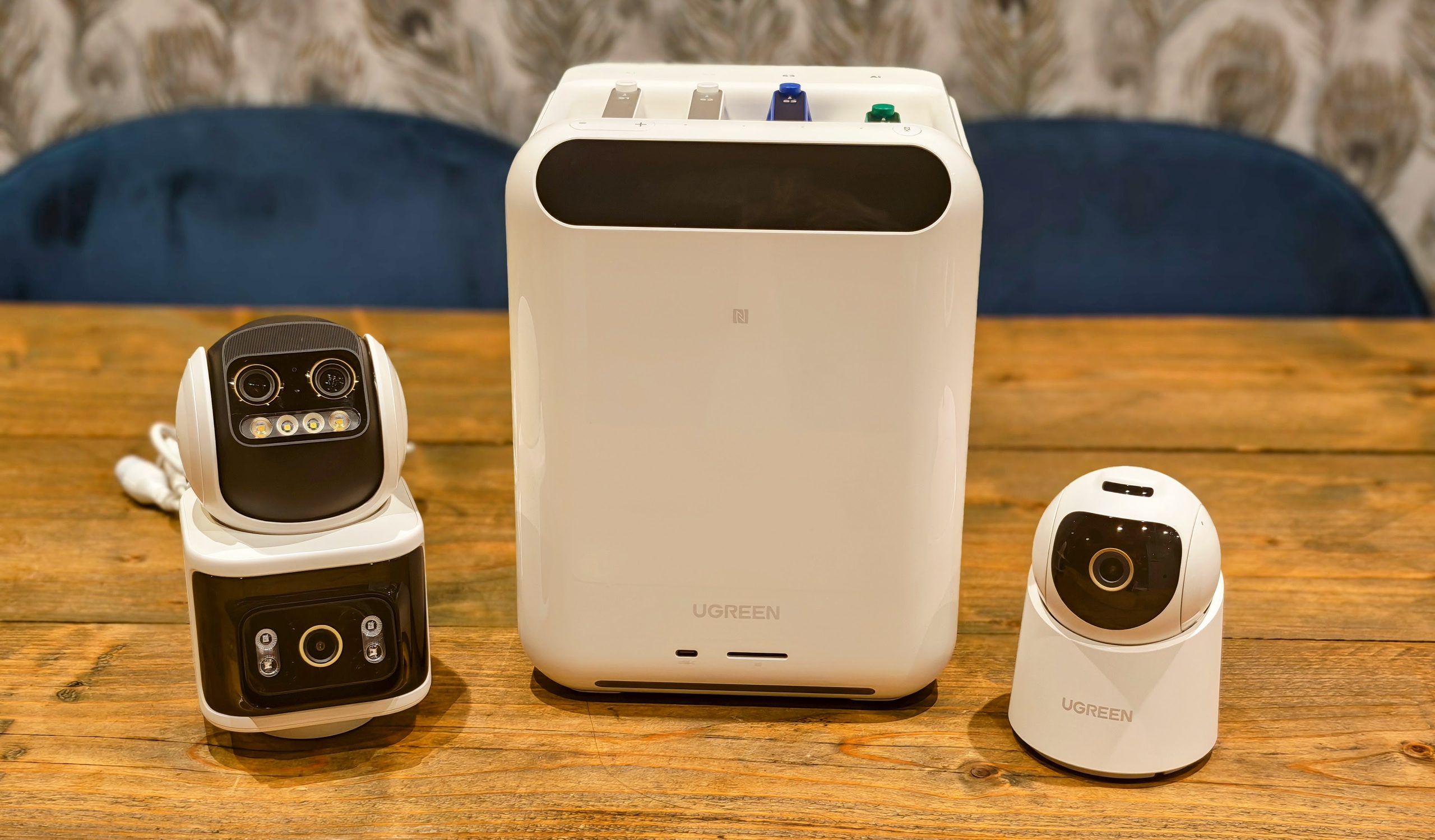
The design is quite a bit different than the other NAS devices. It is a glossy white box with a long thin display on the front, plus a microphone button.
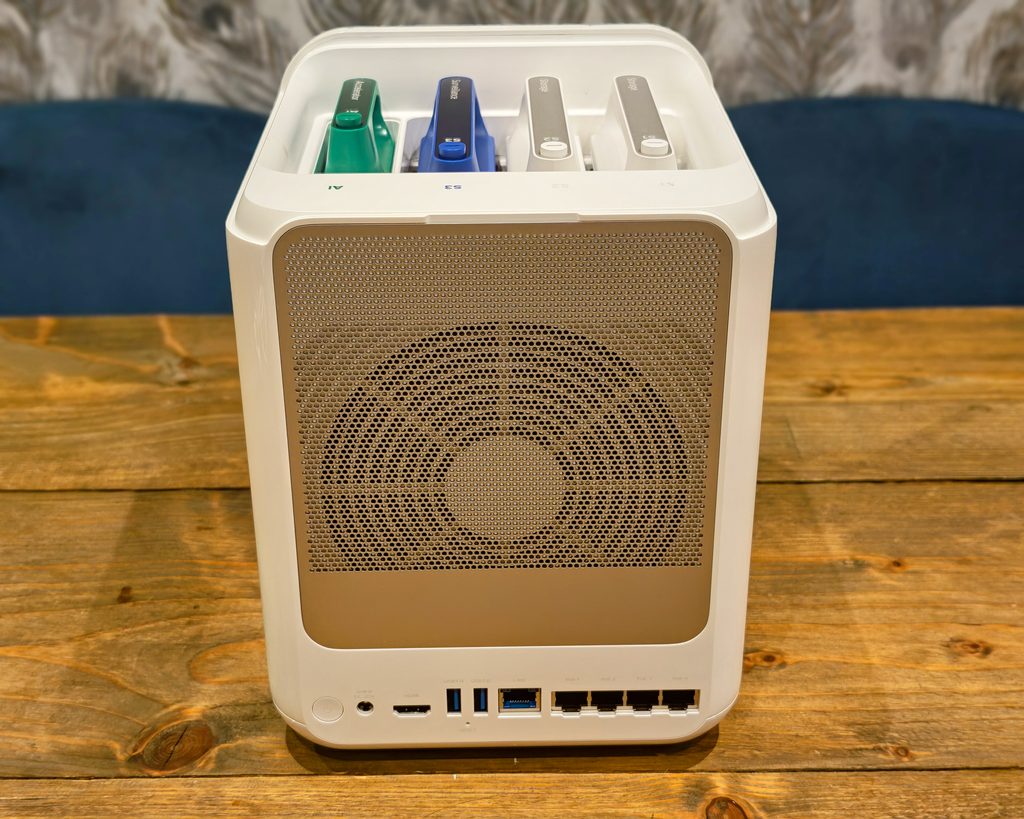
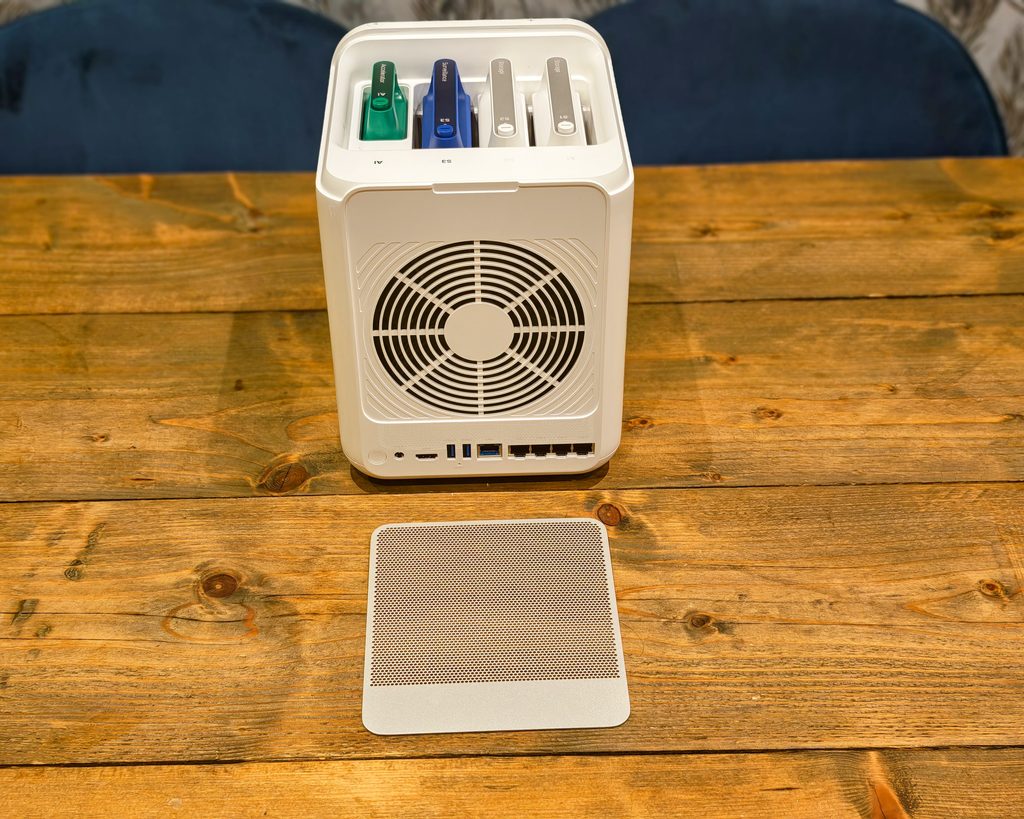
On the rear you have the 2.5GbE port, plus 4 PoE gigabit ports for cameras.
Drives are installed from the top of the NAS and use the excellent no tool trays that you have on the other Ugreen NAS devices. Then the drive cages have a weird lockable push button to keep the drives secure in place.
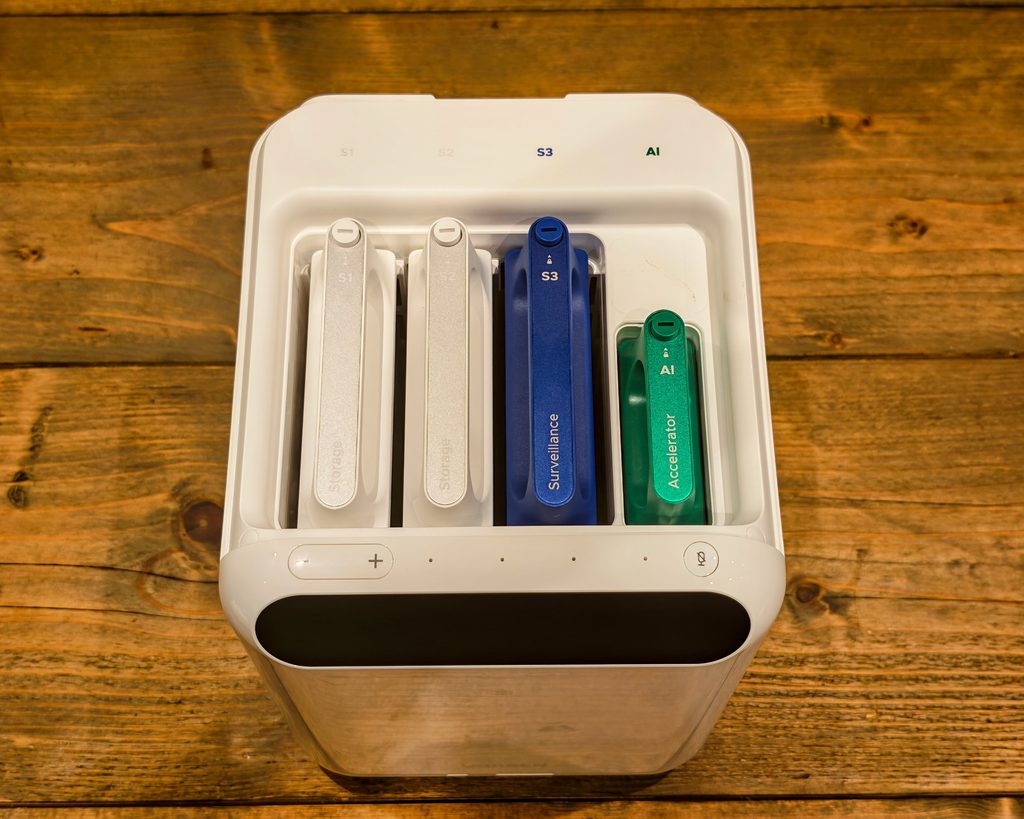
The AI accelerator is also installed via a similar looking cage. The three drive bays and the accelerator slot are each covered by a colour-coded, labelled cartridge (Storage, Surveillance and Accelerator), which makes it obvious at a glance which bay does what.
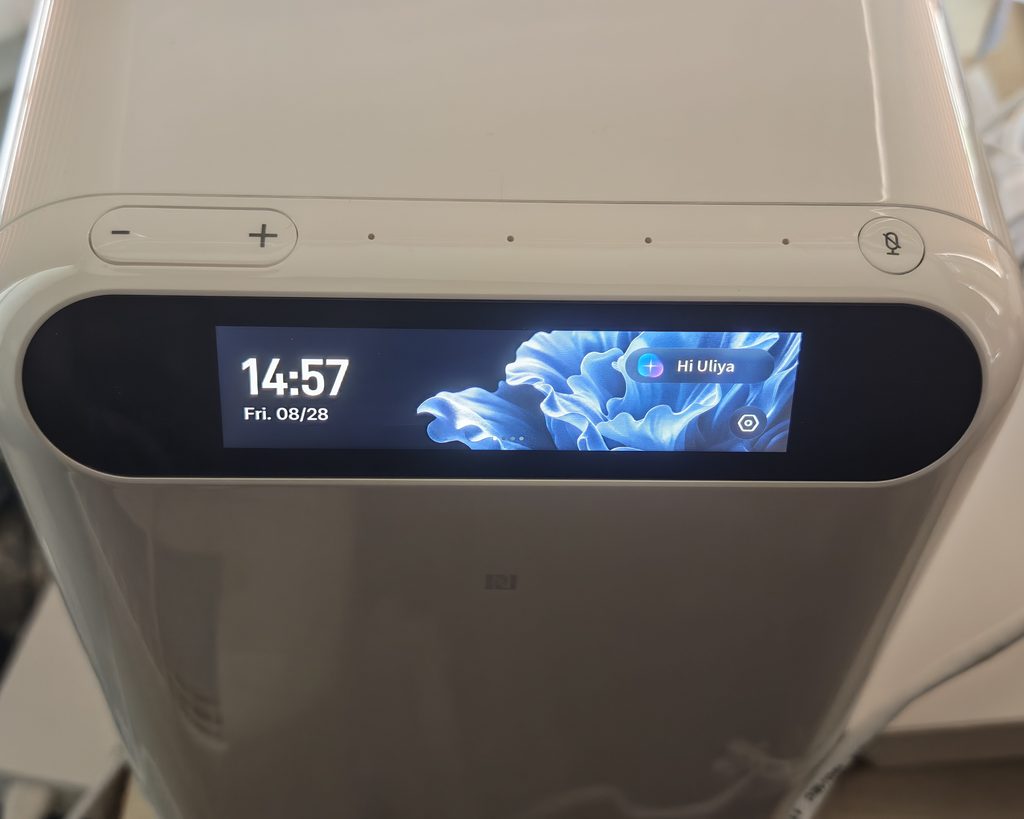
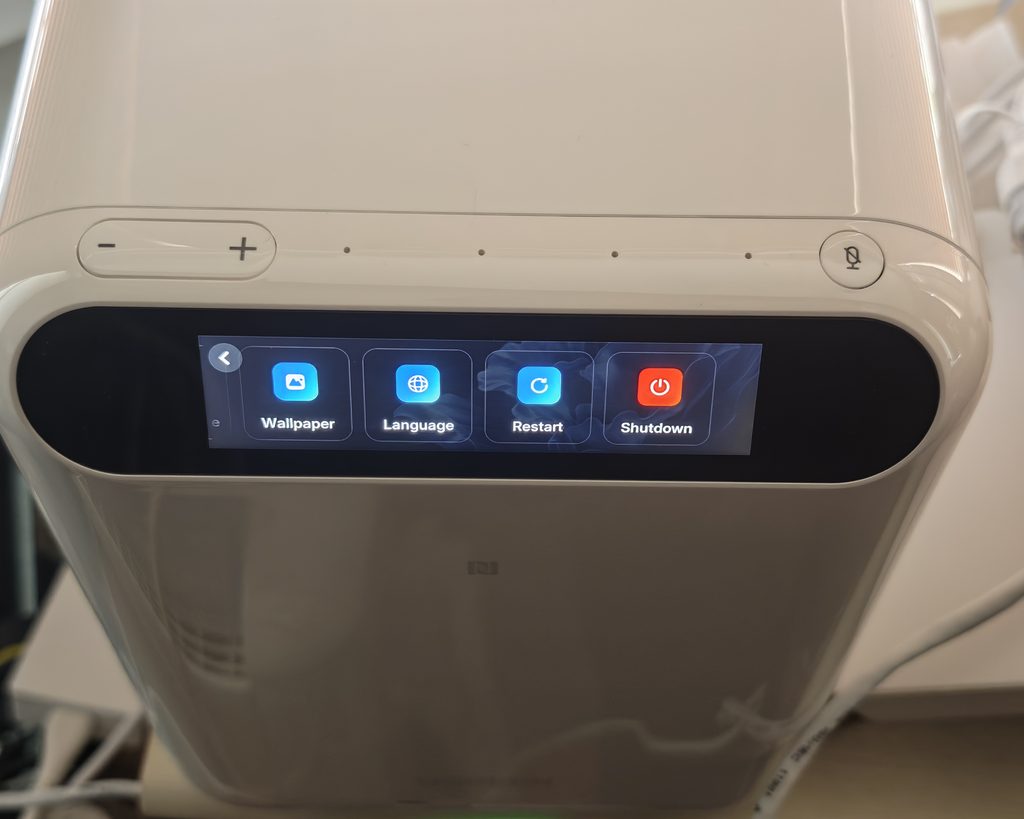
The front display doubles as a basic control panel rather than just showing the time. Beyond the clock and a ‘Hi Uliya’ voice prompt, you can swipe across to adjust system and alarm volume, screen brightness and the screen off timer, or change the wallpaper and language, restart or shut down the unit directly from the display.
Set Up – Beta App, no web interface pre-launch
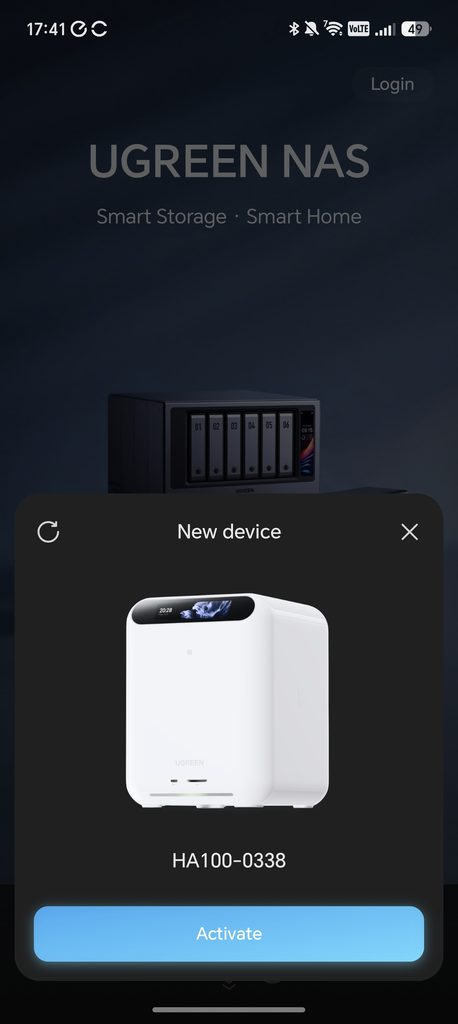
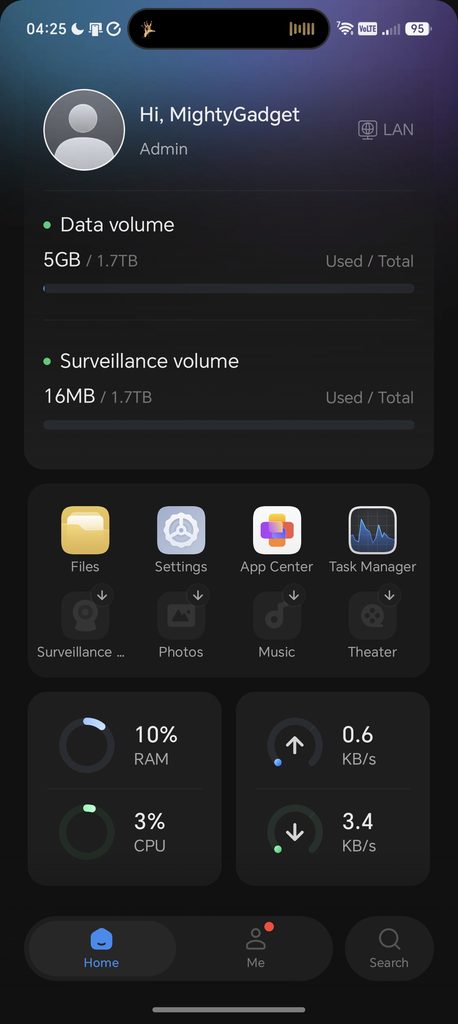
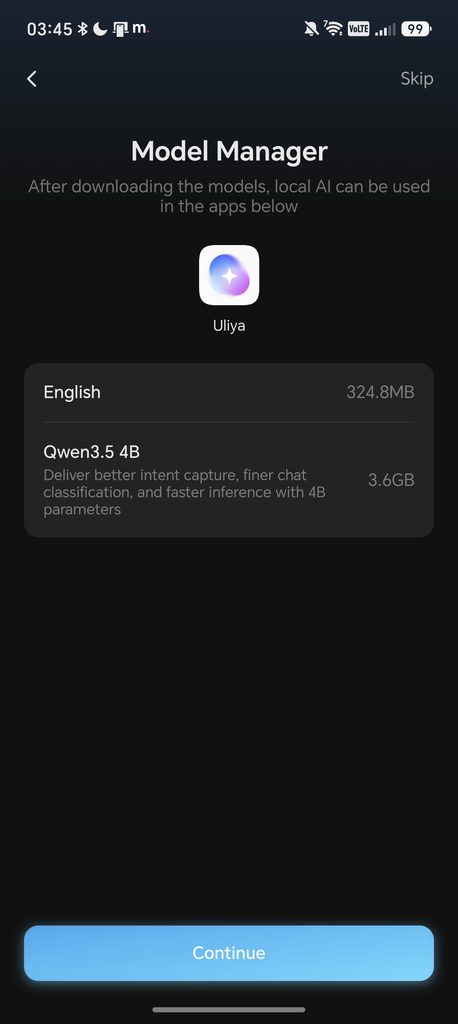
Setup starts by installing at least two hard drives, one for general NAS storage and one for surveillance recordings, then connecting the HA100 to your router over Ethernet and powering it on. As mentioned in the Review Caveats, everything currently runs through the beta UGREEN NAS App, since there is no web interface yet, so your phone, the HA100 and any cameras all need to be on the same local network to get started.
On first login, the App Center prompts you to install a set of ‘must have’ apps in one go, covering Sync & Backup, Photos, Music, Theater, Cloud Drives and Surveillance Center, with the option to skip anything you don’t need. Setting up AI features from here means installing the T20 AI Accelerator Card Toolkit and Model Management from the App Center and restarting the system, and setting up surveillance means installing Surveillance Center and adding your cameras, which is covered in more detail below.
The front display is also part of setup, letting you pick from a decent spread of languages, including English, German, Spanish, French and Italian, directly on the unit rather than through the app.
T20 AI Accelerator Card
The T20 is an optional add-in card that slots into the HA100 in a cage similar to the drive trays, adding a dedicated 20 TOPS RK1828 AI processor with 5GB of its own memory on top of the 6 TOPS NPU already built into the RK3588 processor. It is managed through its own driver, the T20 AI Accelerator Card Tool, plus a separate Model Management app for downloading and updating the AI models it runs.
Ugreen positions the card as the difference between basic object detection and the more demanding AI features, such as facial recognition and faster people recognition in Photos, both of which lean on the extra processing power. Without pricing confirmed for either the card or the HA100 itself, it is hard to say whether the accelerator represents good value, but the performance difference during testing was noticeable, particularly with people recognition in Photos, which is covered in more detail later in this review.
Available Apps
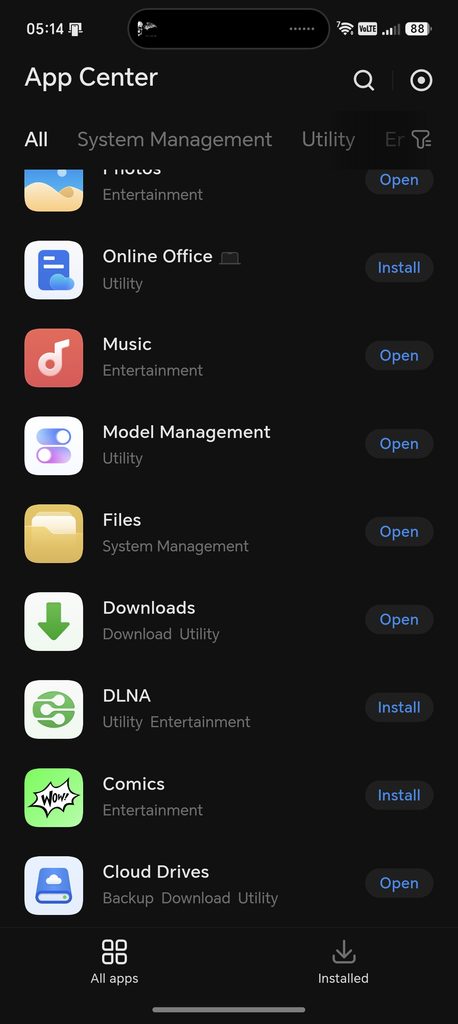
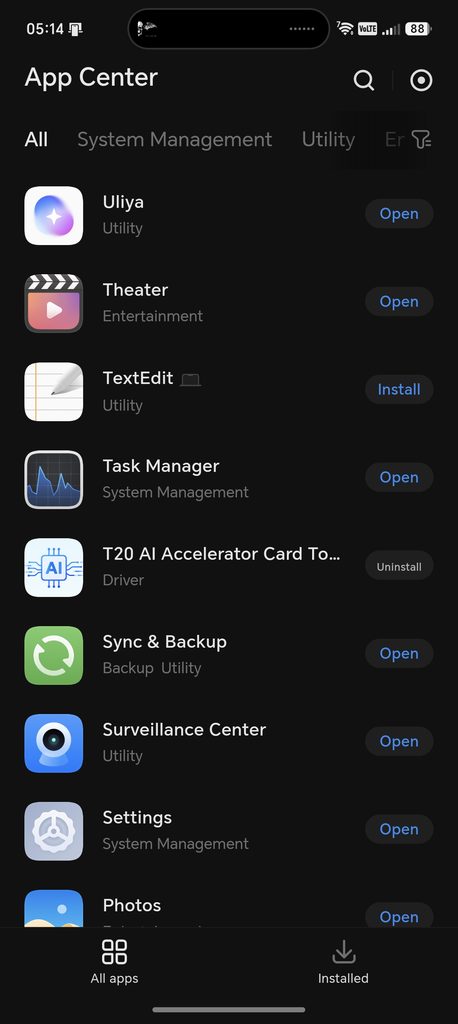
The available apps on the beta app is much more limited than the other Ugreen NAS devices:
System Management
- Task Manager
- Settings
- Files
Utility
- Uliya
- TextEdit
- Sync & Backup
- Surveillance Center
- Online Office
- Model Management
- DLNA
- Cloud Drives
Entertainment
- Theater
- Photos
- Music
- Comics
Driver
- T20 AI Accelerator Card Tool
Surveillance Center & AI Object / People / Face Detection
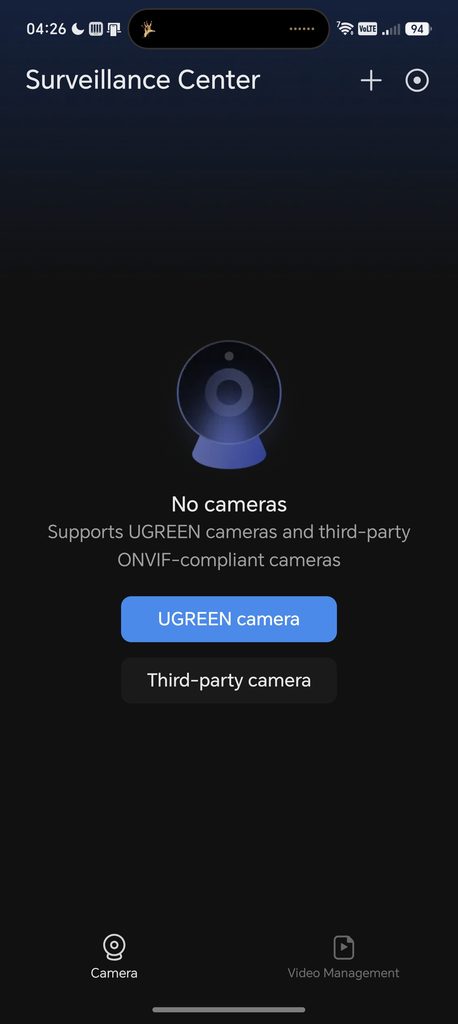
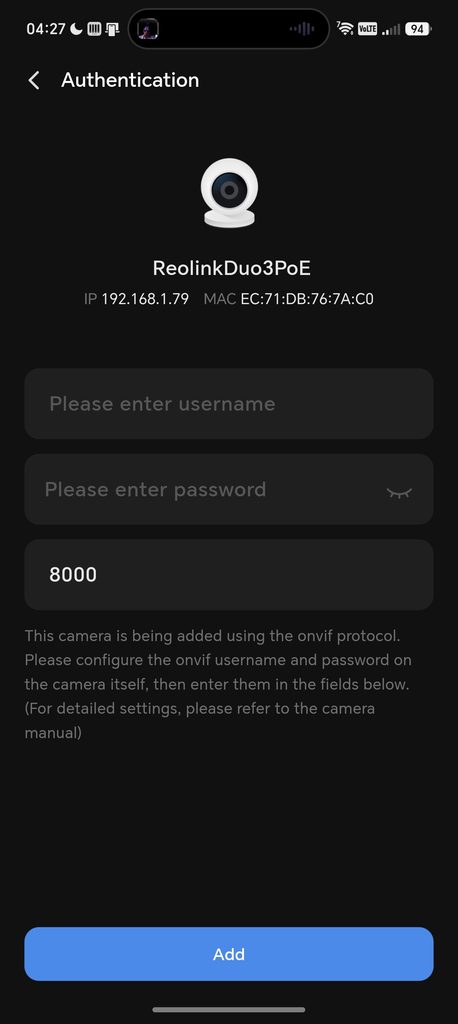
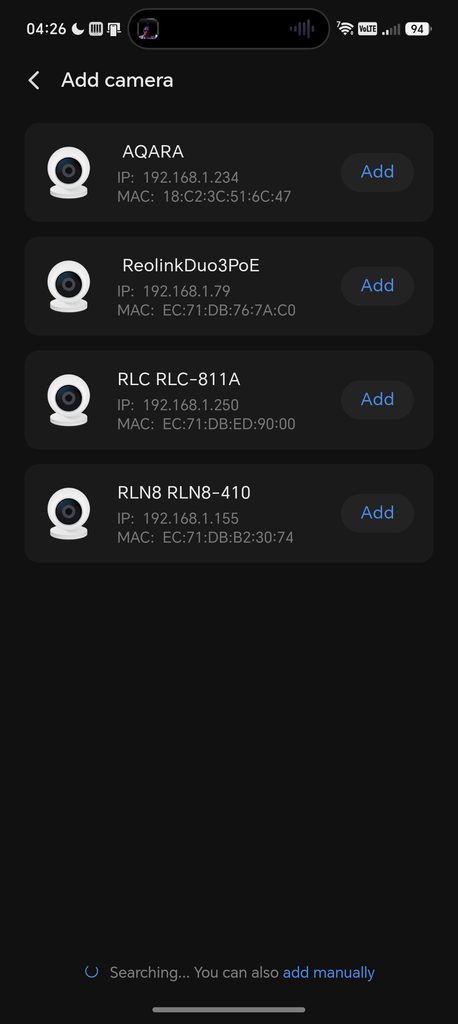
The Surveillance Center is probably the biggest selling point of this device, and I am hoping I can use it to replace my ageing Reolink RLN8-410 NVR.
The other Ugreen NAS products also run the Surveillance Center app, but the HA100 benefits from more powerful AI processing and includes four PoE ports for directly wired cameras.
ONVIF Cameras
I previously tried adding my Reolink CCTV cameras to the Surveillance Center on my DXP2800 GT NAS, but didn’t get very far, as it did not support H.265 streams.
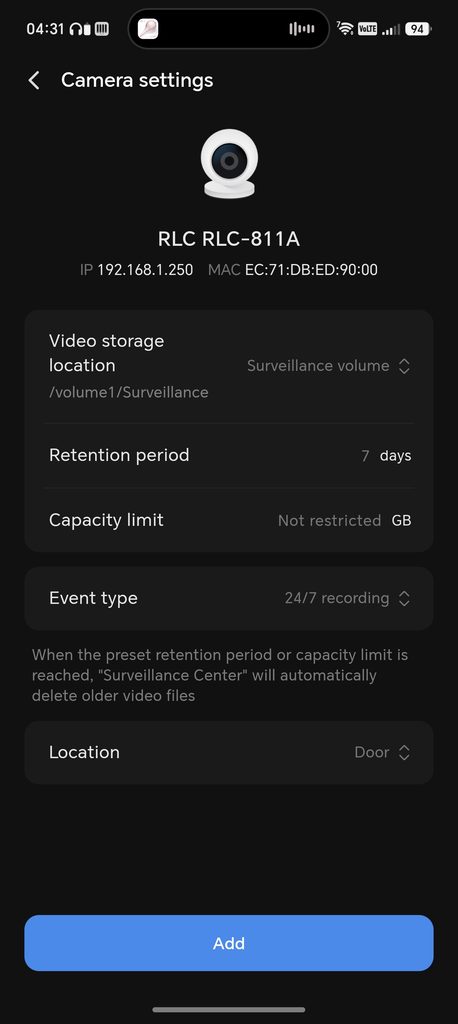
The HomeAgent HA100 does support H.265, though I still had an issue with one camera. The network scan picked up all four of my ONVIF cameras without any trouble, including a third party Aqara camera alongside my Reolink kit, which is a good sign for compatibility generally. I was able to add the Reolink RLC-811A with no problems, and I could even add the individual channels from my Reolink RLN8-410 NVR, giving me a live feed from two of its cameras without touching the NVR itself. The one camera that gave me trouble was the Reolink Duo 3 PoE. It showed up fine in the scan, but adding it over ONVIF asked for a username and password that has to be configured directly on the camera first, and I could not get it to authenticate that way. I eventually got it working by going into the advanced settings and configuring it manually via its RTSP feed instead. So while ONVIF support here is a clear step up from the DXP2800 GT, it is not entirely plug and play.
Ugreen Cameras
Along with the HomeAgent HA100, Ugreen sent me the SynCare PoE Cam OD600 Pro and SynCare Indoor Cam ID500 Pro to test alongside it.
The OD600 Pro combines an 8MP bullet camera with dual 5MP PTZ cameras, with the PTZ camera supporting up to 9x hybrid zoom for closer, more detailed monitoring. It also offers motion-activated spotlight night vision with starlight full colour imaging for clearer night-time footage.
The ID500 Pro is an indoor 8MP 4K HDR PTZ camera with AI motion tracking and smart voice interaction.
Pairing both cameras was simple. The app scans for nearby devices over Bluetooth and the local network, and both cameras showed up within a few seconds under their factory names. For the OD600 Pro, I plugged it directly into one of the HA100’s PoE ports and it added itself instantly. The ID500 Pro connects over WiFi and was just as straightforward.
I have not had chance to thouroughly review these two cameras yet but a full review will be done in the next couple of weeks.
When you add a camera, whether it is a Ugreen model or a third party ONVIF/RTSP camera, you can set how much storage its recordings are allowed to use and how long footage is retained. One of the HA100’s three drive bays is reserved purely for surveillance recordings, so this does not eat into general NAS storage. You can then configure AI detection on a per-camera basis.
AI Detection
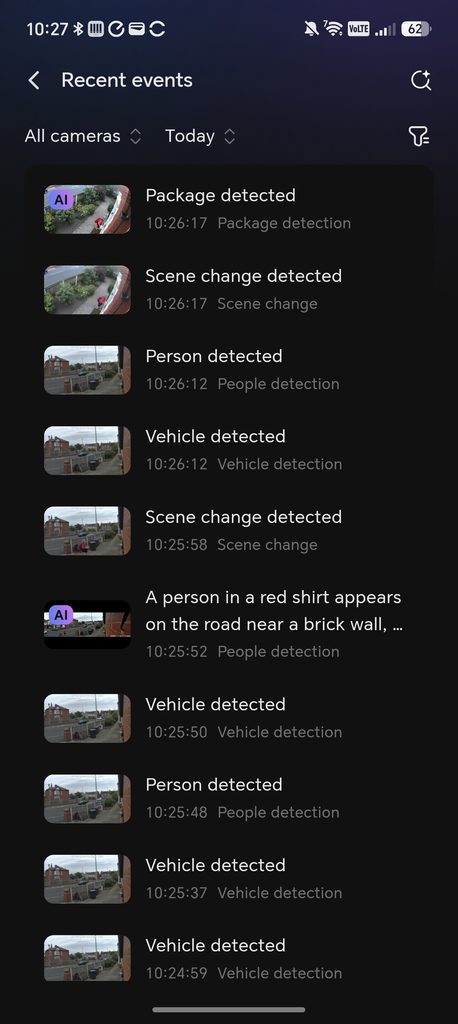
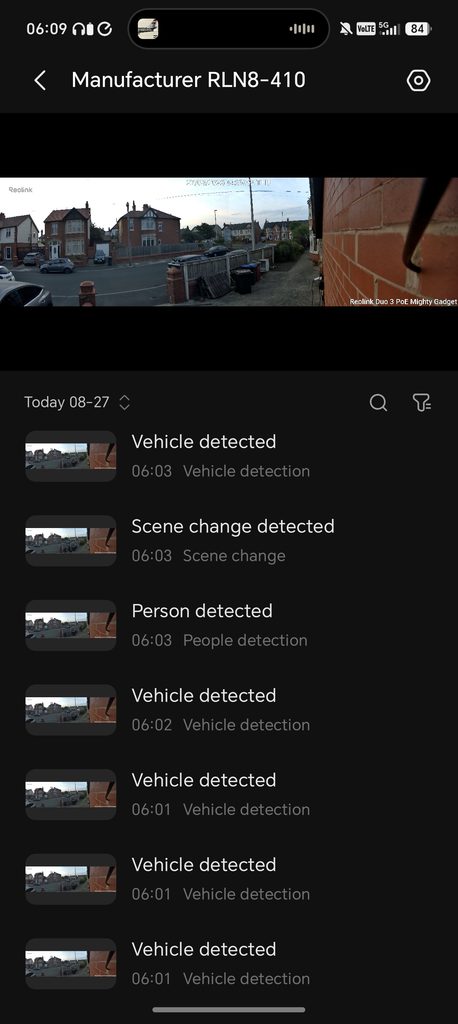
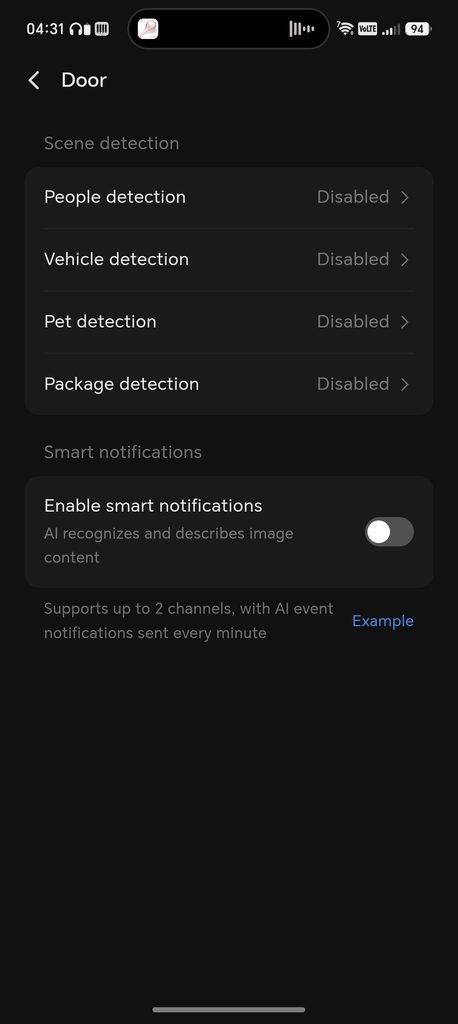
This is where the HomeAgent HA100 excels compared with a generic NVR. You get all the detection features you would expect, such as people, vehicles, pets and general motion, and you can draw detection zones over the live image by dragging the corners of a box onto the feed, with a short on-screen tutorial walking you through it the first time.
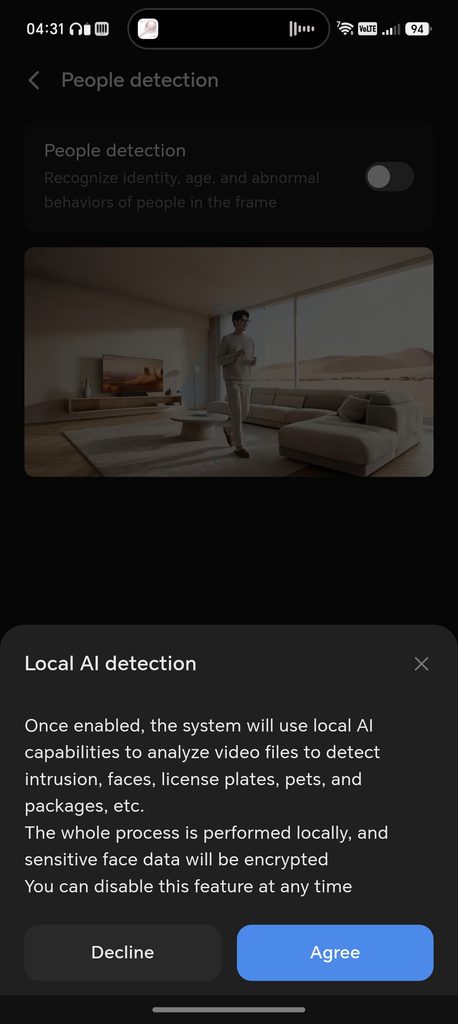
People detection is described in the app as recognising “identity, age and abnormal behaviours”, though in practice what you are getting is motion and person detection with some age estimation layered on top, rather than anything close to naming individuals. Facial recognition is kept as a separate toggle, and turning it on brings up an authorisation prompt that is more thorough than most camera apps bother with. It explains that facial data is processed locally on the NAS rather than uploaded to the cloud, aside from an encrypted video relay used for remote viewing which Ugreen says is not retained. You can switch it off and delete the stored data at any time, and the app also reminds you that facial recognition law varies by region, so it is worth checking local rules before you turn it on. Given how casually most smart camera brands treat facial recognition, I would rather see this kind of explicit consent screen than a toggle buried in a menu.
Package detection works well in principle, flagging a parcel left on the doorstep, but according to Ugreen’s own documentation it is currently tuned to brown kraft paper packaging, so parcels in coloured boxes or plastic bags are less likely to be picked up. Pet detection is similarly limited. It can tell a pet apart from a person or vehicle, but it does not currently distinguish a cat from a dog.
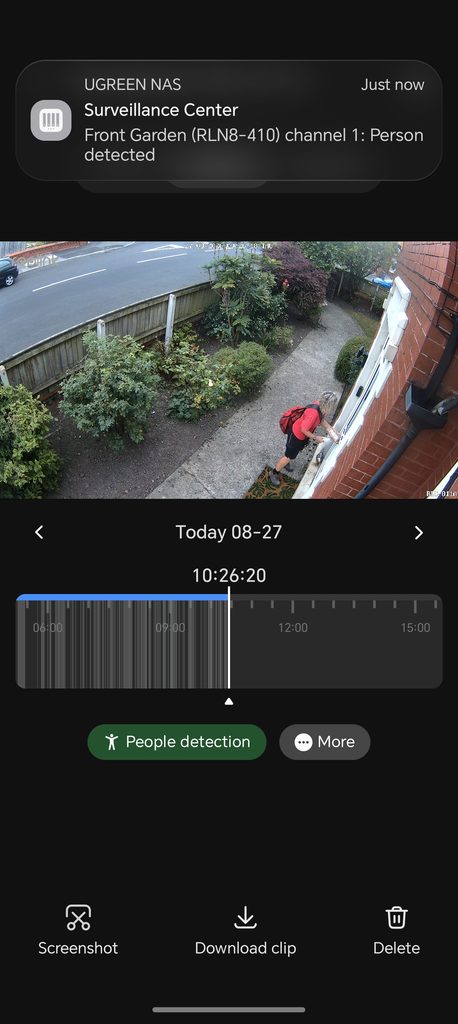
With smart notifications, you don’t just get told that a person has been detected, you get a short AI-generated description of the event. For one event where I went for a walk in the morning, the app generated the description “A person in light-coloured clothes appears near the doorway at night”. Another notification from a passer-by read “A person in a red shirt appears on the road near a brick wall”. These descriptions are also searchable by keyword in the event list, though this is keyword matching against the generated caption rather than genuine semantic search, so don’t expect to type in a loose description and have it understand intent.
Notification settings go well beyond people and vehicles. You can individually enable alerts for scene changes, people detection, face detection, pet detection, package detection, vehicle detection, detection zone entry, detection zone exit, fire detection, camera error, camera obstruction and camera movement. Fire detection and the tamper related alerts are not something I would expect on a device at this price point, and having them broken out individually means you can tune notifications to what actually matters rather than being stuck with an all or nothing person detected alert. Tapping a notification takes you straight to the relevant clip, with a timeline of that day’s events and one-tap options to screenshot, download or delete it.
A few features shown in Ugreen’s own materials, including voice notifications for a crying baby or a package arrival, and alerts for a stranger lingering near the property, were not available during my review period and are due to arrive in later software updates. It is also worth noting that people recognition in the Photos app is a separate feature from face detection in the Surveillance Center, and it is easy to conflate the two since they sound similar, so make sure you enable the right one for what you actually want.
Sync and Backup
The Sync and Backup function on mobile is the same as you get from other Ugreen NAS. You have the option to back up all your photos and files from your mobile.
Photos
Again, this is just the same features as you get on the NASync product range. I’d assume the more powerful AI processing should mean faster and more accurate identification.
Subjectively, the people recognition does seem faster. I copied a lot of my photos over from my NASync DH4300 and the people recognition seemed to complete quickly, but the text recognition had over 7000 items queued up. I vaguely recall the DH4300 taking well over a day to complete.
It works just as well as the NASync product range and is an excellent self-hosted alternative to Google Photos.
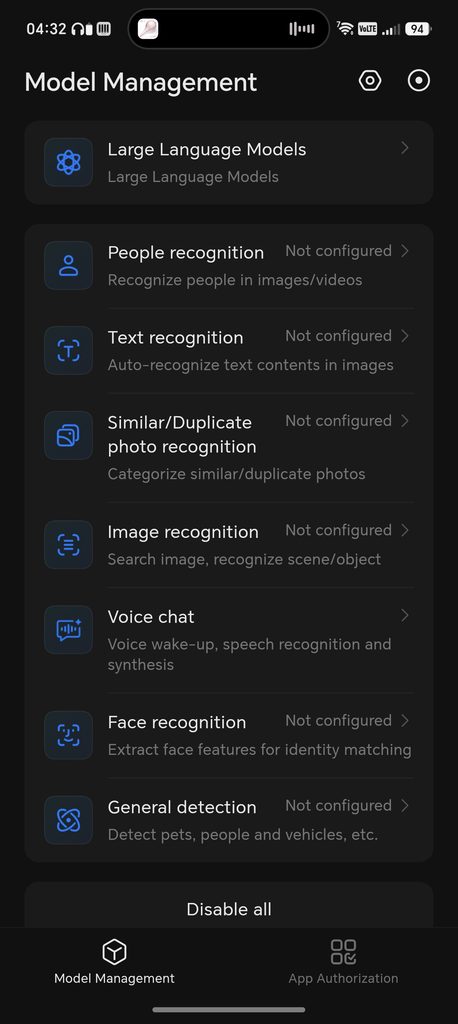
The People recognition settings go a bit deeper than a simple on/off toggle. You can also enable recognition on video frames (it processes clips up to 30 minutes long, though this uses more processing power), set how many photos of someone are needed before it creates a dedicated album for them (five by default), and there is a visible model version number, currently v2.1.2 on my unit, which suggests Ugreen intends to keep improving the underlying model over time rather than leaving it static after launch.
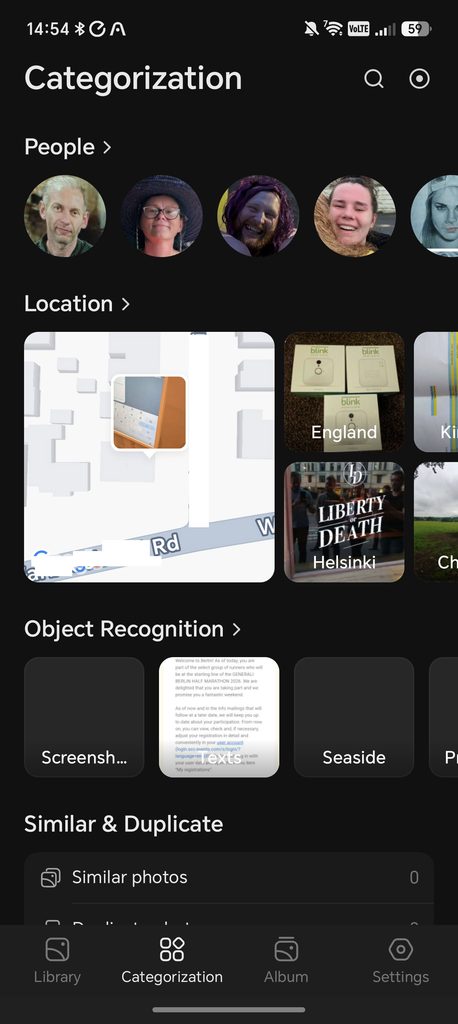
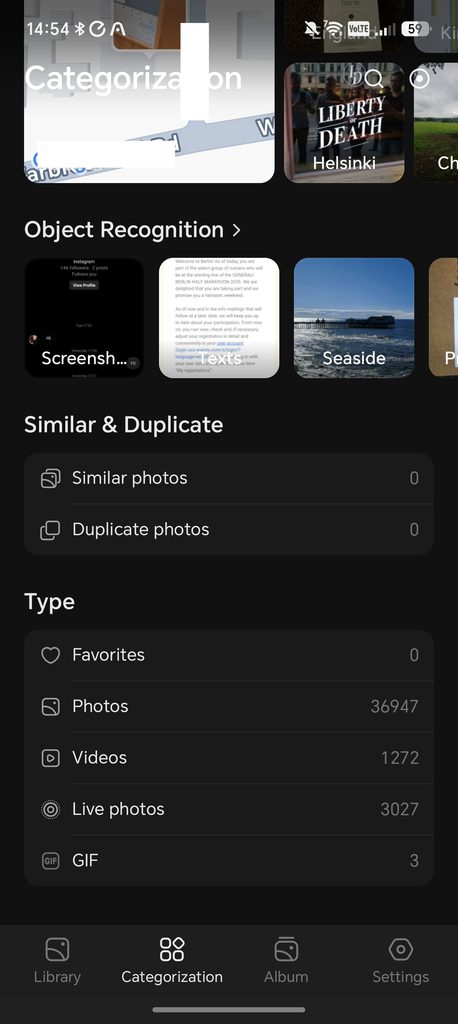
Beyond people, the Categorisation tab groups your library by location using an on-device map, by object and text recognition (separating out screenshots, photographed text and subjects like the seaside into their own buckets), and it flags similar and duplicate photos, though it found none of either in my library. Across my full library of almost 37,000 photos, 1,272 videos and 3,027 Live Photos, browsing between these categories felt quick, which for a self-hosted system doing all of this locally is a solid result.
Cloud Drives
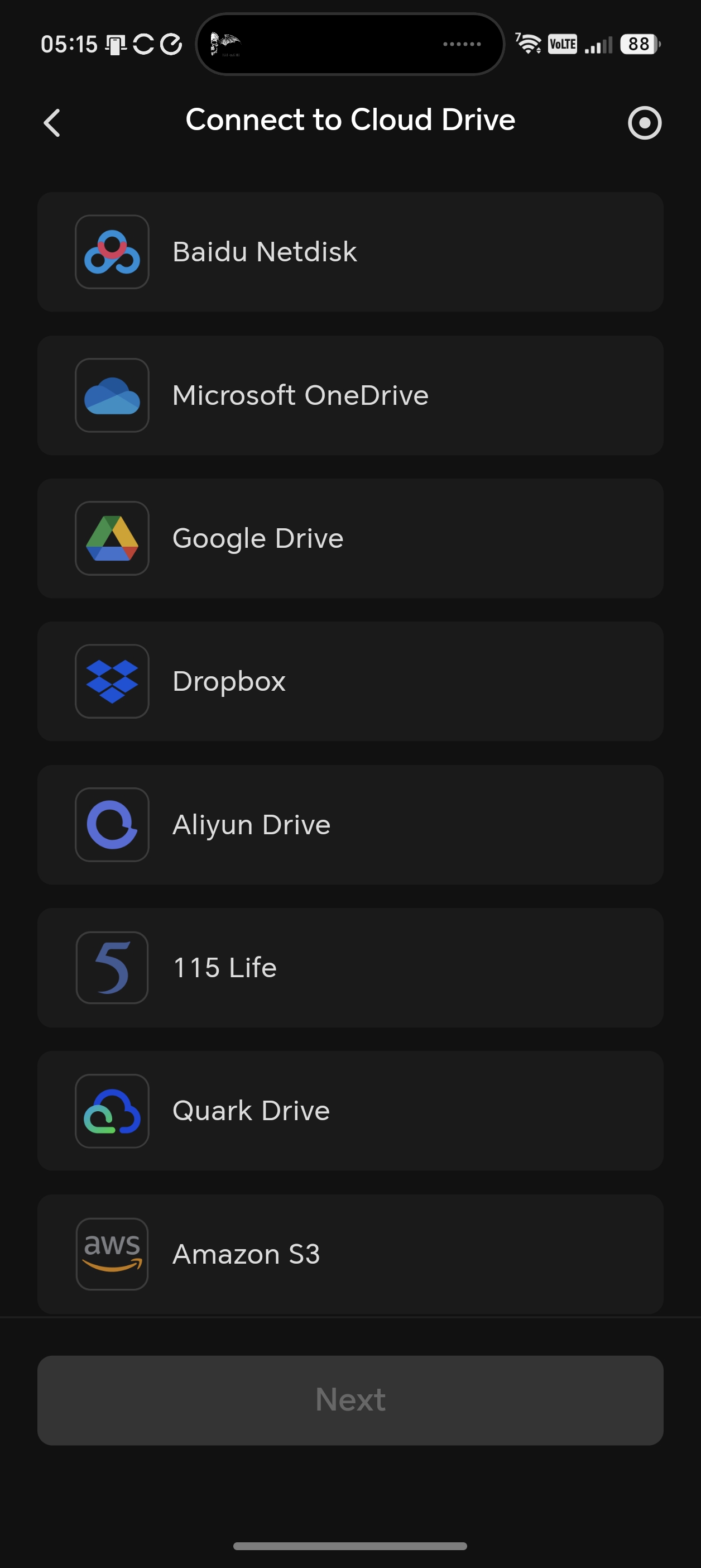
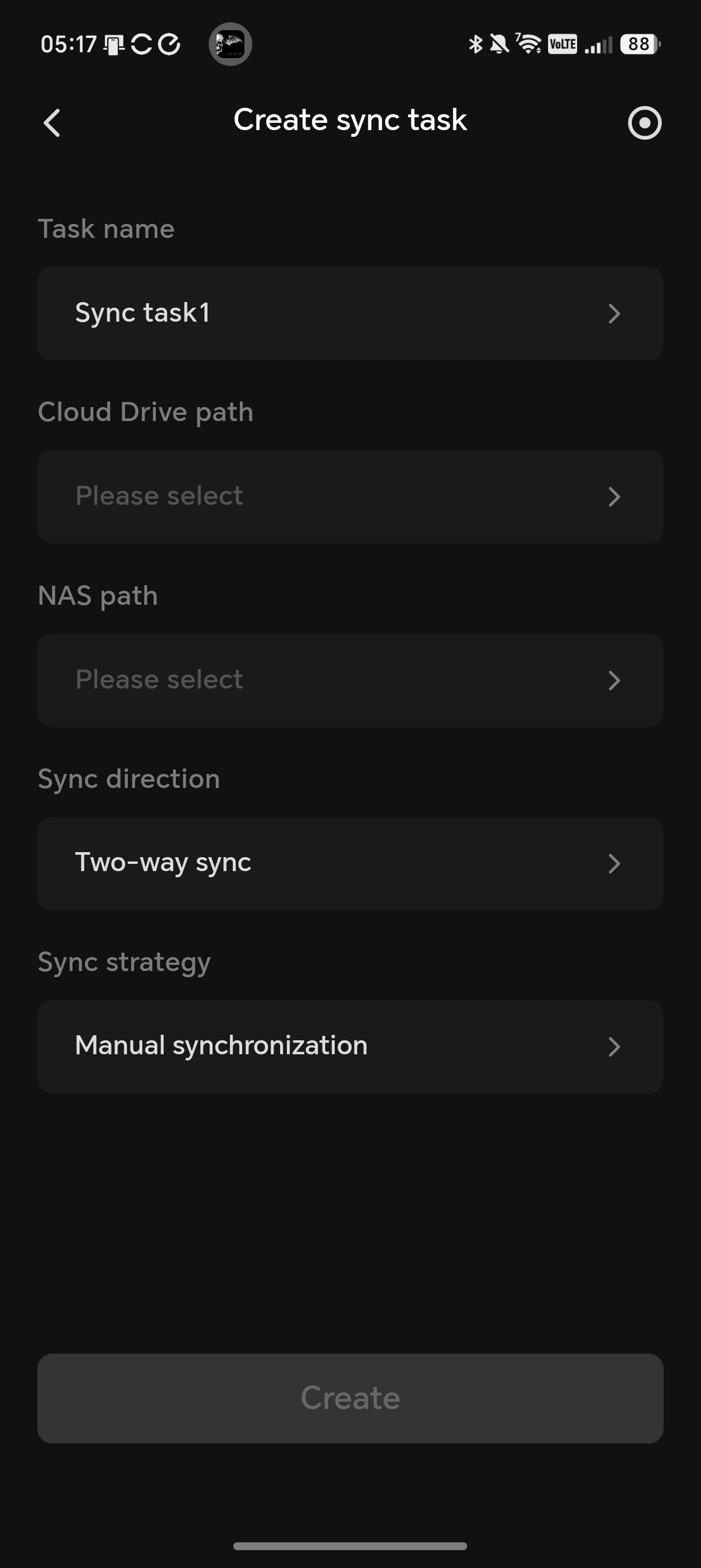
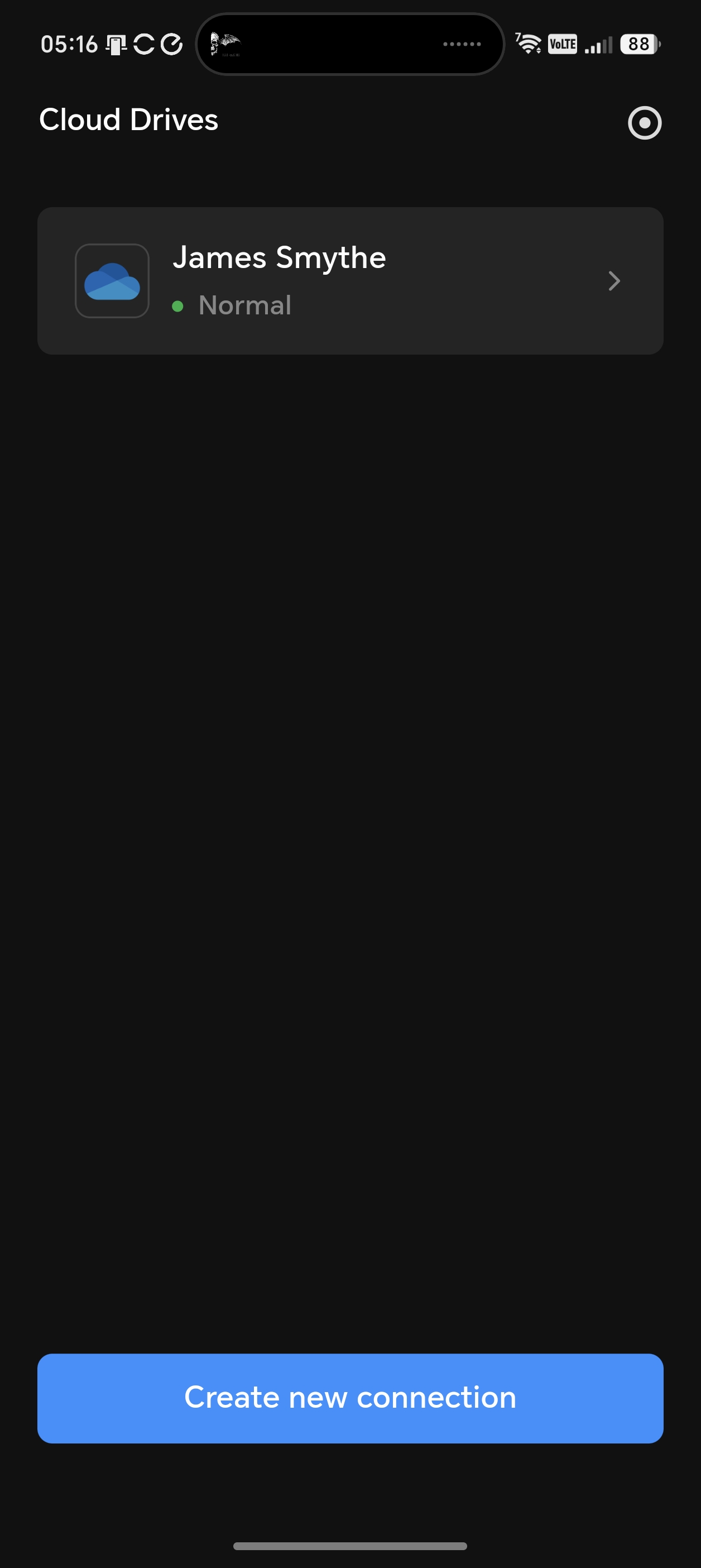
Again, this is identical to the NASync products and a feature I really like. You can connect OneDrive and Google Drive and have it download the full drive. So, it is a good way to backup your data from those services and/or help you migrate away from them, avoiding monthly fees and privacy concerns.
Download Manager
This is also the same as the NASync devices, it is basically a torrent client but quite basic and it is not something I particularly use. The settings confirm as much: you get simple concurrent task limits and optional speed limiting for HTTP/FTP and BT/PT downloads, but nothing in the way of the more advanced scheduling or automation you would find in a dedicated download manager.
Price and Alternative Options
The official pricing has now been revealed and it is relatively expensive.
The UGREEN HomeAgent HA100 is $1799 RRP, with an early-bird discount taking it to $899 – Roughly £665
The UGREEN HomeAgent HA100 Pro is $5999 RRP, with an early-bird discount taking it to $2999 – Roughly £2216
The UGREEN MasterAgent MA100 is $19999 RRP, with an early-bird discount taking it to $9999 – Roughly £7390
Obviously the MA100 is going to be a very niche product.
In comparison:
The NASync DH2300 has an RRP of £220 and is available for £187.
The NASync DH4300 Plus has an RRP of £370 and is available for £327.
There isn’t really a direct competing option, but most NAS devices can provide similar storage and surveillance functionality without the smart home layer. The NASync DXP4800 Pro would likely offer superior raw NAS performance, though it lacks the AI accelerator, PoE camera ports and the built in Zigbee, Thread and Matter support that come with the HA100. You could in theory achieve similar functionality though by adding something like a SONOFF PoE Dongle Max for Zigbee/Thread and Home Assistant to run the smart home.
Overall
My testing of the Ugreen HomeAgent HA100 has been somewhat limited due to many features not being available just yet.
Regardless, it is an impressive device that should combine much of the functionality of a NAS/NVR and smart home hub.
On the hardware side, there is a lot to like: the optional T20 AI accelerator card, four PoE ports for directly wired cameras, three drive bays split between general storage and dedicated surveillance recording, and a front display that goes beyond simply showing the time. Build quality and the tool-free drive trays carry over the strengths of Ugreen’s existing NAS range.
UGOS is already a semi-decent NAS OS with most of the functionality people want from a NAS, and I expect the HomeAgent HA100 will match the functionality of the DH4300 Plus, or at least, I hope they support Docker.
The surveillance centre is obviously the main selling point at the moment, and I have been happy with the performance of this. It is very likely I will retire my old Reolink NVR in favour of it.
Buying in at this early stage means accepting some rough edges. There is no web interface at the time of writing, several AI features such as voice notifications and stranger alerts have yet to arrive, and UGOS itself is missing a few apps found on Ugreen’s established NAS models. Most of this should be resolved before the unit is shipped to buyers and none of this is a dealbreaker, but it is worth setting your expectations accordingly if you buy at launch rather than waiting for the software to mature.
The smart home features are the big question mark. I am hopeful Ugreen will go down the Home Assistant route rather than develop their own smart home software.
Given the shared hardware with the NASync range, plus the added AI accelerator and PoE ports, I would expect the HA100 to sit above the DH4300 Plus, and if Ugreen prices it sensibly, this looks like a genuinely useful combination of NAS, NVR and smart home hub, especially for anyone happy to run beta software while the missing pieces are added. I will update this review once pricing and a full retail release are confirmed.
I am quite curious with what Ugreen will do with the HomeAgent HA100 Pro and the MasterAgent MA100. The MasterAgent in particular is going to need to impressive features to justify that cost.
Ugreen HomeAgent HA100 Review
-
Overall - 85%85%
Summary
The Ugreen HomeAgent HA100 is a promising combination of NAS, NVR and smart home hub, with capable hardware, useful local AI processing and an impressive surveillance platform. I was particularly pleased with its camera compatibility, integrated PoE ports and dedicated surveillance storage. However, the software remains unfinished, with no web interface during testing and several advertised AI and smart home features still unavailable. Its final value will depend heavily on pricing, but with further software development, it could become a compelling alternative to running separate NAS, NVR and smart home systems.
I have given this a provisional score based on my experience so far.
Pros
- Versatile NAS, NVR and hub
- Powerful local AI processing
- Four integrated PoE camera ports
- Dedicated surveillance storage bay
- Good third-party camera compatibility
Cons
- Unable to fully test due to not all features currently being available
- Questions over smart home functionality remain
- Pricing has not been confirmed

I am James, a UK-based tech enthusiast and the Editor and Owner of Mighty Gadget, which I’ve proudly run since 2007. Passionate about all things technology, my expertise spans from computers and networking to mobile, wearables, and smart home devices.
As a fitness fanatic who loves running and cycling, I also have a keen interest in fitness-related technology, and I take every opportunity to cover this niche on my blog. My diverse interests allow me to bring a unique perspective to tech blogging, merging lifestyle, fitness, and the latest tech trends.
In my academic pursuits, I earned a BSc in Information Systems Design from UCLAN, before advancing my learning with a Master’s Degree in Computing.
I’m proud to share that Vuelio has consistently ranked Mighty Gadget as one of the top technology blogs in the UK. With my dedication to technology and drive to share my insights, I aim to continue providing my readers with engaging and informative content.
I work directly with the companies he reviews products for or their chosen PR agency.
For Social Media, you can find me on: