ViewSonic XG2700-4K 27-inch gaming monitor Review
Mighty Gadget is reader-supported. Links to retailers may be affiliate links, and I may earn a commission if you buy through them, at no extra cost to you. As an Amazon Associate I earn from qualifying purchases. How I test and review products.
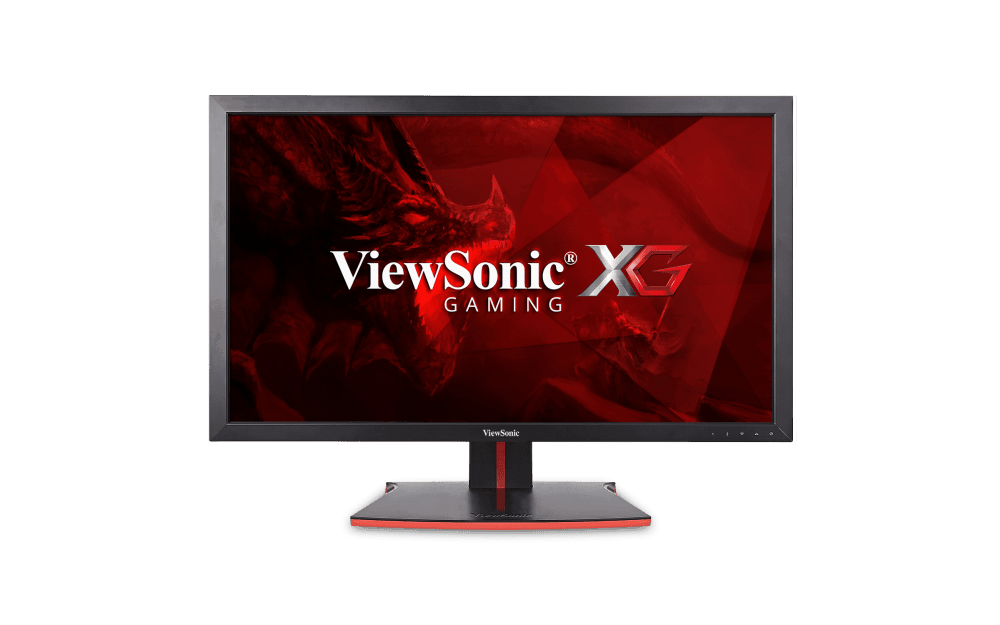
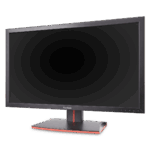
The ViewSonic XG2700-4K is one of the new gaming orientated monitors from ViewSonic with a 27-inch IPS display running at 4K and with AMD FreeSync. Priced at just £479.99 on Amazon it is a very tempting monitor based on the specifications.
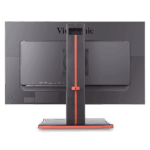
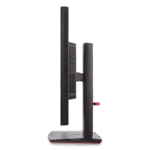
The monitor is very easy to set up you just insert the stand into the base and turn the screw, it took a few seconds at most. The overall design is nice, maybe a little bland, though this could be a plus point, as some people find monitors like the Acer Predator, with its huge logo, a little gaudy. This screen is mostly black with some red highlights.
If you haven’t used a 27” screen before, it is a nice size between 24 and 30+, it should fit on most tables without looking silly. The main concern I had with a 4K screen this size, is everything being too small and relying on scaling too much. You will definitely have to use some scaling for it, 100% means you have very small writing, it’s not impossible to read but over long periods it would be a strain on the eyes.
I ended up settling on 150% scaling, which is what Windows recommended, and because the screen was a reasonable distance away from me. If it was slightly closer, and/or my main monitor I would probably set it to 125%.
To put it into perspective 150% on a 28” display would present items as the sort of size they’d appear on a 42” UHD screen, with a pixel density of 104.9 PPI, which is slightly below 2560 x 1440. While 125% would be like 35” UHD screen, with a pixel density of 125.88 PPI. Source: pcmonitors.info.
Now the problem with scaling is nothing to do with the monitor itself but Windows. For me, I use a normal 4K TV as my main monitor, which I run at 100% scaling, and you can set scaling independently of each monitor, so that is fine. However, from my reading, Windows scales both monitors up, then downscales the lower one, this causes a slight fuzzy effect to text. Also, apps need to be compatible with scaling, in general, most are fine, others are a little weird, for example, Telegram I had to set the scaling in the actual program.
If you are only running one monitor, then most of these issues won’t be a concern for you.
One of the main things that differentiate the ViewSonic from the (slightly) cheaper 4K monitors, is the inclusion of AMD’s FreeSync technology. If you are running a recent AMD card this technology synchronises graphics card output with monitor refresh rate to ensure that games run smoothly. This is quite important for a 4K monitor, as all 4K screens can only handle a 60Hz refresh rate, and most graphics cards struggle to run them at high resolution. So this means that all 4K screens will suffer from big drops in refresh rates while gaming and FreeSync helps reduce the negative effect of this. From my experience, this works extremely well: games run with butter-smooth framerates and without juddering or tearing.
Serious gamers, especially FPS players, will probably want to avoid this, though, 60Hz isn’t enough, but if you are a serious gamer, you know this already.
The monitor uses an IPS screen, which is generally regarded as a superior technology to cheaper screens, you get a much nicer looking screen with far better colour accuracy than TN based screens. This particular screen uses a 10bit panel which is capable of producing over a billion colours and compared to my cheap work monitors you can really tell.
Other features of the monitor include multiple inputs consisting of HDMI 2.0, DisplayPort, and 2 HDMI MHL. There are also 4 x USB3.0 and 1 USB 2.0.
Overall, in both day to day work performance and gaming performance this is a fantastic monitor. For me, it hits the sweet spot of both price and performance.

I am James, a UK-based tech enthusiast and the Editor and Owner of Mighty Gadget, which I’ve proudly run since 2007. Passionate about all things technology, my expertise spans from computers and networking to mobile, wearables, and smart home devices.
As a fitness fanatic who loves running and cycling, I also have a keen interest in fitness-related technology, and I take every opportunity to cover this niche on my blog. My diverse interests allow me to bring a unique perspective to tech blogging, merging lifestyle, fitness, and the latest tech trends.
In my academic pursuits, I earned a BSc in Information Systems Design from UCLAN, before advancing my learning with a Master’s Degree in Computing.
I’m proud to share that Vuelio has consistently ranked Mighty Gadget as one of the top technology blogs in the UK. With my dedication to technology and drive to share my insights, I aim to continue providing my readers with engaging and informative content.
I work directly with the companies I review products for or their chosen PR agency.
For Social Media, you can find me on: